Participant
December 30, 2023
Answered

Targa Files and Opacity Map in Substance Painter

  • December 30, 2023
  • 2 replies
  • 2083 views

Hi there, 


I am making a skin for Counter Strike 2. The game shader supports the use of the alpha channel on the base color texture to dictate wear. Usually I use Photoshop to Add a Alpha channel but was wondering whether I can just export the Opacity Input Mesh into the Alpha Channel of my Base Color in TGA format. 


I tried to do that but I dont think its working as when I open up the exported TGA in Photshop the Alpha Channel isnt already added. 


Sorry im still new to this so any help would be appreciated. 

Correct answer Cyril Dellenbach

Hello @Savvas31433608adzo,


Thanks for the question.


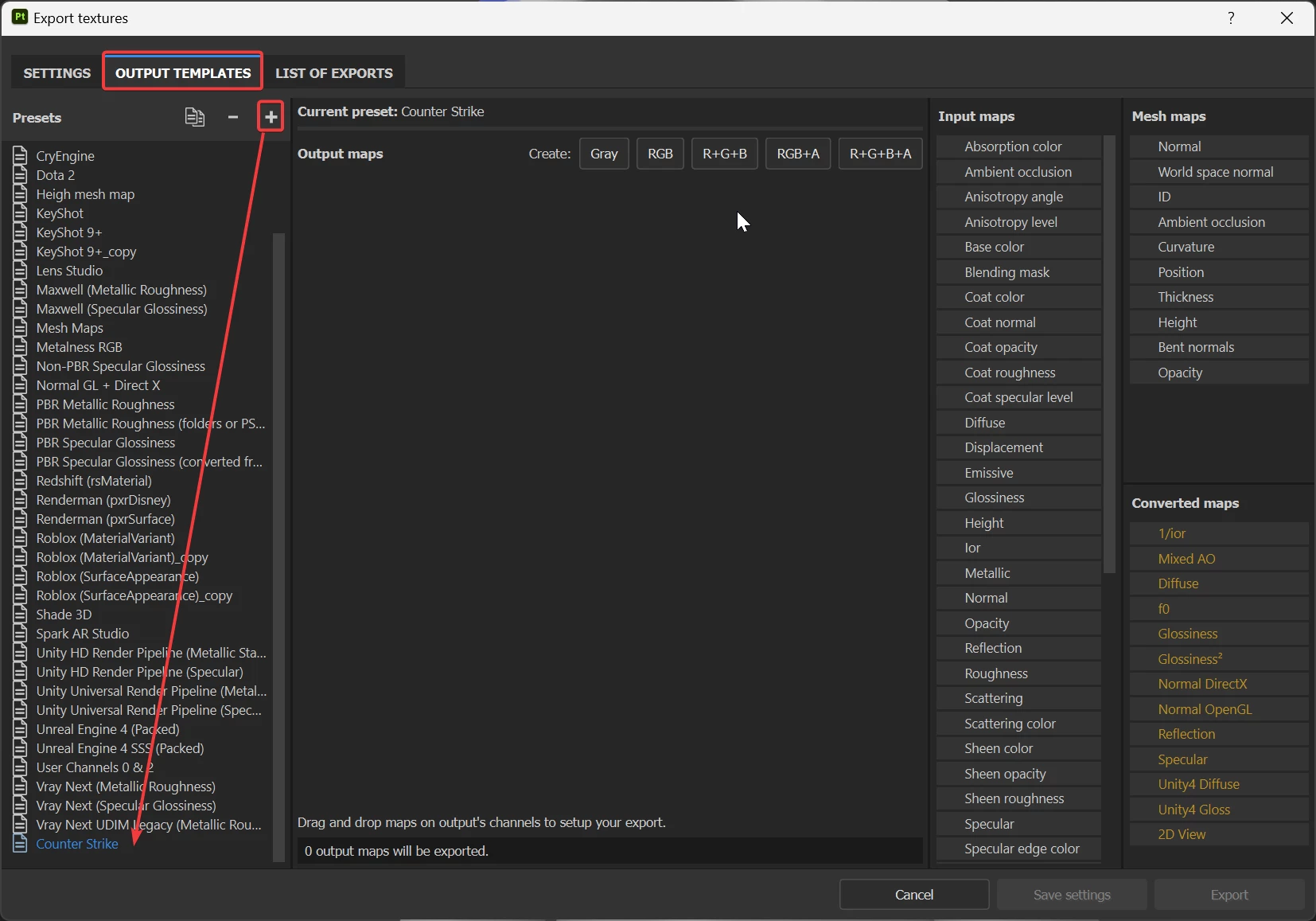
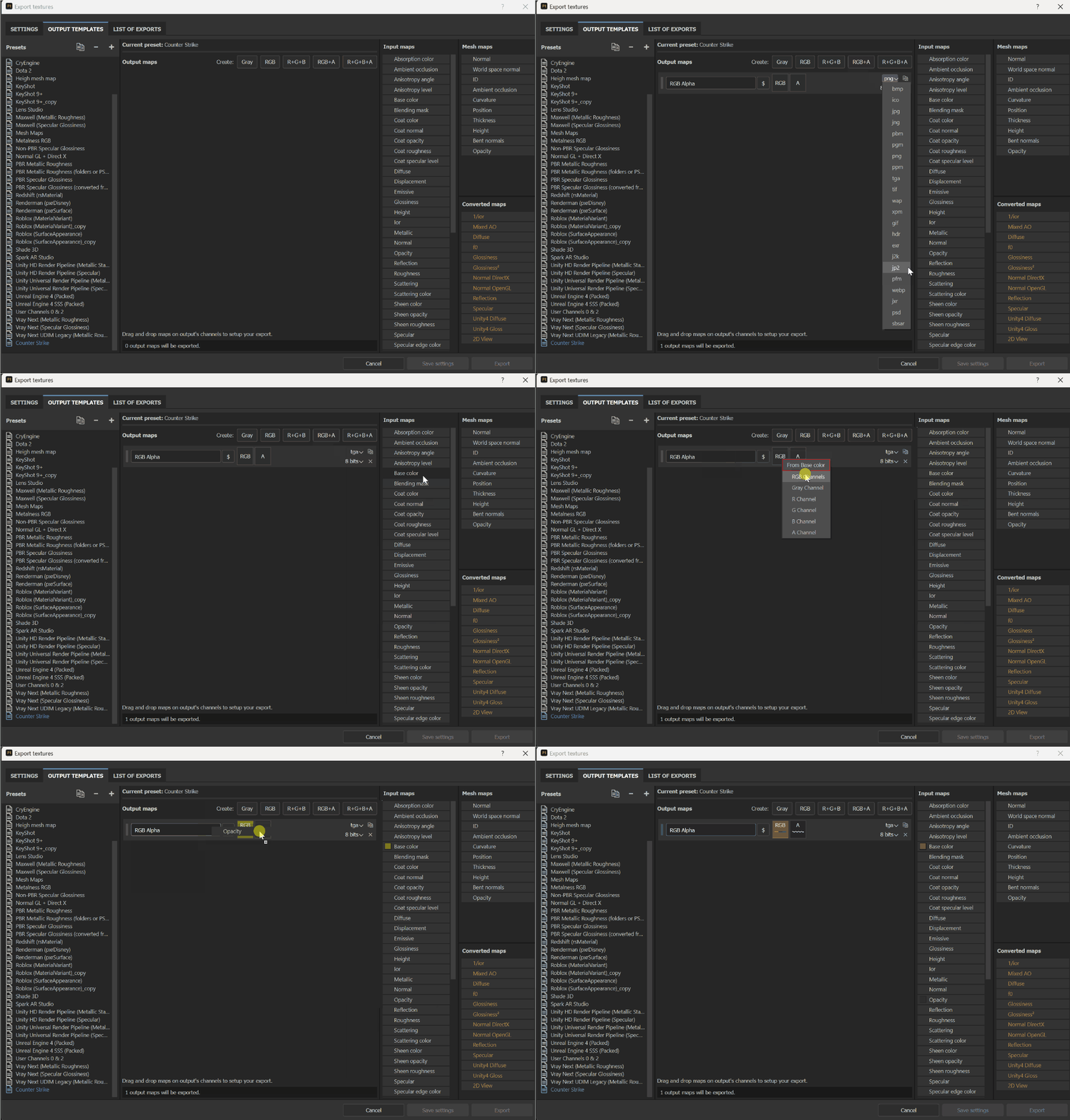
Yes, it's possible to add the Opacity map in the Alpha channel of the Base Color, even with a TGA format. For specific needs, I usually advise to build your own Output Template.


From there, you should be able to easily create the proper textures.


Regards,

2 replies

Cyril Dellenbach
Community Manager
Cyril DellenbachCommunity ManagerCorrect answer
Community Manager
January 8, 2024

Hello @Savvas31433608adzo,


Thanks for the question.


Yes, it's possible to add the Opacity map in the Alpha channel of the Base Color, even with a TGA format. For specific needs, I usually advise to build your own Output Template.


From there, you should be able to easily create the proper textures.


Regards,

Cyril Dellenbach (Micro) | QA Support Artist | Adobe
Participant
February 18, 2024

Thank you so much that works like a charm. 


Cyril Dellenbach
Community Manager
Community Manager
January 8, 2024

Hello @Savvas31433608adzo,


Thanks for the question.


Yes, it's possible to add the Opacity map in the Alpha channel of the Base Color, even with a TGA format. For specific needs, I usually advise to build your own Output Template.


From there, you should be able to easily create the proper textures.


Regards,

Cyril Dellenbach (Micro) | QA Support Artist | Adobe
Participant
September 14, 2024

When I drag&drop opacity channel in the A slot, I can't get Alpha channel in the exported image. But if I choose  grey channel, I can get the Alpha channel. 

But the problem is the exported Alpha channel is slightly brighter, as if it's gamma corrected. Can you help me out with it?