Participant
June 16, 2024
Question

Texture Not Appearing (sbsar) or Distorted (png) in CLO 3D
  • June 16, 2024
  • 1 reply
  • 293 views

Hi, 

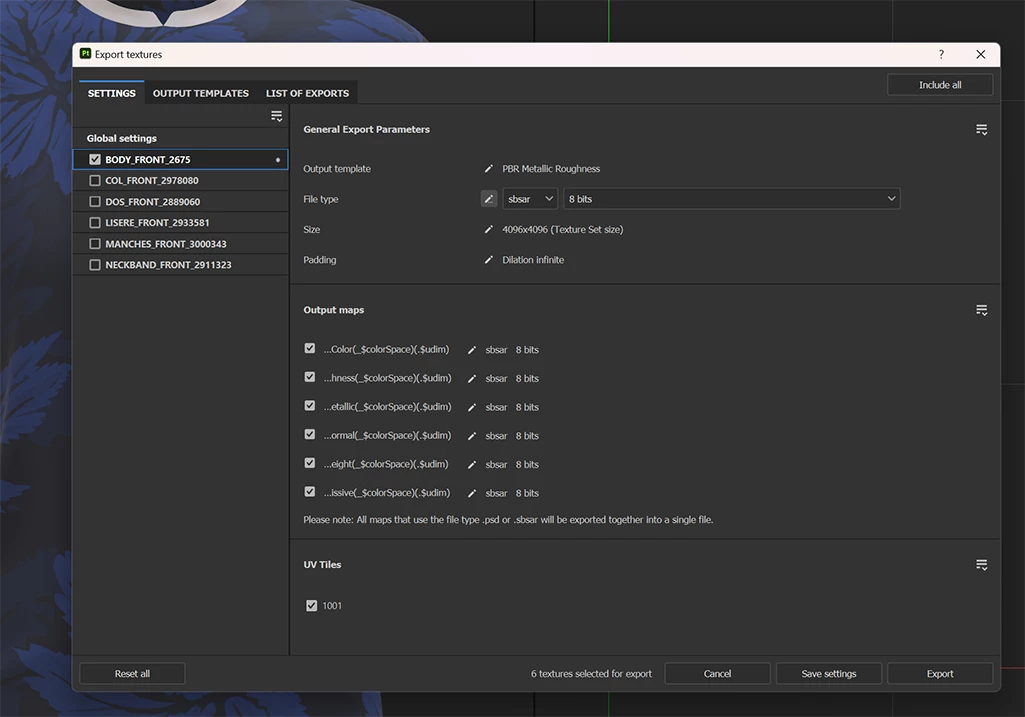
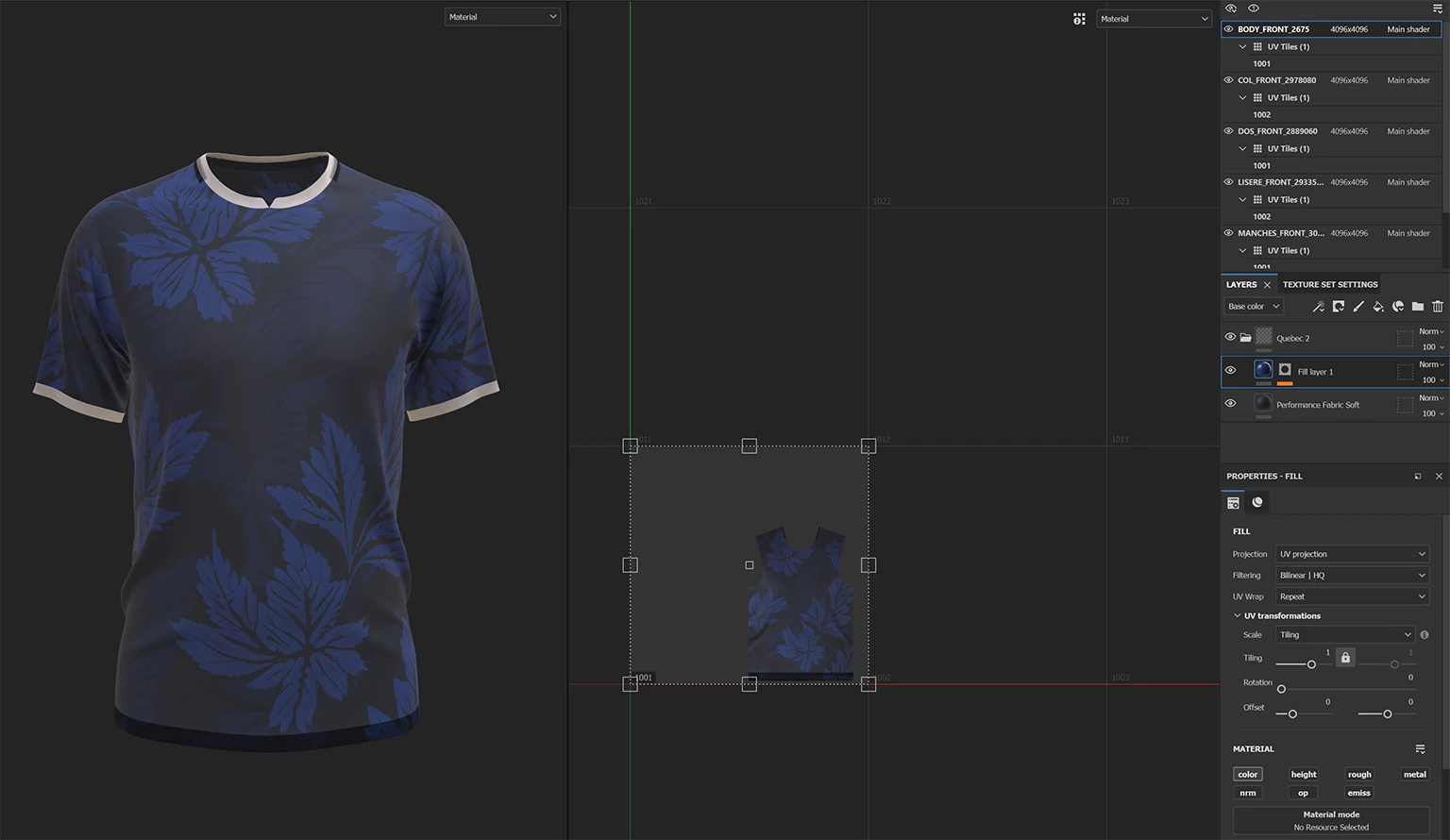
I created a t-shirt in CLO 3D (Mesh Type: Quad) and exported it as an OBJ with the UV maps. In Substance Painter, I imported the OBJ and the maps, baked all the mesh maps, applied my textures, and then exported the textures. I only exported one of the textures (body_Front) into CLO 3D. However, in CLO 3D, my texture does not appear (sbsar) or appears distorted (png). What could be causing this issue, and how can I fix it?


This topic has been closed for replies.

1 reply

Cyril Dellenbach
Community Manager
Community Manager
June 17, 2024

Hi @renauds67722611,


For the .SBSAR, I'll have to take a look at the file, but regarding the .PNG bitmap, I can already tell you it has no issues. The strips you're looking at is what we're calling Padding or Dilation. It's a feature that will extend the last pixels at the border of a UV island to prevent artifacts.


You can try to use the bitmap shared here on your model, and as long as the UVs are similar as those in Substance Painter, the texture will be applied without artifacts.


Regards,

Cyril Dellenbach (Micro) | QA Support Artist | Adobe
Participant
June 18, 2024

Regarding the PNG bitmap, it's correct indeed! Thank you for the information.

However, I am still facing issues with the .SBSAR file in CLO 3D. The texture does not show up correctly in CLO 3D despit many attempts.

I have attached the .SBSAR file for you to review.

Thank you for your help!