Participant
Jun 26, 2023 6:44 PM UTC
Question

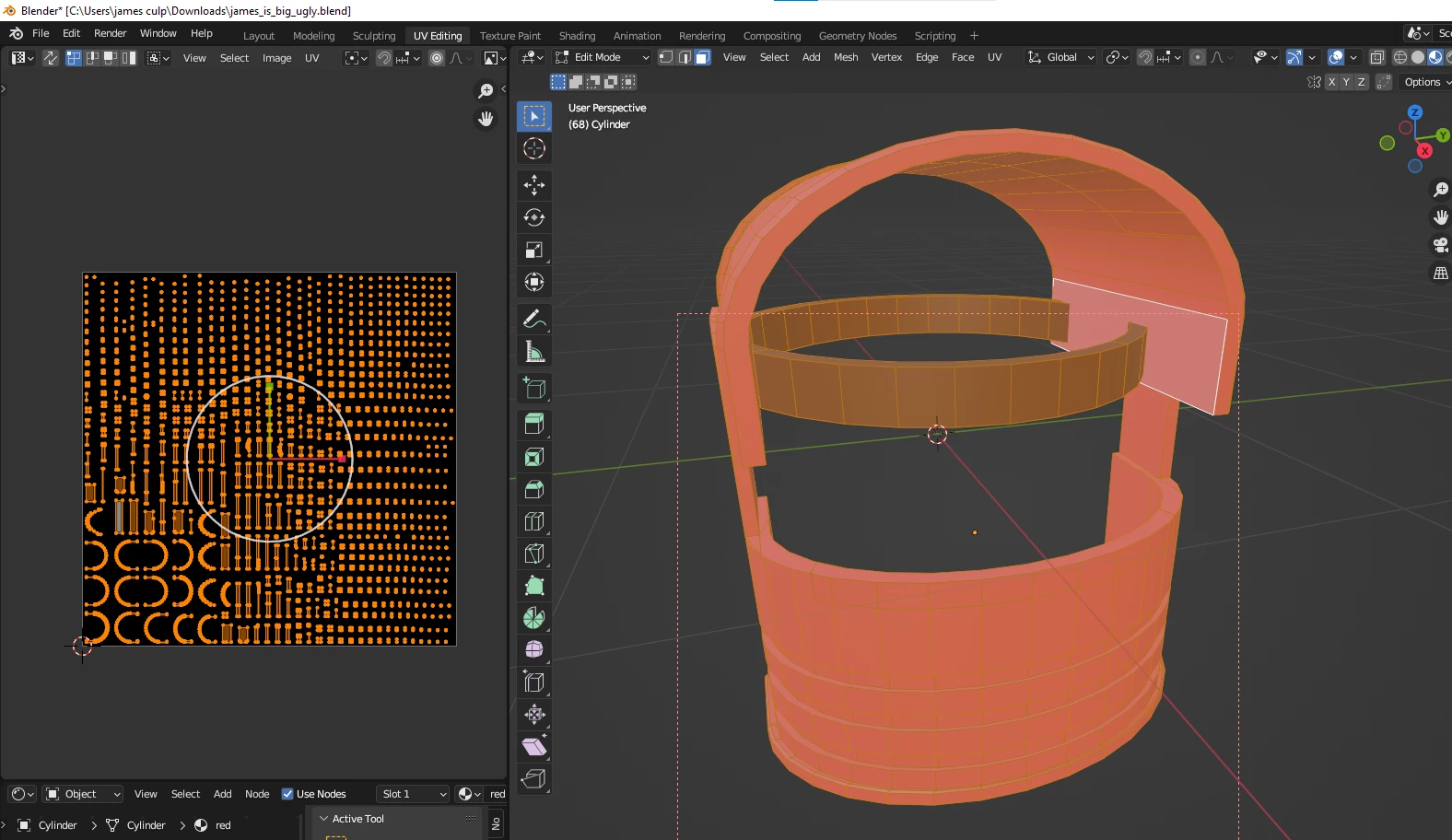
texture overlaping?
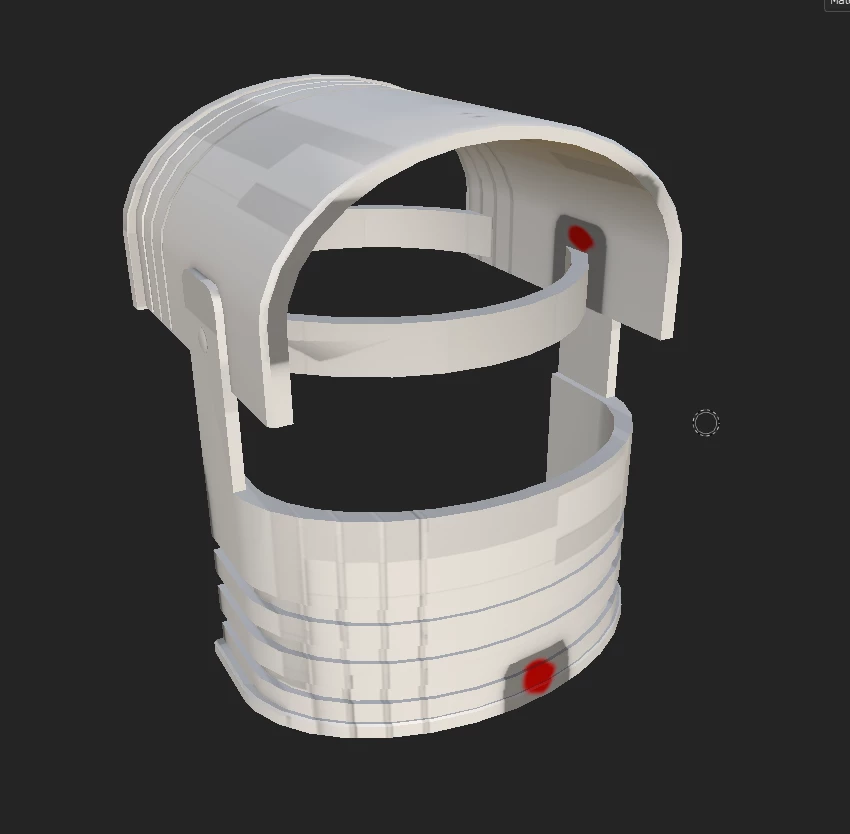
 

i dont know why but my texture are over laping when i bake them even tho none are in blender
anyone got a fix?

This topic is closed to new replies. Start a new post to keep the conversation going.

3 replies

davescm
Community Expert
Community Expert
Jun 27, 2023 9:58 AM UTC

Did you do anything that might have led to overlaps following your UV unwrap in Blender e.g. auto-unwrap on import to Painter.

If not can you post the fbx export from Blender and I'll take a look at it here.

Dave

Translate
Participant
Jun 27, 2023 2:39 PM UTC

i havent tryed anything sice this post also heres he fbx

Translate
davescm
Community Expert
Community Expert
Jun 27, 2023 7:36 PM UTC

Your UVs do overlap. You have three materials 'Red', 'Band' and Bolts. Red is the main body of your object

This is 'Red' in Blender showing the unwrap with lots of overlaps


Repacking all three UV layouts, screenshot shows 'Red', allows the import to Painter to work without issue.


I've attached the repacked fbx. Note : All I've done here is quickly moved the islands to avoid overlaps, in practice I would do more to make the most of the UV layout space.


I hope that helps

Dave


Translate