


Participant
November 9, 2024
Question

The textures aren't working right and I do not understand why.

  • November 9, 2024
  • 1 reply
  • 447 views

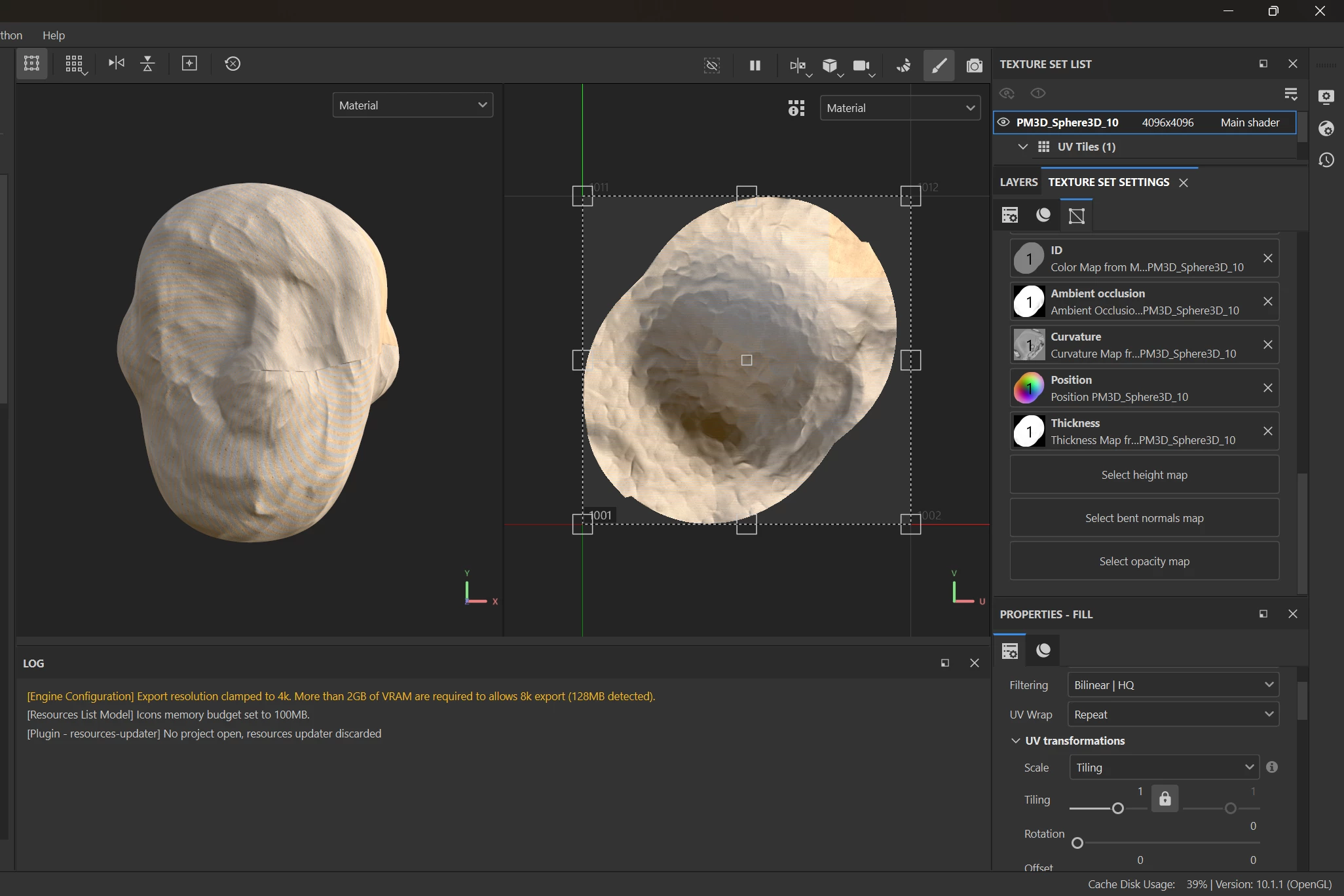
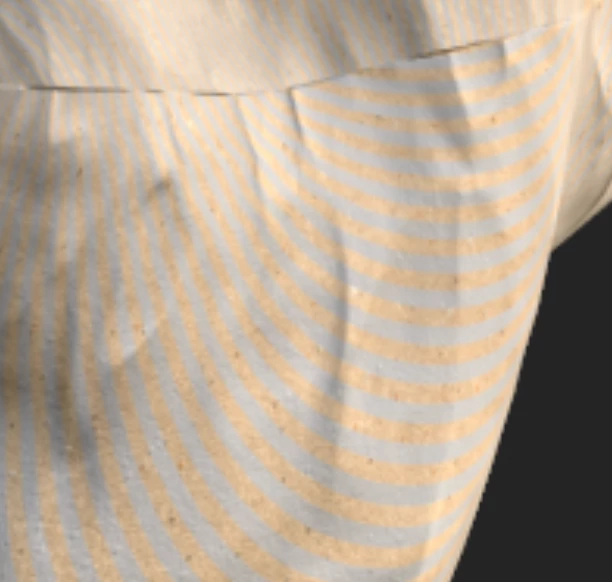
Hi, I am new to Substance Painter. I am importing from Zbrush as an FBX file. Maybe this is a Zbrush issue, but I honestly don't know. I've followed several tutorials on YouTube but still, whenever I try to apply a texture to my mesh, it makes this weird pattern and doesn't apply right. Has anyone had this issue before??
 

This topic has been closed for replies.

1 reply

davescm
Community Expert
Community Expert
November 10, 2024

Hi looking at the two views of your material the 2D view shows it has a horizontal stripe. When that is wrapped into 3D space, it is applied to your 3D model surface in a twisted way. That is the result of the way the surface has been unwrapped.


You could try a better unwrap, but first you may want to try the following.

In the fill properties for the texture, change the projection method from UV projection which projects flat onto the unwrapped UV map, to Tri-Planer projection which applies the material direct to the 3D surface from each 3D plane. That should look more even on the model, although you may get some blurring where to planes meet.


Dave


Participant
November 15, 2024

Thanks so much for the imput! Unfortunately, it did not work, so I think it may be on the Zbrush side of things. I'll have to try something new!