
Tri-Planar Projection with Smart-Mask
Hello,
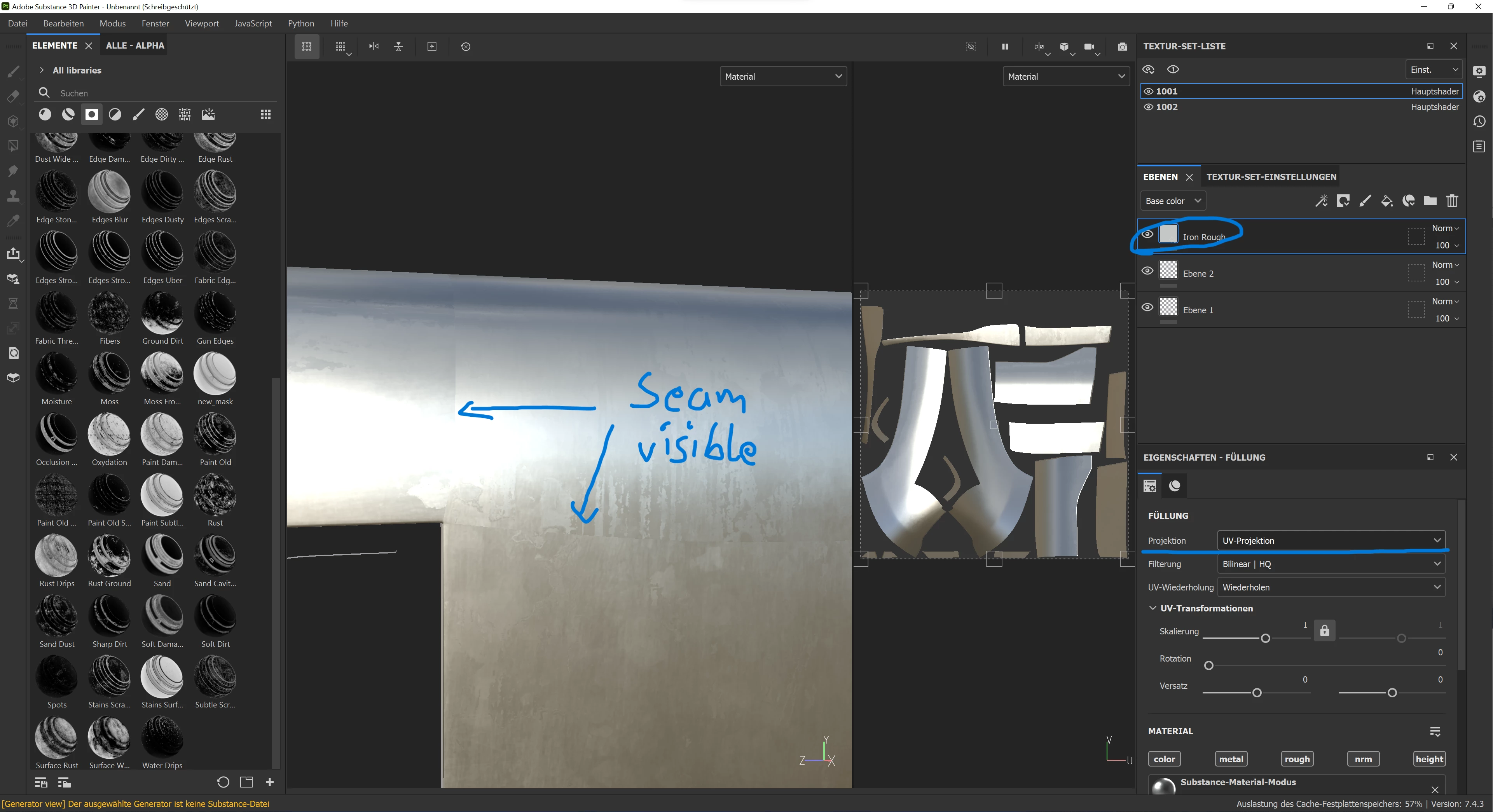
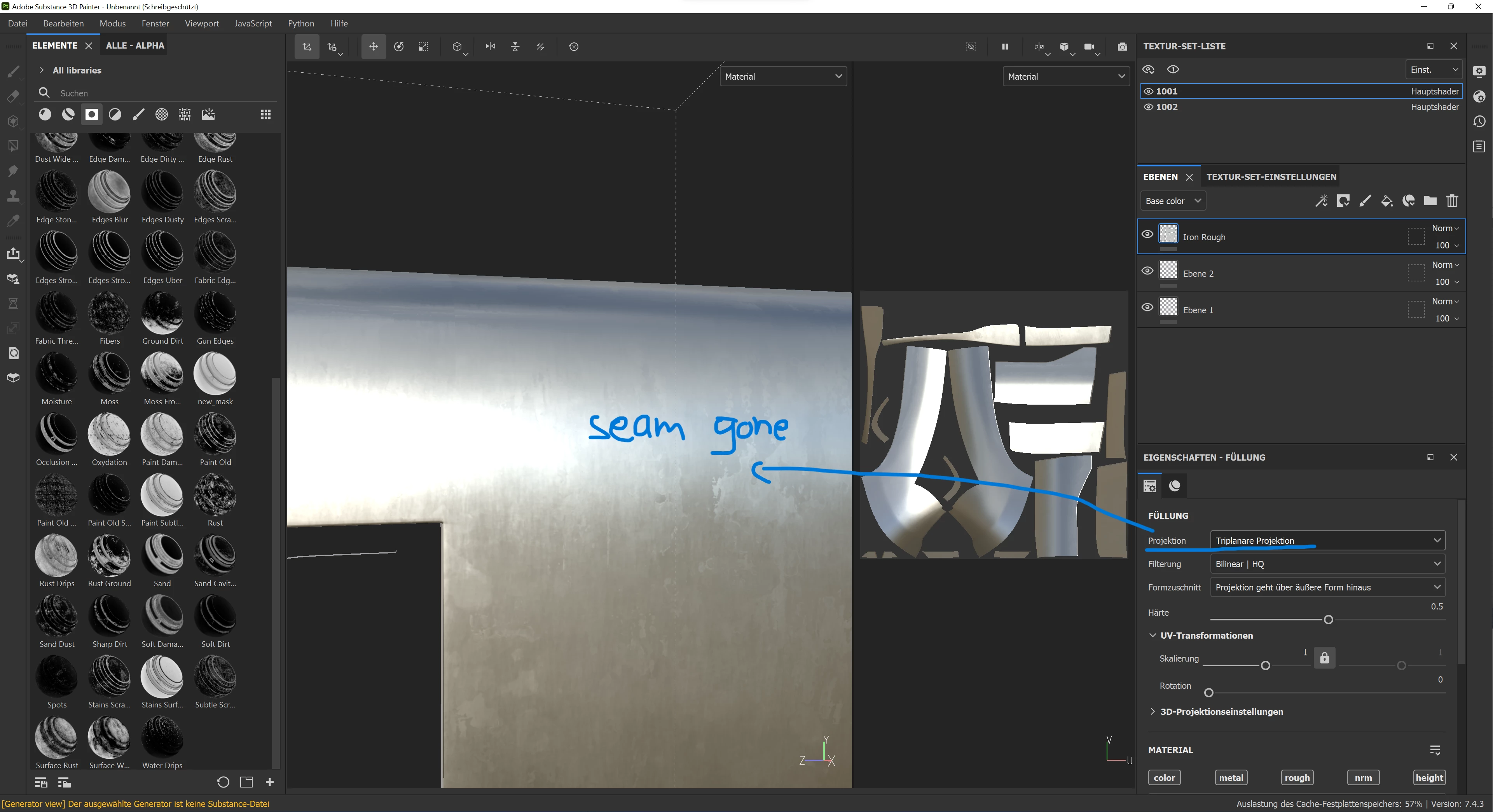
I have a fairly big object, that I split into multiple UVs for better Texel Density and I want to apply a Smart-Mask on it without the seams being visible. The Tri-Planar Mode in the Layer properties works for that when it comes to a simple Material (As can be seen in Pic. 1 & 2) but I'm kinda lost when it comes to Smart-Masks.
I tried turning on the Triplanar option in the generator which didnt seem to bring about any changes (Pic 3).
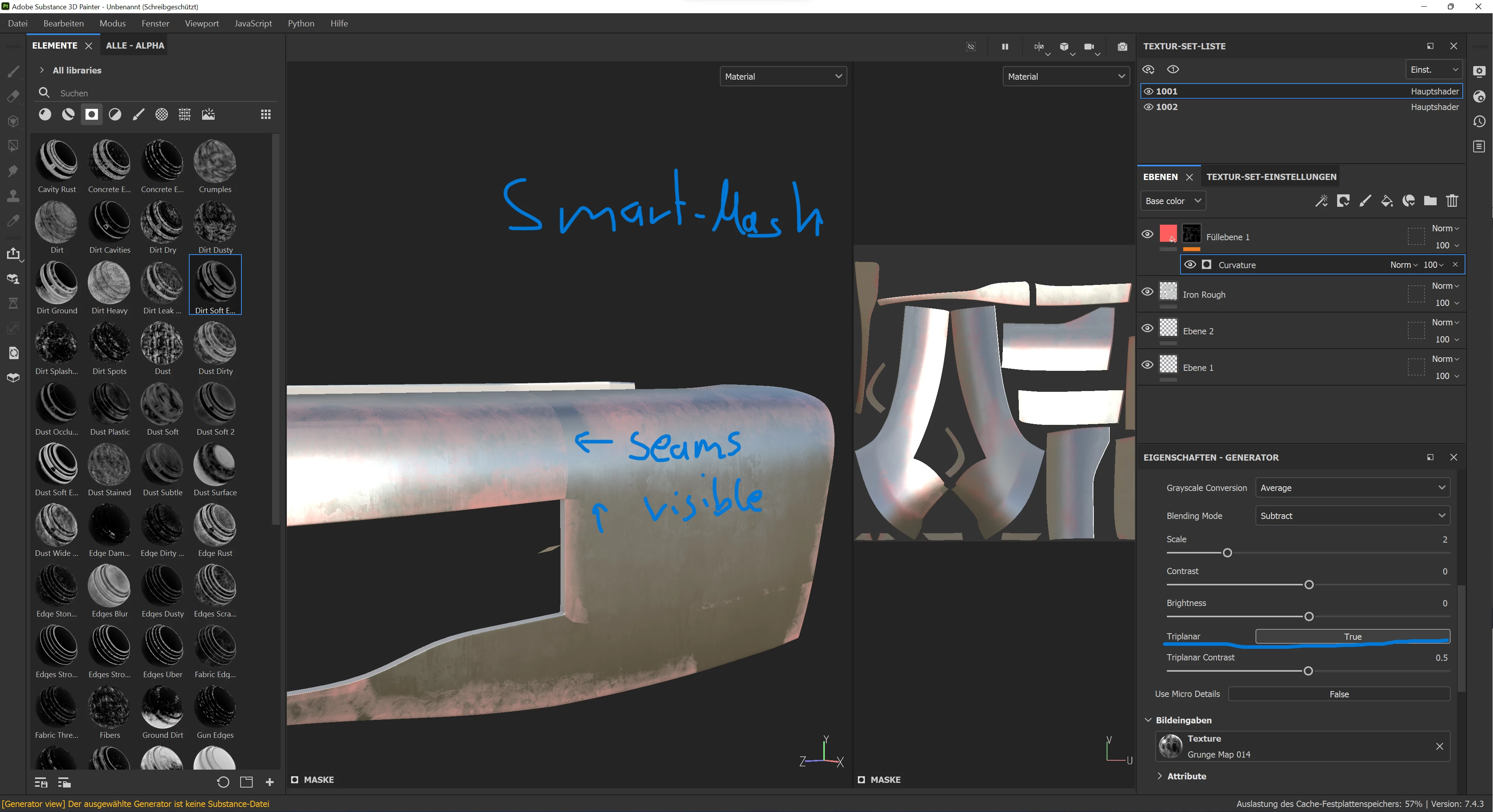
I also tried adding a generator and a filter with the Triplanar Advanced option which neither gave me the desired result. So I am now linda lost on what my option are.
I should add that I'm fairly new to Substance Painter so I may overlook a basic function. I have found a lot of people on forums having the same problem as me around 2015 but those questions seem to have died out around 2016/17-ish, which also makes me think that there may have been a simple solution introduced to this?
Does anybody know a solution? I would be very thankful and hope I have stated my concern clearly. If not let me know and I'll try to clarify or provide more information.


 AdChoices