Participant
Mar 10, 2022 2:01 PM UTC
Answered

UDIM mask Trouble

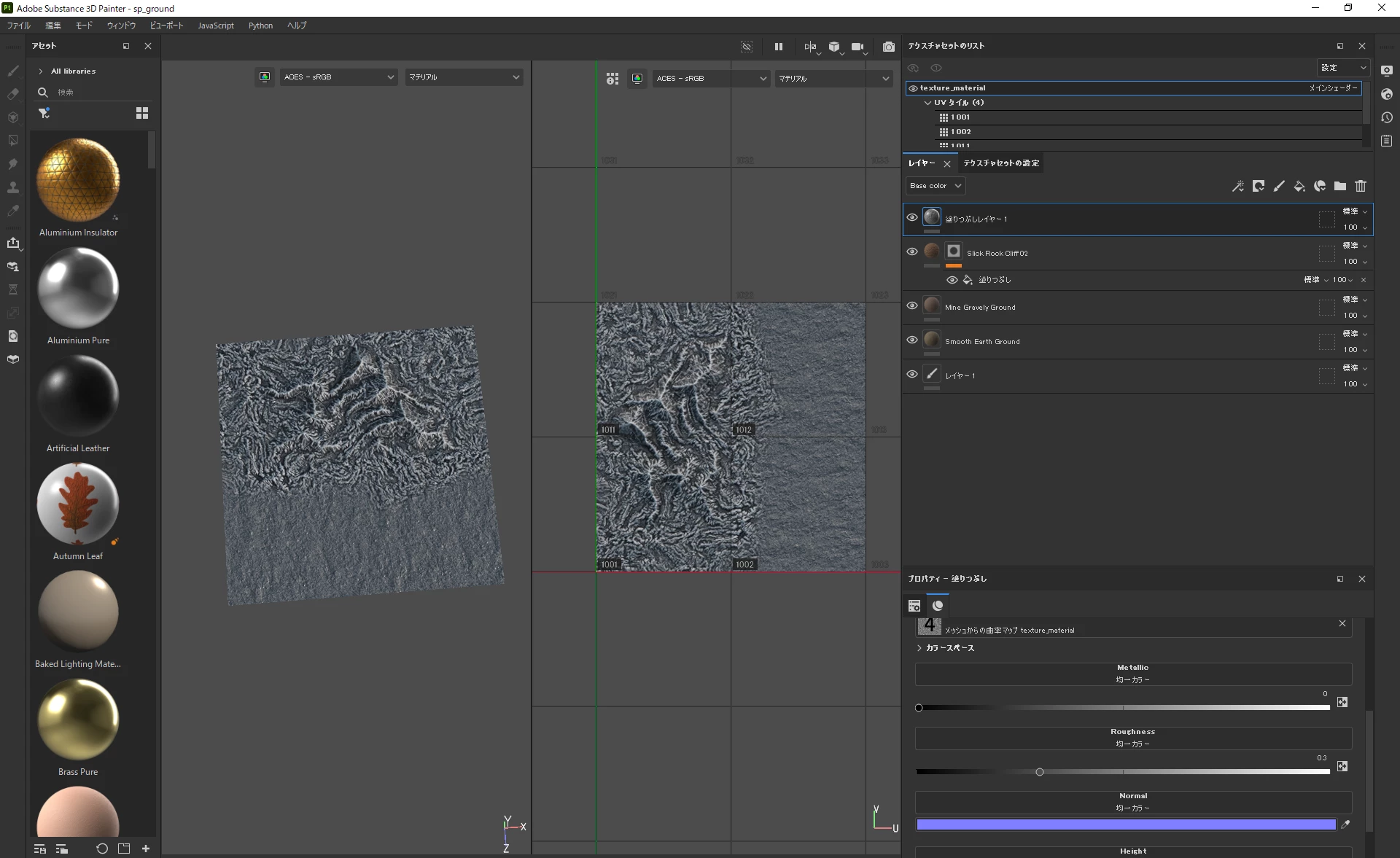
The paint can load 4 UDIMs, but 4 mask textures are packed in each UDIM when the UDIM is loaded as a mask. Can you please tell me how to solve this problem?

The model and texture are exported in Houdini.
 

This topic is closed to new replies. Start a new post to keep the conversation going.
??10962061Correct answer
Participant
Mar 11, 2022 1:53 AM UTC

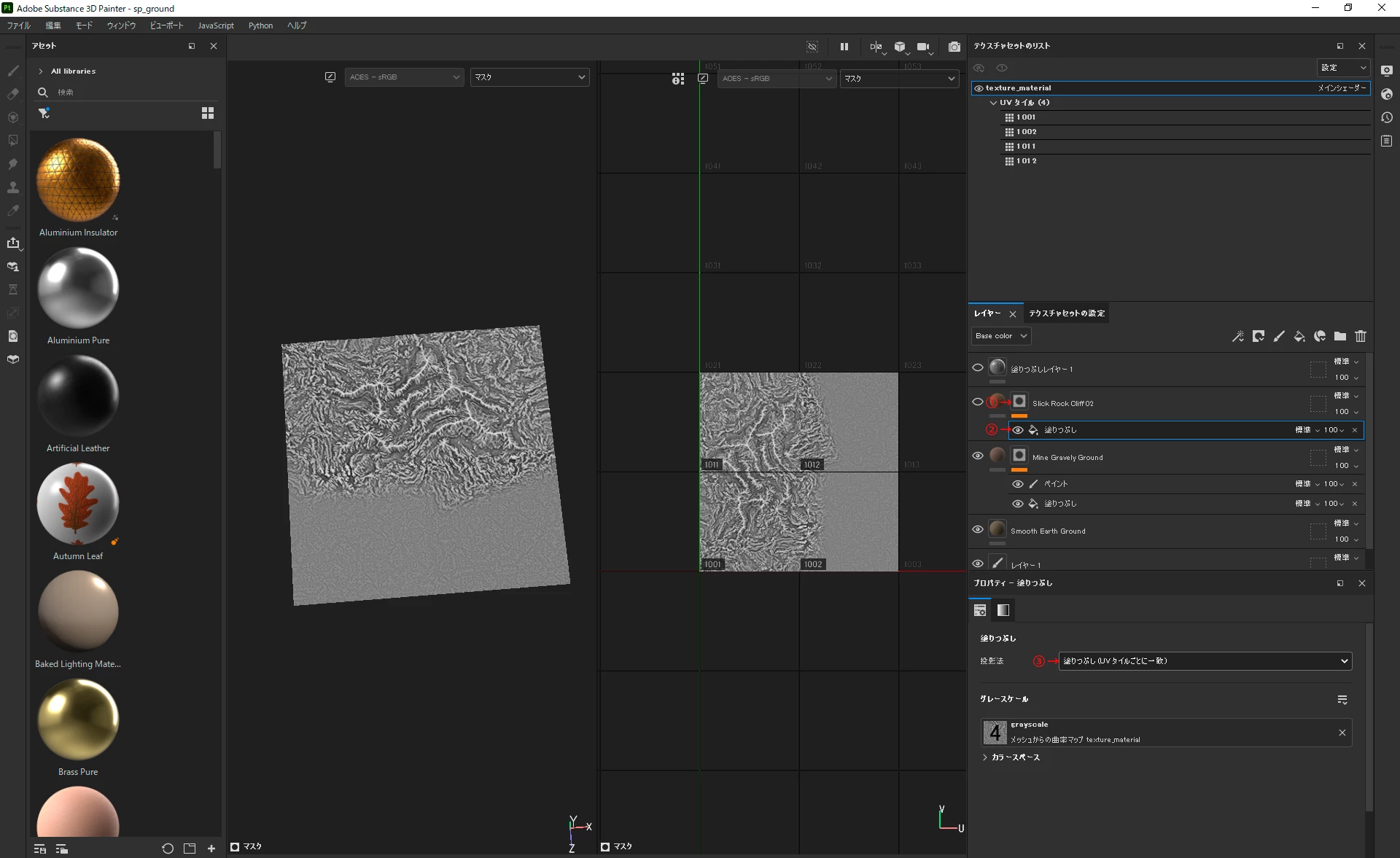
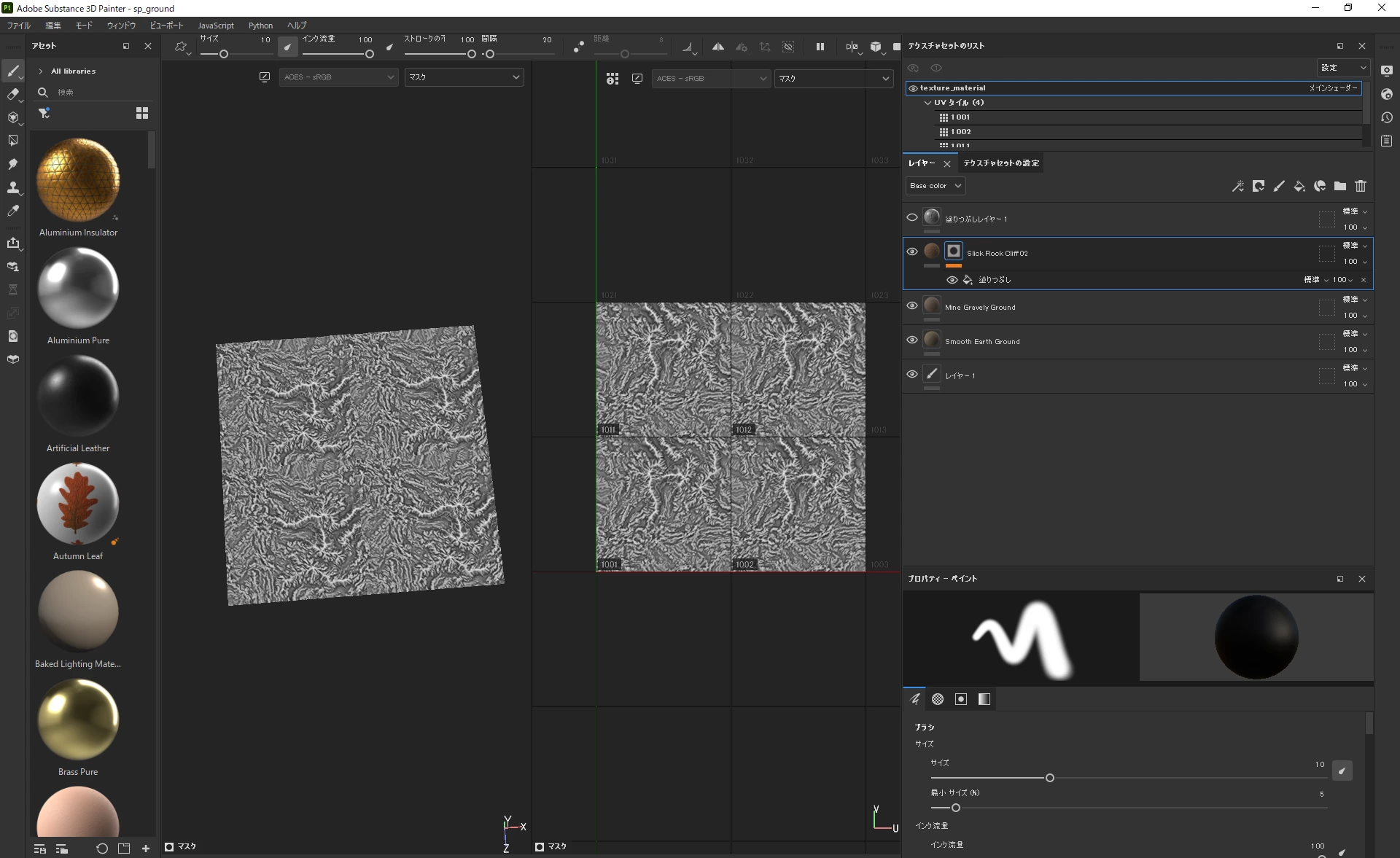
This was done by setting the mask's projection mode to Fill (Match Per UV Tile).
Thank you very much.


””In 
Fill layers (and fill effects), make sure that the projection mode is set to Fill (Match Per UV Tile) to ensure that each image from the sequence is assigned to the right UV Tile in the Texture Set.””

2 replies

Cedric Marchessoux
Community Manager
Community Manager
Mar 10, 2022 2:07 PM UTC

Please have a look to https://substance3d.adobe.com/documentation/spdoc/uv-tiles-197427749.html and https://substance3d.adobe.com/documentation/spdoc/geometry-mask-197427754.html
in order to use the Geometry mask, this way you can select which tile to mask per layer.

Translate
??10962061AuthorCorrect answer
Participant
Mar 11, 2022 1:53 AM UTC

This was done by setting the mask's projection mode to Fill (Match Per UV Tile).
Thank you very much.


””In 
Fill layers (and fill effects), make sure that the projection mode is set to Fill (Match Per UV Tile) to ensure that each image from the sequence is assigned to the right UV Tile in the Texture Set.””

Translate