
Participant
April 14, 2023
Question

Unable to Export Textures to Roblox

  • April 14, 2023
  • 3 replies
  • 1213 views

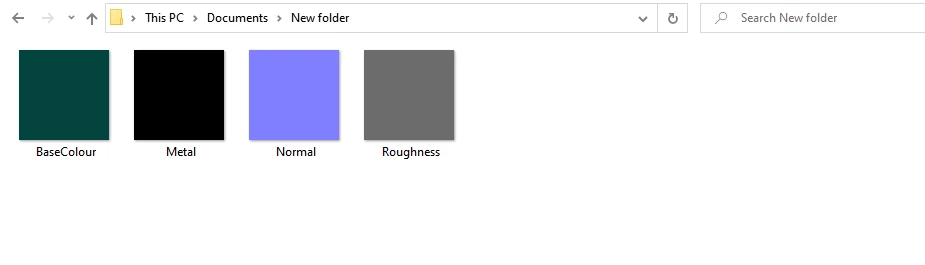
I recently got a free student trial of all the Adobe products. I thought Substance Painter would be really useful to texture any models made in Blender, that I can then use in Roblox. I've tried everything and I just can't get it to work. Every texture file I export just turns in to plain colours. I've used Roblox Surface Appearance template, and tried creating a custom output template, but neither have worked.
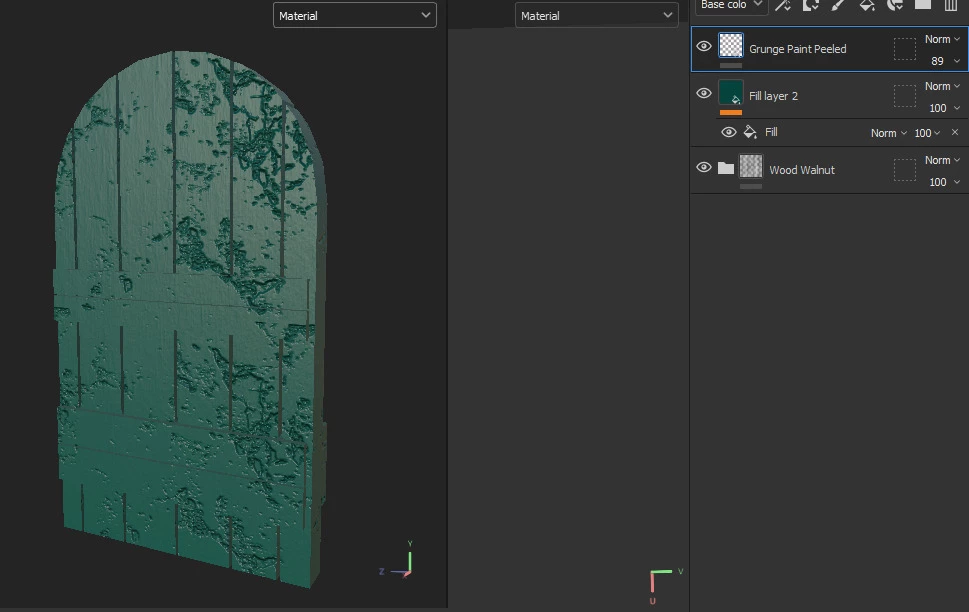
It should look like this.
 

    3 replies

    Cyril Dellenbach
    Community Manager
    Community Manager
    April 18, 2023

    Hi @AutisticPelican,


    From your layer stack, it is not that surprising that your bitmaps are plain colors. Could you try to drag and drop a "complex" material from your library asset on your 3D model (something like Aluminium Insulator), and then export your textures to check if everything works fine?


    Keep me posted,


    Cyril Dellenbach (Micro) | QA Support Artist | Adobe
    davescm
    Community Expert
    Community Expert
    April 14, 2023

    Hi

    I  don't use Roblox, however did find this which may be of some use:

    https://devforum.roblox.com/t/substance-painter-to-studio-tutorial-surfaceappearance/866962


    It describes how to build a texture export template, the naming conventions and also a caveat that applied in 2020 (I don't know whether it still does) of a 1024 x 1024 limit.

    It might be worth working through to see if there are any differences between that and the workflow that you used.


    Dave

    Participant
    April 15, 2023

    I've read this article before and it didn't work, but thank you

    jane-e
    Community Expert
    Community Expert
    April 14, 2023

    Moved from Using the Community to Substance Painter.


    You might also try Roblox support: https://en.help.roblox.com/hc/en-us


    Jane


    Participant
    August 7, 2024

    thanks for this