Participant
October 22, 2022
Answered

USD export does not include all 5 textures

  • October 22, 2022
  • 2 replies
  • 960 views

I am trying to export textures to use in USD (Apple reality converter).

I select the built in "USD PBR Metal Roughness" preset:
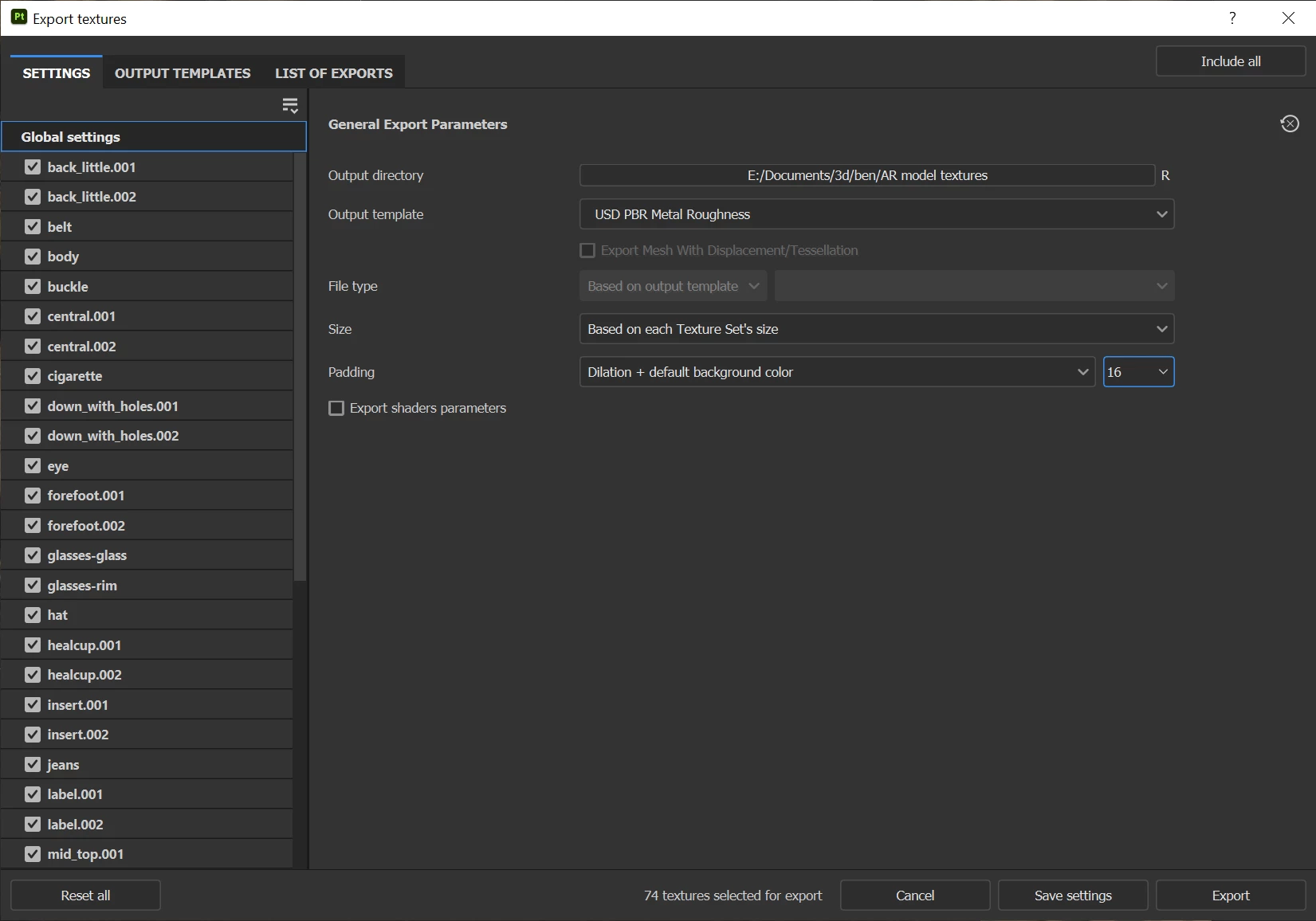
In the documentation it states that this is supposed to:

Five texture files are created and saved (base color, metallic, normal, occlusion and roughness)

This would be perfect!

However, in the "List of exports" tab I only get 2 or in some texture sets, 1 file:
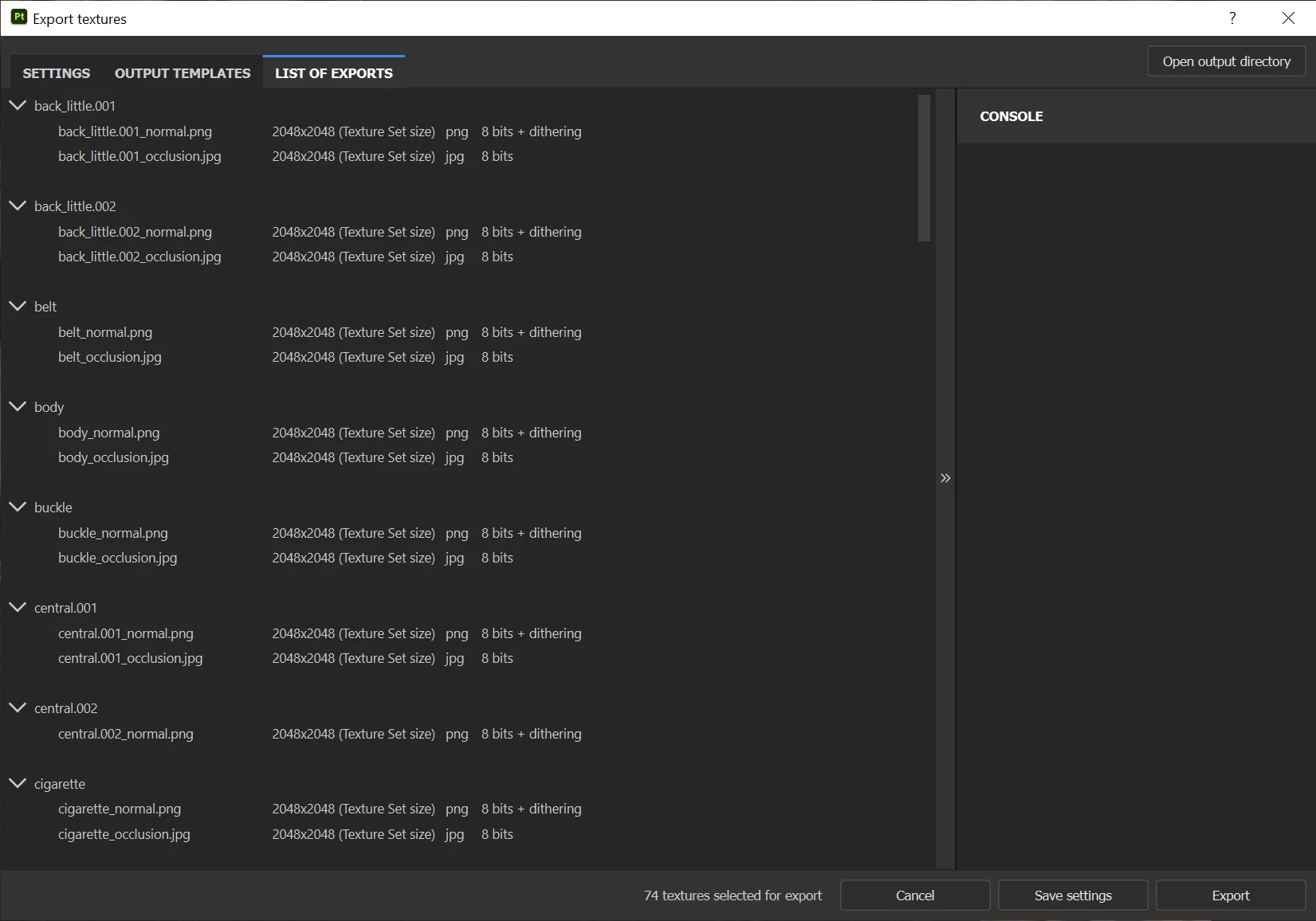
And sadly, when I export textures, this is exactly what I get.


Any tips for getting all 5 textures (and the usdz) from SB would be awesome?


Notes:

- I'm not using UDIMs

- I haven't overridden any settings in individual texture sets

- Substance Painter 8.2.0 on win10
This topic has been closed for replies.
Correct answer james0001

I think I've found the solution:


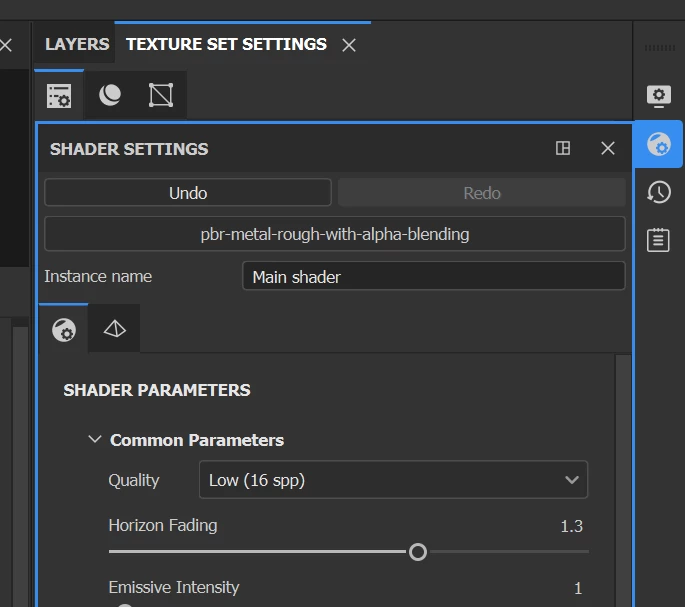
1. Change the Shader settings to pbr-metal-rough-with-alpha-blending (I have some glass in my model):


2. within each texture set add the relevant channels (e.g. Basecolor, roughness etc):


I have no idea why it was set up this way but hopefully this helps anyone else with the same issues in the future.

2 replies

james0001AuthorCorrect answer
Participant
October 23, 2022

I think I've found the solution:


1. Change the Shader settings to pbr-metal-rough-with-alpha-blending (I have some glass in my model):


2. within each texture set add the relevant channels (e.g. Basecolor, roughness etc):


I have no idea why it was set up this way but hopefully this helps anyone else with the same issues in the future.

davescm
Community Expert
Community Expert
October 23, 2022

The export preset was looking for Base, Metal, roughness channels whereas you were using a Diffuse, Specular, Gloss workflow.

Dave

davescm
Community Expert
Community Expert
October 22, 2022

Have you got all 5 maps in your texture set - either in the material or in the baked maps? If the channels are disabled or not present there will be no output map.

I've just tested here and I see all five, provided they are present in the texture set to output.


Dave

james0001Author
Participant
October 23, 2022

Thanks Dave,

I think so...here's an example texture set that is only exporting Normal and Occlusion textures.

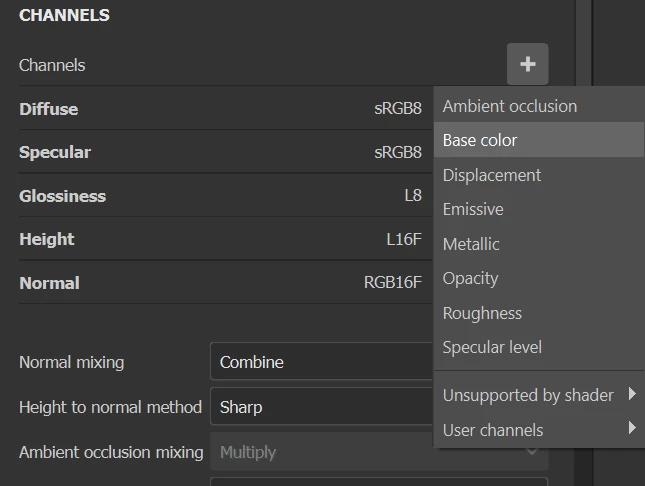
Perhaps a clue is that if I go into "+" under channels, Base color is only under Unsupported by Shader:

Any tips would be super-helpful...I've clearly set this project up incorrectly somehow!