


Answered
Using grunge map as base color, anchor point to create roughness - grey values aren't the same?
Hello,
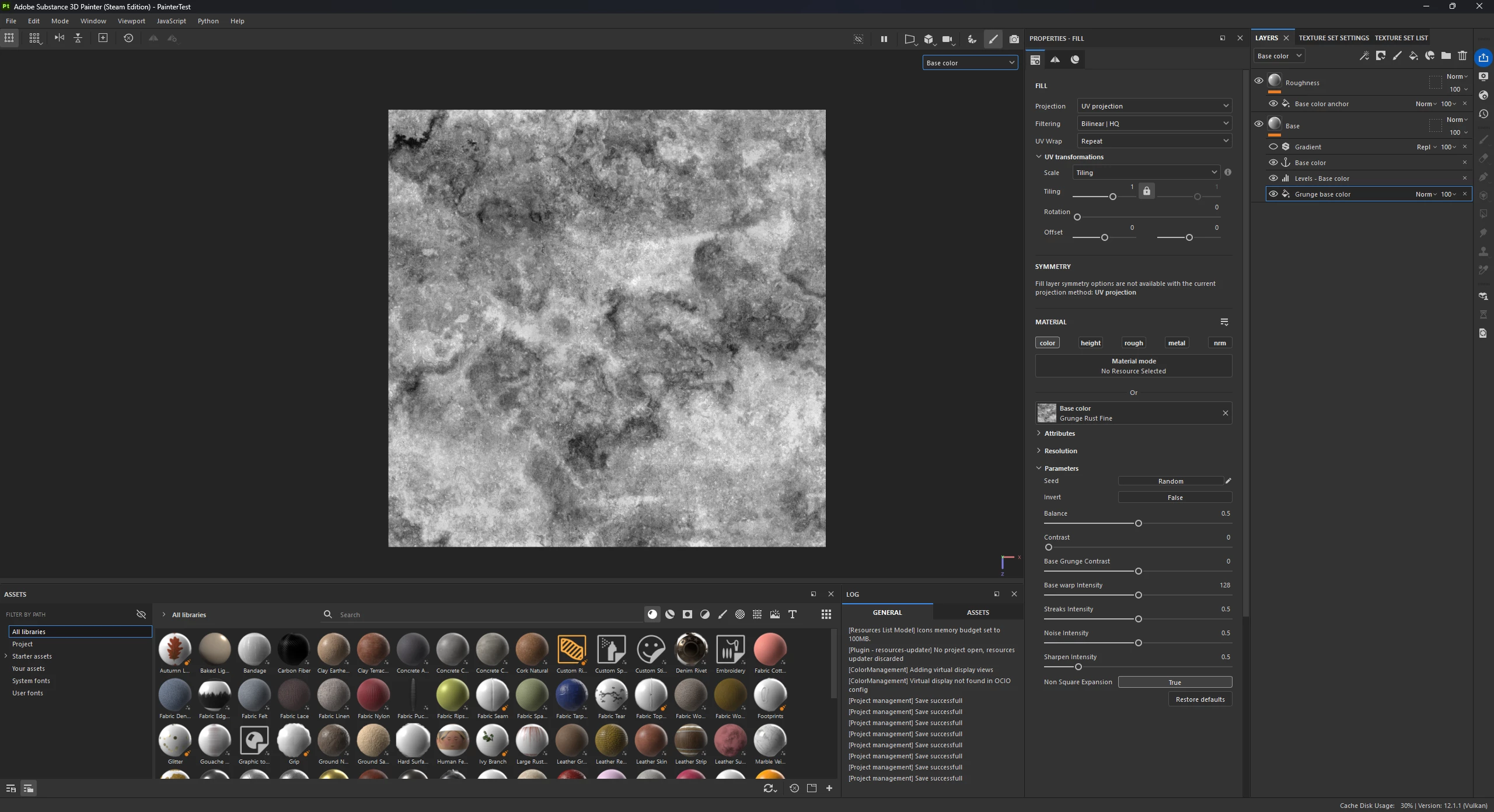
I’m trying to use a grunge map as the base color of my material, then run it through a gradient map to color it.
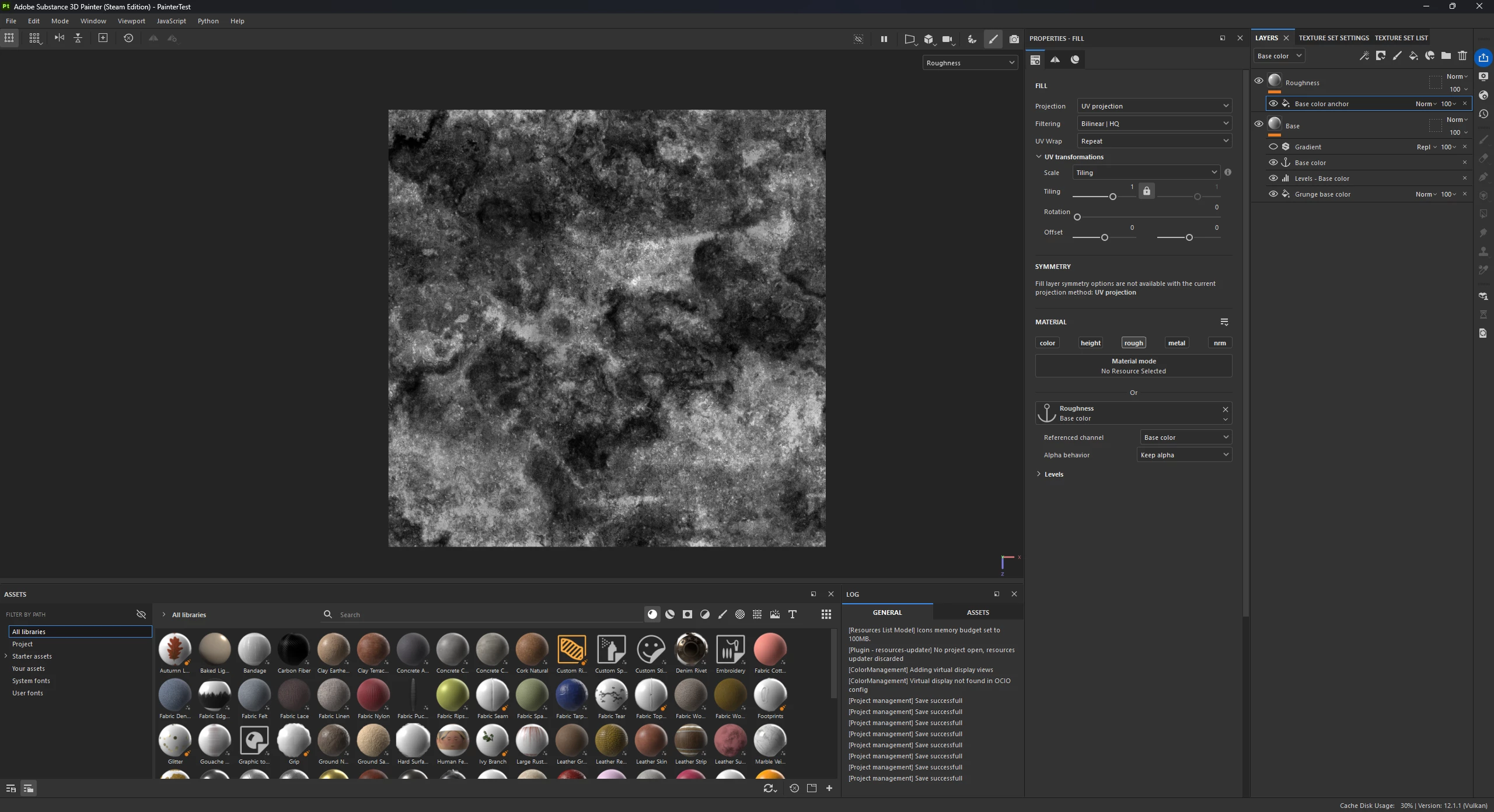
I wanted to use an anchor point before the gradient, to create a roughness map that matches the grunge I’m using as my base color.
This works, but the the anchor point roughness map comes out much darker than the base color grunge that it is derived from. What is the reason for this? Shouldn’t the anchor point just directly copy the greyscale map? I made sure that the anchor point is BEFORE my gradient and AFTER my levels.
Thanks for your help,
On a side note, is this the best method to do this? I can’t find much about working like this online.

 AdChoices