
Participant
July 3, 2021
Question

Visible seam in curvature and mask editor generators, looking for solutions
  • July 3, 2021
  • 6 replies
  • 8996 views

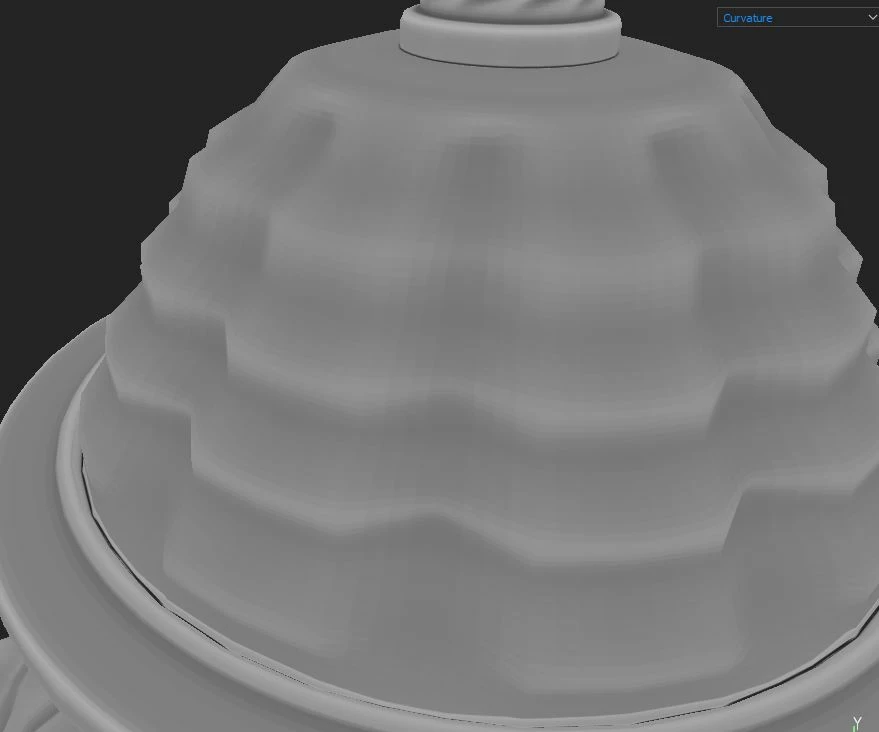
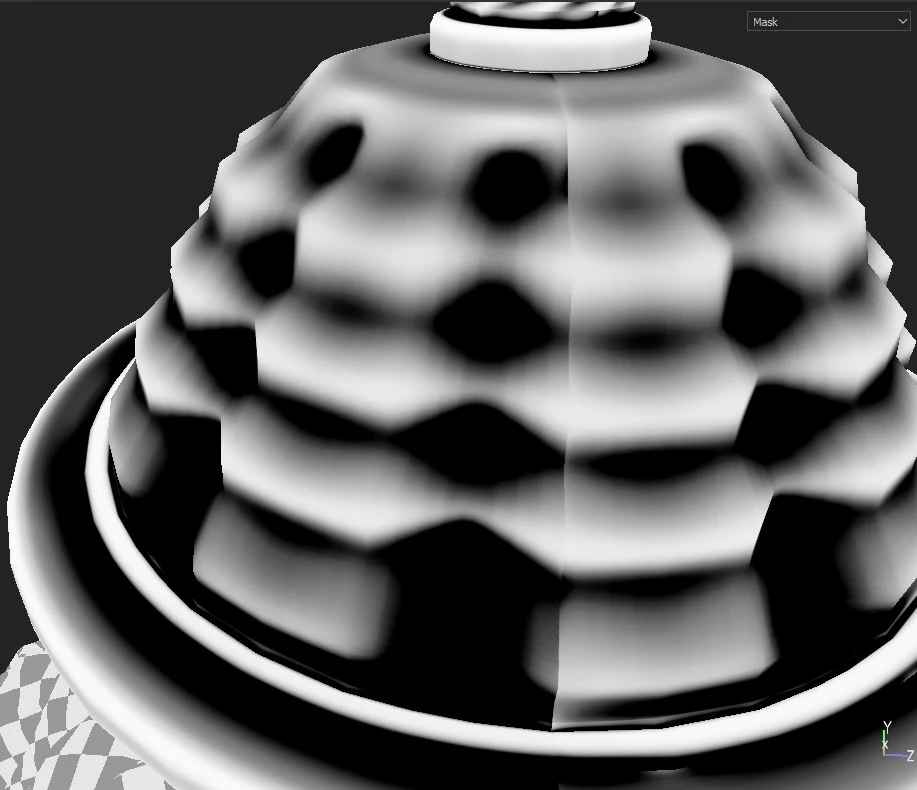
Hey guys I'm getting these really nasty seams when I use the curvature generator or the mask editor. The seam is barely visible in the curvature mask itself so I am confused why it is so strong once using a generator based on that map. It is less of a problem when the UV seam is on a hard edge, but for some objects like this one it is impossible to unwrap without a UV seam on a curved surface.


Ive tried baking the curvature map out with all sorts of different settings without any success. The sliders sharp/fine/soft/medium etc under the curvature generator can reduce the visibility alittle but does not eliminate the seam.


I figure I can just paint it out, but I would prefer to keep things fully procedural until the last steps rather than having to paint every time I use one of those generators.

6 replies

Inspiring
July 4, 2021

Hello,

You can try the tri planar option in some generator.

For myself when the automatic solution is impossible I'll create a paint layer between the generator and the mask and I'll paint on it with a dirt brusch to hide the seam.

Nosfero32Author
Participant
July 4, 2021

Hey thanks for the reply! Ive tried the triplanar setting and found that it only applies to any additional texture added to the curvature or mask editor generator. The part of the mask created from the curvature editor contimues to have a seam. Painting it out definitely seems like the best solution, just makes it abit harder to transfer between objects or make changes later sadly.

NilsDeitmers
Inspiring
August 31, 2022

If I'll saw your objet you could try a solution.

For this problem sometime I'll unwrap the cylinder and make a quadunwrap (straight all the face) and make the border of the UV go to the bound of the UV image border in X.The UV tile .

It could work.


But when I'have a lot objets with seams I'll try to make the seam where it could not be seen.


I came here to look up the same issue. It's a bit surprising, given the fact that using the mask generator on a low poly with maps seams here and there is a pretty standard use case.

Here's something I noticed that helped my project:
The standard settings for curvature were quite strong, so the effect was very soft, trying to do the job of the AO map. When I dialed down the parameters for soft, medium, large, big, huge and only left sharp and fine a bit stronger the curvature of the model came out better and the bleeding across UV seams was quite minimal.