


Participant
January 25, 2023
Answered

Visible seams appearing on metallic channel

  • January 25, 2023
  • 1 reply
  • 926 views

I would very much appreciate if someone could explain to me why the following is happening:


I am in the process of covering seams in a model, and have noticed that regardless if I have a layer to cover seams or not, the metallic channel retains the seam. I'm not sure if this is a visual bug, or if there is something I may be missing in the process. I have provided screenshots with the metallic channel on and off:
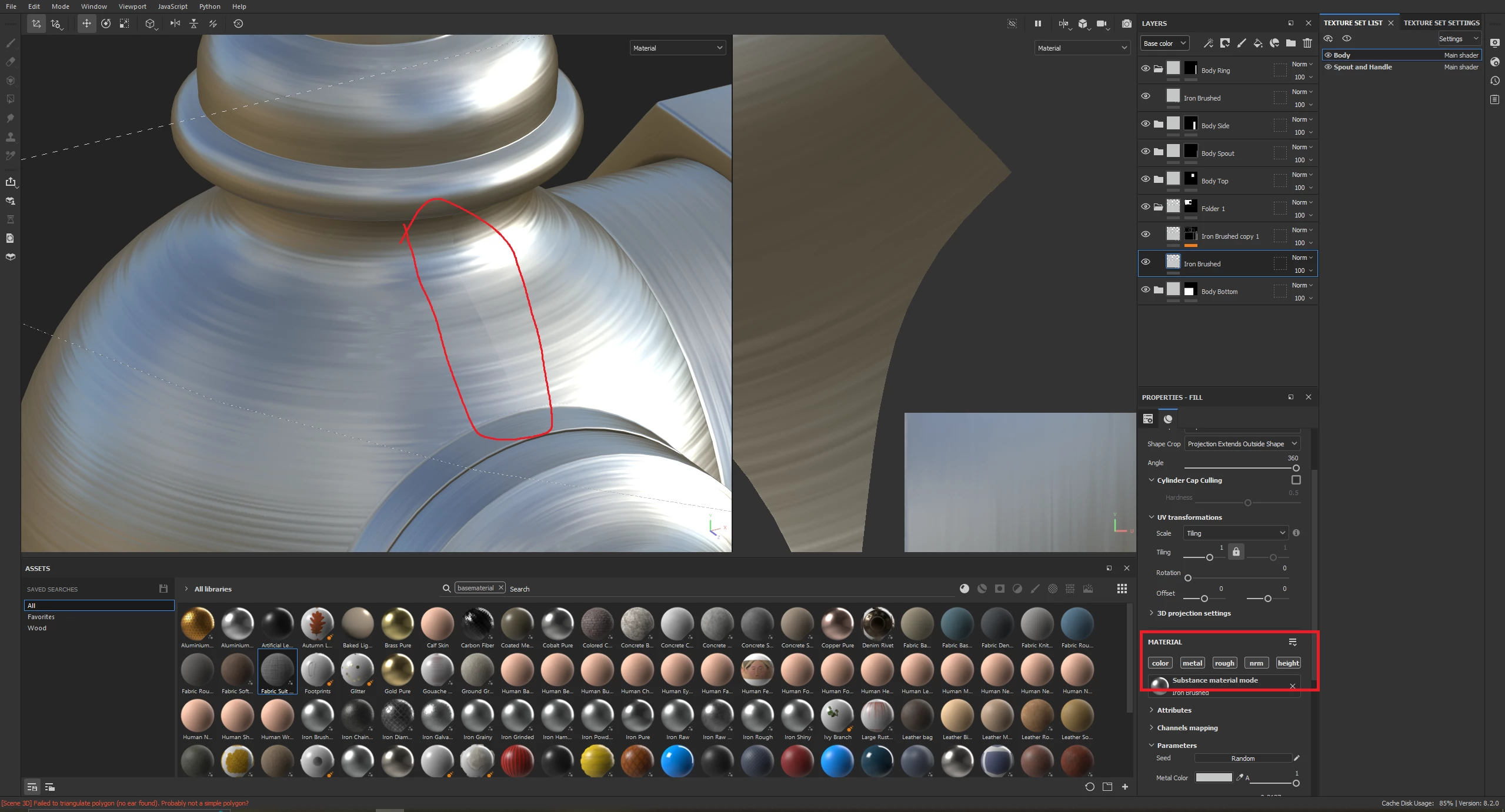
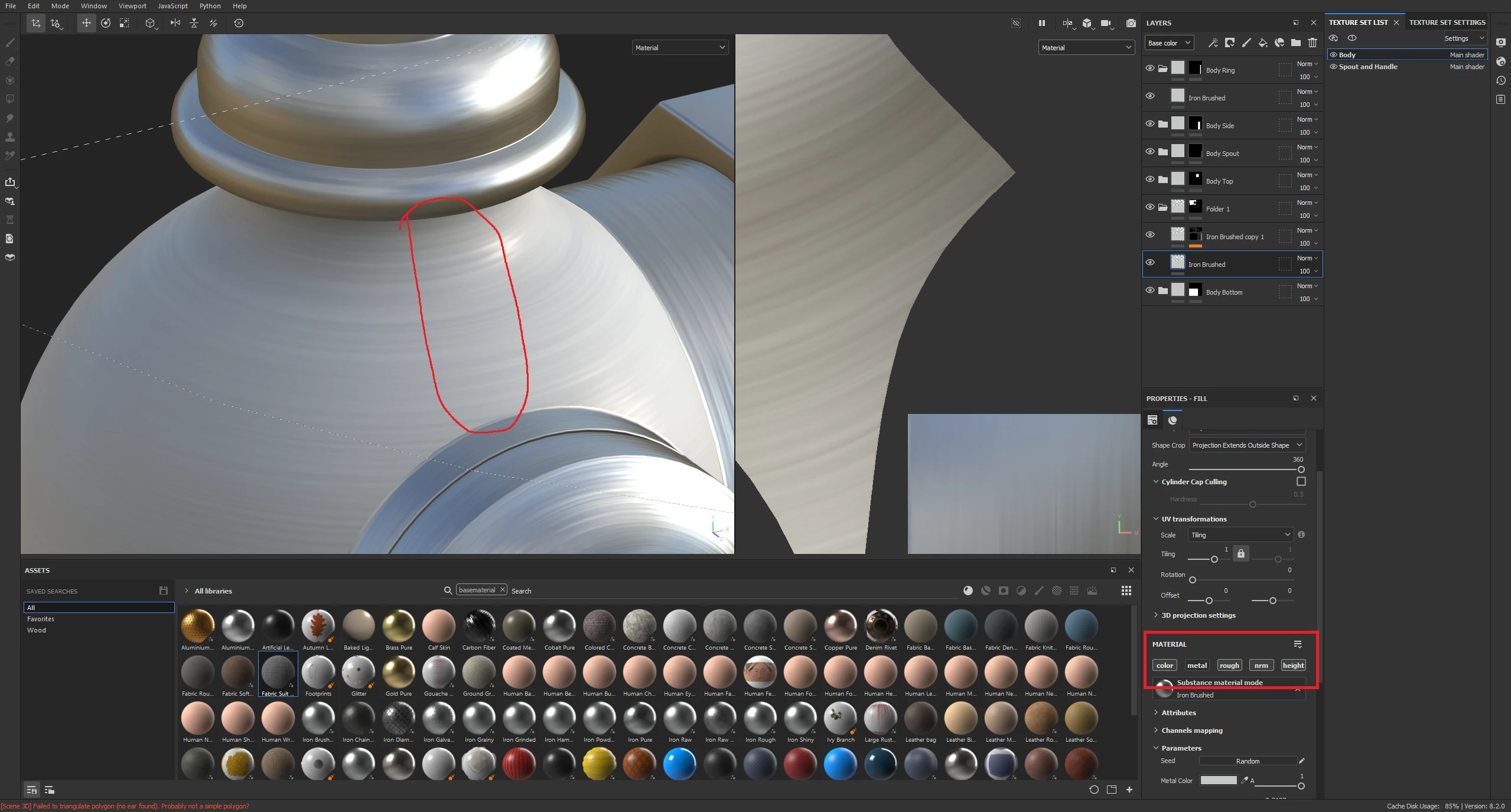
I checked all of my baked maps, and have confirmed that none of them are causing the seam, and have also tested multiple materials with the same result. I have also tried increasing the shader quality, which does make it less noticable from a distance, but it's still there.

This topic has been closed for replies.
Correct answer DropZone

Hi Geoffroy, thanks for the quick response. I have, but it was still visible but barely. After some experimentation, I think it's just a visual bug that is occuring probably because of the size of the object (the area is about 20mm by 20mm). When exporting back to Blender or 3DSMax, the seams arent visible so it wont cause any issues. Thank you for your help.

1 reply

GeoffroySC
Community Manager
Community Manager
January 25, 2023

Have you tried setting your shader quality to a higher value?  

DropZoneAuthorCorrect answer
Participant
January 26, 2023

Hi Geoffroy, thanks for the quick response. I have, but it was still visible but barely. After some experimentation, I think it's just a visual bug that is occuring probably because of the size of the object (the area is about 20mm by 20mm). When exporting back to Blender or 3DSMax, the seams arent visible so it wont cause any issues. Thank you for your help.