Participant
Nov 20, 2026 8:04 PM UTC
Question

Want to know how to create a perticular texture
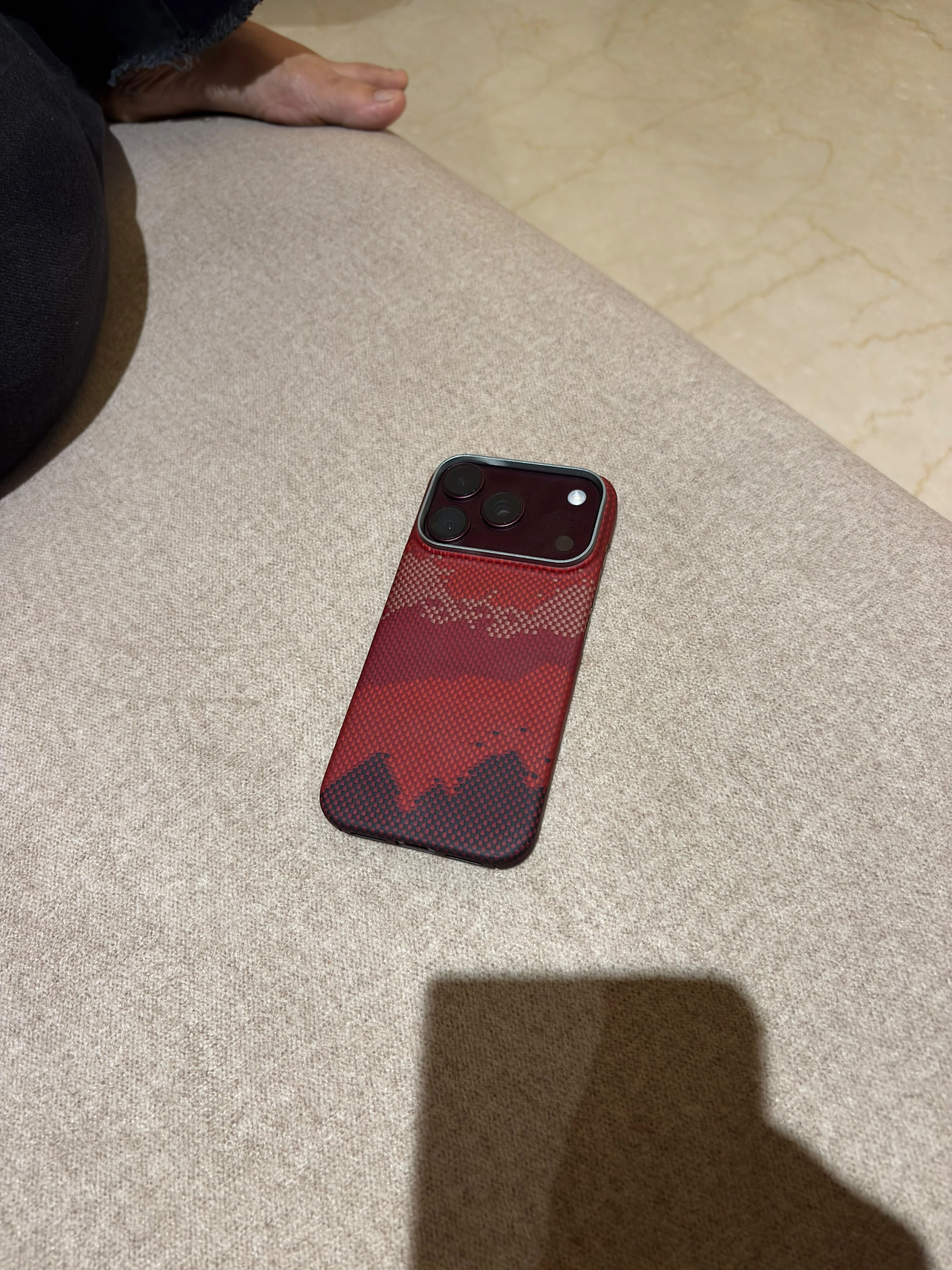
So im new to substance paint, i want to know how to create this perticular texture please help 

    2 replies

    CORCTON34033231
    Community Expert
    Community Expert
    Nov 20, 2026 9:18 PM UTC

    Hi Ujjwal — welcome to Substance 3D Painter! The pattern on that phone case is a flat pixelated camouflage graphic (red with black pixel blocks), so the easiest way to recreate it is to make the pattern as a flat 2D image first, then apply it in Painter:


    1. Create the pattern as a flat image — for example in Photoshop: fill a layer with the red base colour, then add the black pixel blocks on a layer above with a hard square brush (or use Filter > Pixelate > Mosaic on black shapes). Save it as a PNG.

    2. In Painter, import that image via File > Import Resources (as a Texture), then drag it onto a Fill Layer in your case's Texture Set. Set the layer's projection to UV (or Tri-Planar if the UVs are messy) and scale/position it so the pattern sits where you want it on the case.

    3. Use a black mask on that Fill Layer to keep the pattern only on the case, if the texture set includes other parts.


    Alternatively, if you want to paint it directly in Painter, you can load your reference photo into the Stencil tool (Window > Stencils) and paint through it — but for a clean, sharp pixel pattern, the imported-image Fill Layer above will give a much cleaner result than painting it by hand.


    If you tell us what model you are texturing (a phone case model you made, or a downloaded one) and whether its UVs are laid out, I can be more specific about the projection and masking steps. Good luck!

    Translate
    Participant
    Nov 21, 2026 1:17 PM UTC

    Hi, Thanks for responding, I successfully created this, i loved the way you explained 

    Translate