


Weird Black Lines, or entire UV sheets that happen again and again, and a saving problem...
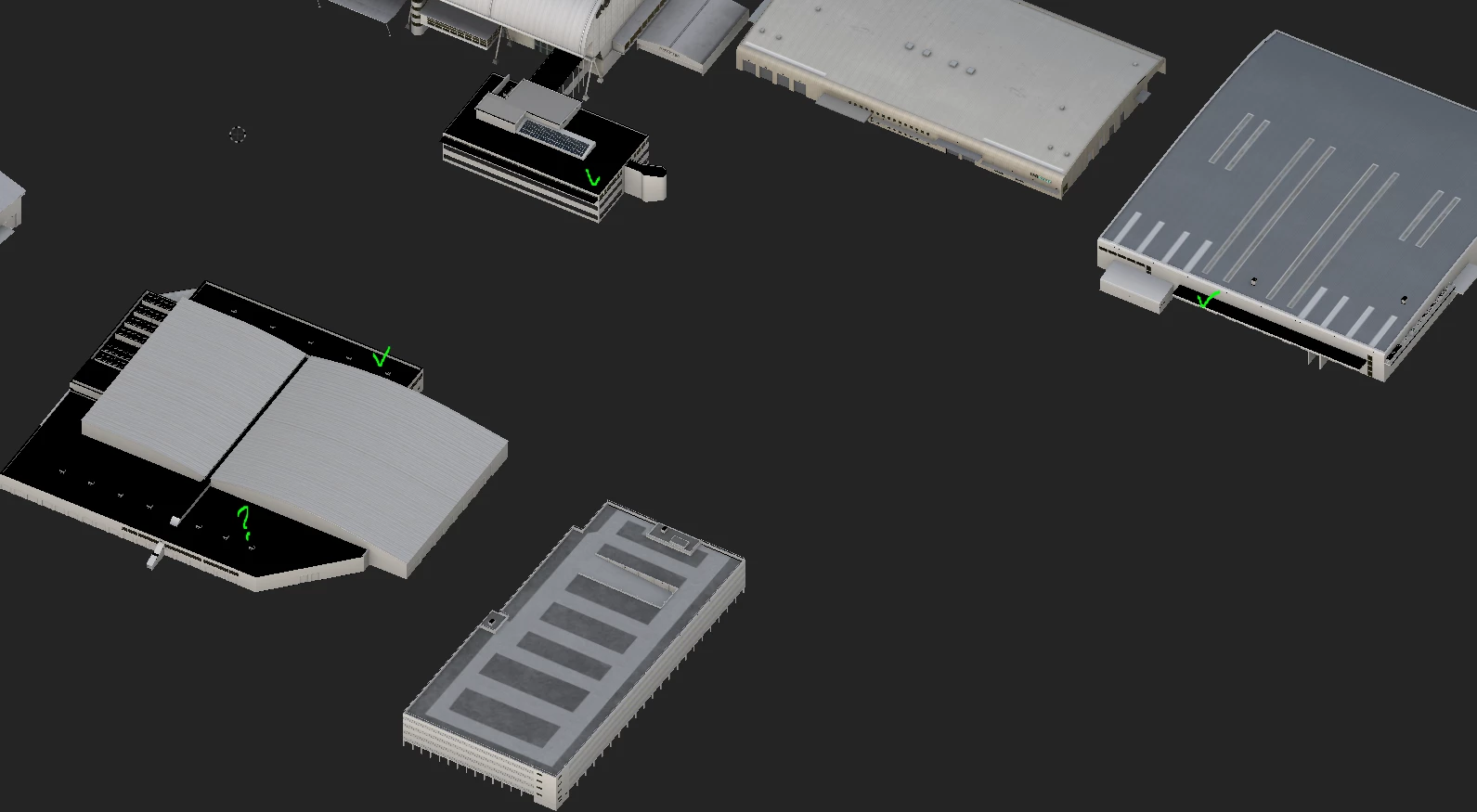
Hello everyone, Ive been too lazy to post this problem that exist for years, but I definitely had enough.
As you can see, I have complete absolute black parts on my objects on this texture set. If I hide the entire material folder they dissapear, but i cannot PICK specific layer that does this, cuz it doesnt exist, I cannot single out the specific layer, cuz there is no layer that causes this. The thing with this problem is:
1. I understand graphic driver and performance issue is possibility, and I have been having this problem until 4months ago on OLD pc, with Radeon R7 250 graphics, and only 8GB of RAM, but I cannot stomach that this issue in even worse form occurs NOW, on my new, Ryzen 7, 32GB, RTX 2060 6GB system
2. I have newest version of Substance Painter, and student licence..In previous version I also had saving problem, where saving label appears in lower right part of SP screen, but it doesnt dissapear, but seems to bugs the save, and sometimes I lost 2h of work, cuz I didnt realize every time I hit save meanwhile, it created 7, 8 "saving project" labels in bottom of my screen, and it DOESNT SAVE THE FILE
I mean whats the point of losing hours of my work, and not being able to export textures cuz of some unexplicable black patches all over my work
I really dont know what to say to my clients for my delays or lost work with tight deadlines, and hours of texture details to be lost cuz of something like this
 AdChoices