


Weird white lines on UV island’s edges in Substance Painter
Hi! There is a problem in Substance Painter. I am exporting a model from Blender to Substance Painter, and white lines appear on the borders of the UV islands when sharpen is turned on. The same problem with bevel. I checked the curve map, it baked correctly.
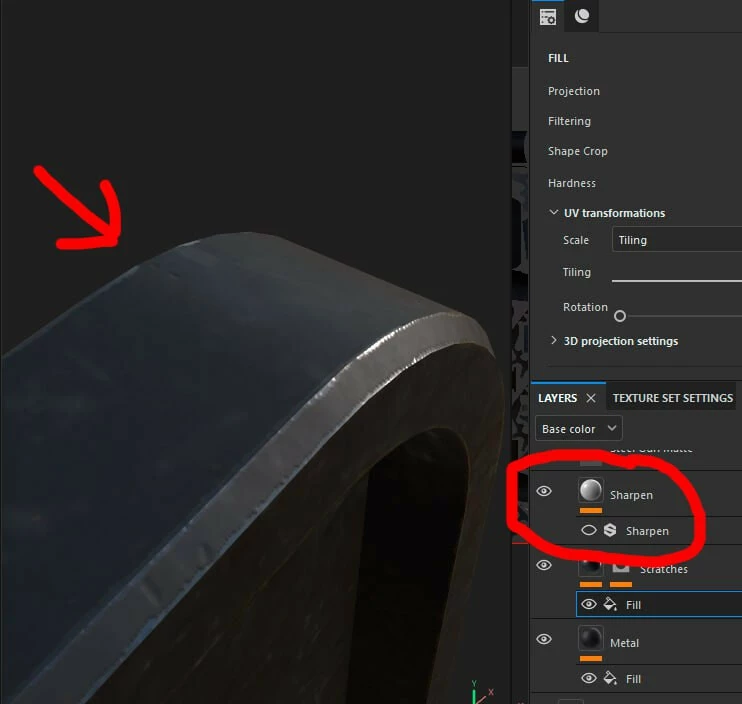
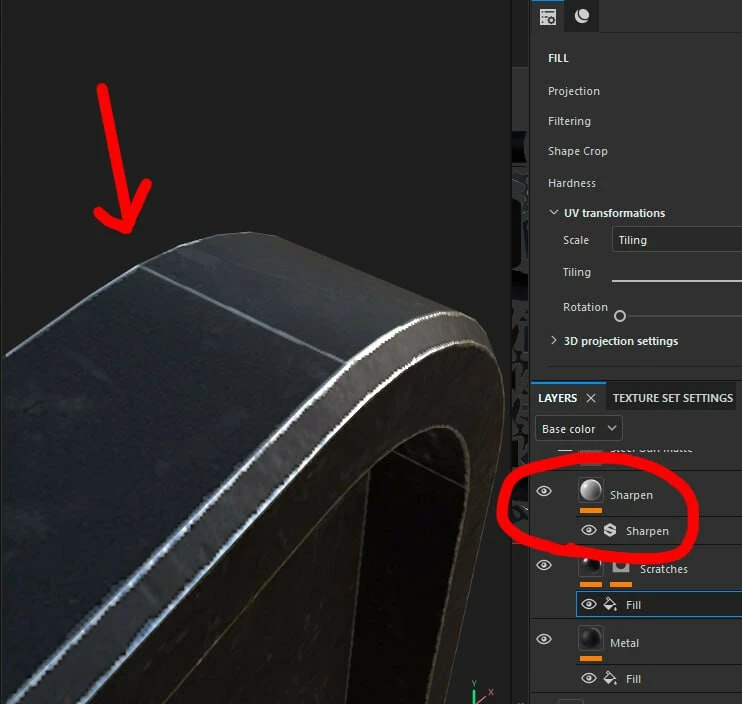
I’ve been experimenting with different padding sizes – I was previously using 0.002 (which is what I always used when texturing in Blender), but have also tried going up to 0.01. Unfortunately, none of those changes seemed to make any difference in how these artifacts look.
I have a hunch why this might be happening. Typically, sharpness filters in different software look at neighboring pixels to determine the color of a specific pixel. Since there are no pixels outside of the UV islands, the sharpness filter seems to be using a pre-defined color – which is clearly not matching the texture’s actual color. I think expanding the texture beyond the UV islands could help with this, but I’m not sure if Substance Painter has that function; at least, I haven’t seen it mentioned anywhere.
 AdChoices