

Lukas3D
Participant
April 9, 2026
Answered

What does the Normal-Format setting actually do?
  • April 9, 2026
  • 2 replies
  • 38 views


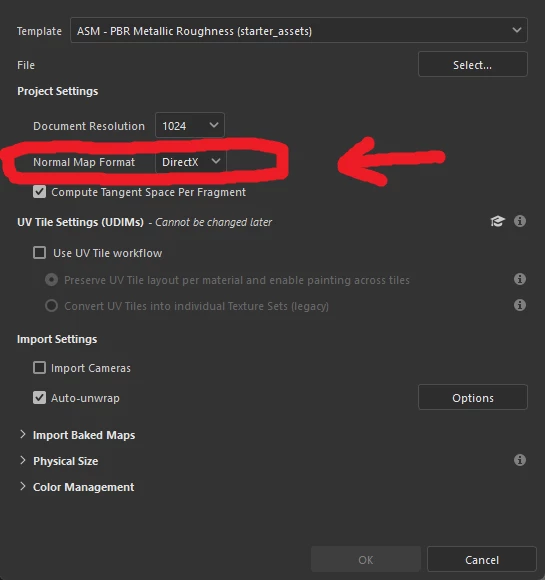
What does this setting actually change?

I changed this setting to OpenGL as a test; imported an OpenGL normal map - and it looks wrong.
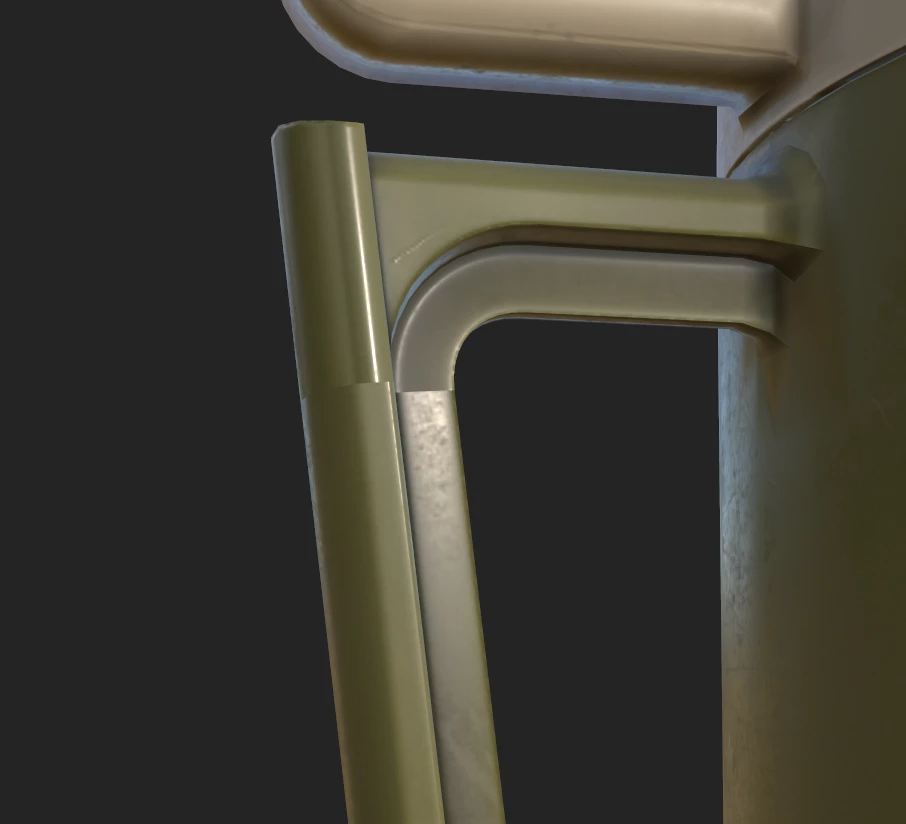
the OpenGL normal map in question
 

So if this setting doesn’t change how normal maps are displayed in the viewport, what does it do? 🤔


(Edit: I imported the DirectX version of the same normal map and voilà ; it looks correct - even though the project setting is set to OpenGL...mysterious)
    Correct answer Cyril Dellenbach

    Hello ​@Lukas3D,


    One thing is for sure, that’s always messy to follow the Normal Map format!


    I tend to say that the important thing is how you export your Normal map, but for the explanation, the Normal map format set the project’s format. Basically, if you export with the native output template (Document channels + Normal + AO (No Alpha)) Painter will export in the format you setup at project’s creation.

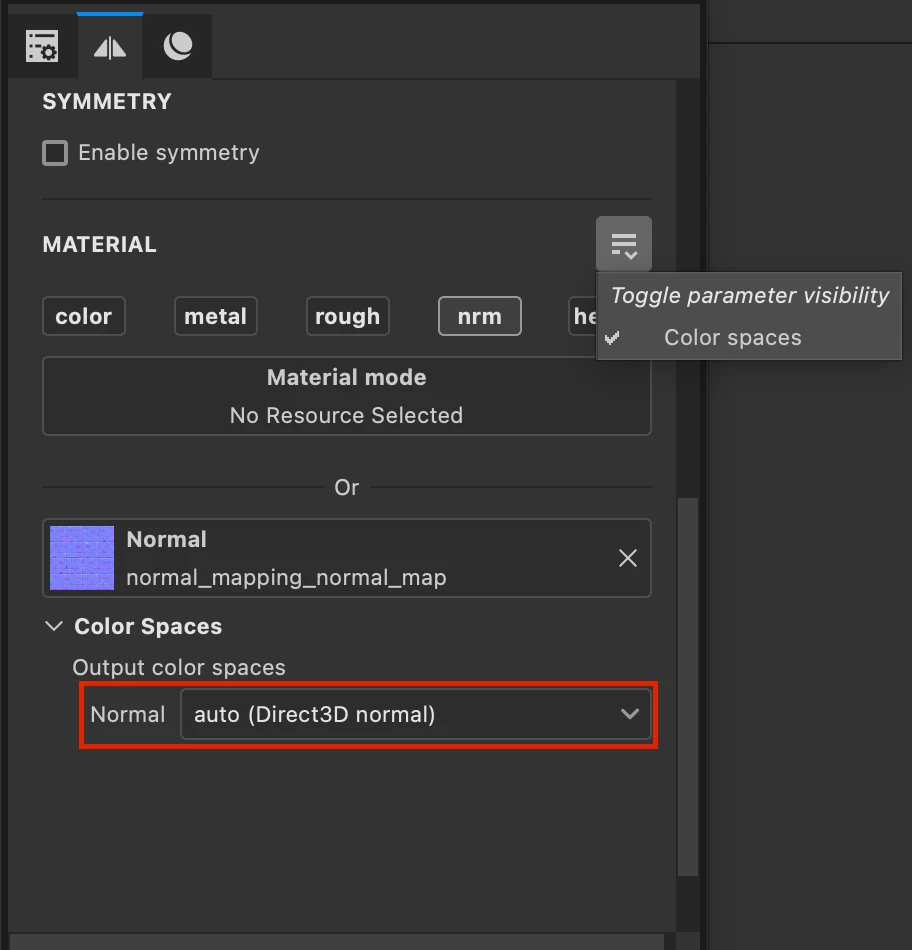
    When you import a ressource, Painter cannot say whether the map is in DirectX or OpenGL. Therefore, it will natively consider it as DirectX and convert it if needed. If (as in your example) the imported resource is in OpenGL, just as your project, you’ll need to edit its color space:


    Hope this helps!


    2 replies

    Lukas3D
    Lukas3DAuthor
    Participant
    April 16, 2026

    Yes, that cleared things up for me.

    So the normal format in the project settings only affects the output normal-format for the  native output template and none of the custom templates (Like PBR Metallic Roughness etc.).

    Thank you for you help!

    Cyril Dellenbach
    Community Manager
    Cyril DellenbachCommunity ManagerCorrect answer
    Community Manager
    April 10, 2026

    Hello ​@Lukas3D,


    One thing is for sure, that’s always messy to follow the Normal Map format!


    I tend to say that the important thing is how you export your Normal map, but for the explanation, the Normal map format set the project’s format. Basically, if you export with the native output template (Document channels + Normal + AO (No Alpha)) Painter will export in the format you setup at project’s creation.

    When you import a ressource, Painter cannot say whether the map is in DirectX or OpenGL. Therefore, it will natively consider it as DirectX and convert it if needed. If (as in your example) the imported resource is in OpenGL, just as your project, you’ll need to edit its color space:


    Hope this helps!


    Cyril Dellenbach (Micro) | QA Support Artist | Adobe