


When objects created with mirror transformers on Blender, the normal faces bug on Substance Painter
- 3 replies
- 1296 views
- Translate
I hope you can help me, I will try to be as precise as possible.
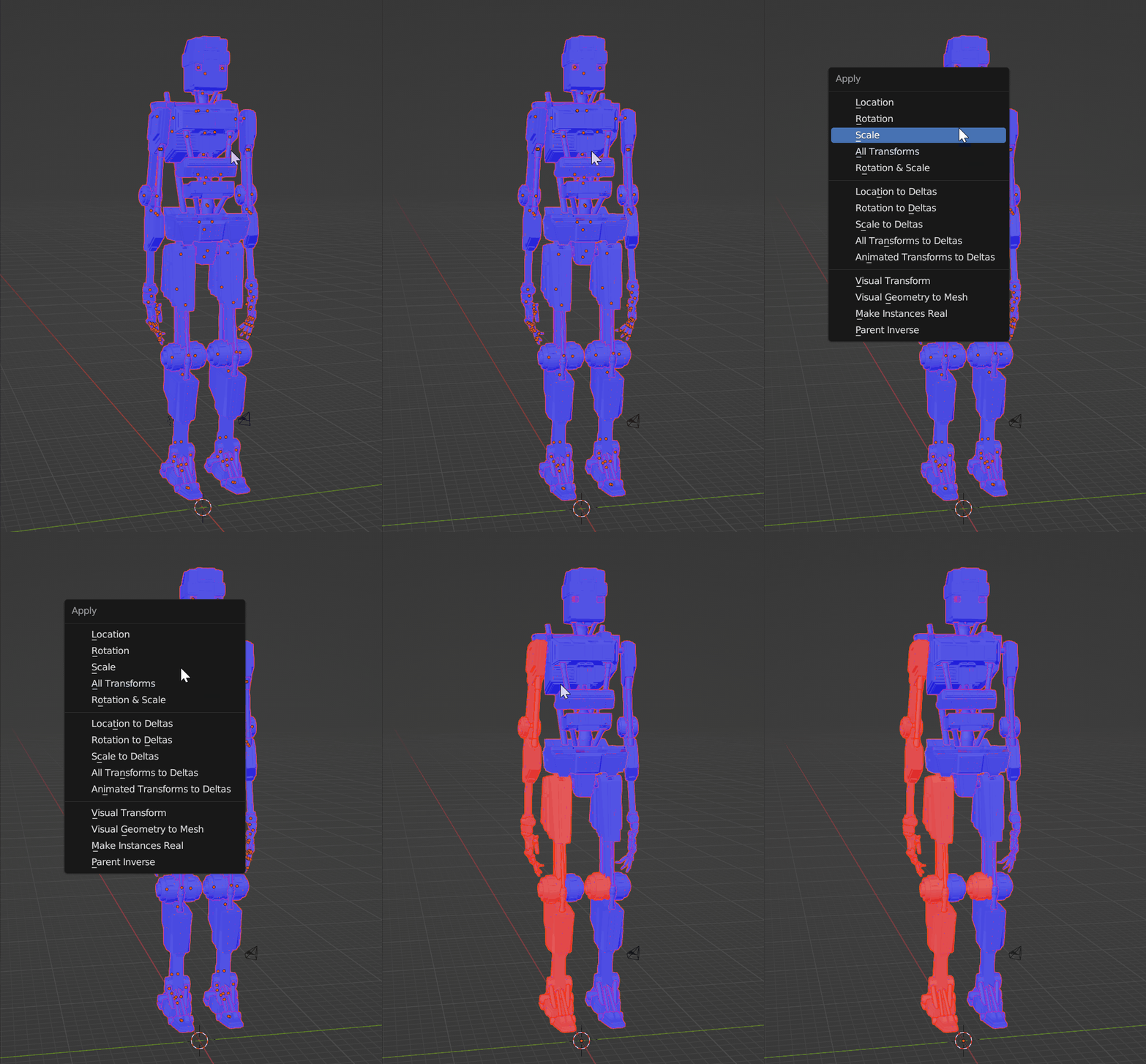
The problem is on the right leg and the right leg of my Robot, the basic modelling is the left leg and the left arm of the robot, when I finished modelling the left arm and the left leg, I copied and pasted them, then I applied the mirror transformation (Object>Mirror>Y Global) to create the right arm and the right leg.
This is where the problem starts, the faces are also inverted, so I select the right leg and the right arm > "alt+n">"Flip" so that all the faces of my model appear in blue (the right way for Blender).
I export my model in .fbx format, and open it in Substance Painter, the right arm and leg have the faces reversed, while all the faces in Blender appear in blue to indicate the correct direction of the faces.
I try to re-flip the right arm and leg, they appear in red on Blender > I export again in .fbx > open on Substance, and surprise ! the faces appear in the right direction, while on Blender the faces were in red.
I start to Baker the model to be able to work on the texturing of my model, Baker finished, I put a Smart material, but on the right arm and the right leg, I have the impression that the texture appears in the bad direction, whereas on the left arm and the left leg, the texture functions perfectly.
The ambient occlusion is done in the wrong direction, that's probably what puts the texture in the wrong direction...
How can I fix the problem ????
Translated with www.DeepL.com/Translator (free version)

 AdChoices