


White line artifact on mesh edge
Hello,
I'm dealing with an issue in Substance Painter that I've tried to solve using many well suggested solutions on different forums, but I cannot seem to fix what looks to be something simple, most likely a misunderstanding on my part and not a technical issue within the software as far as I can tell.
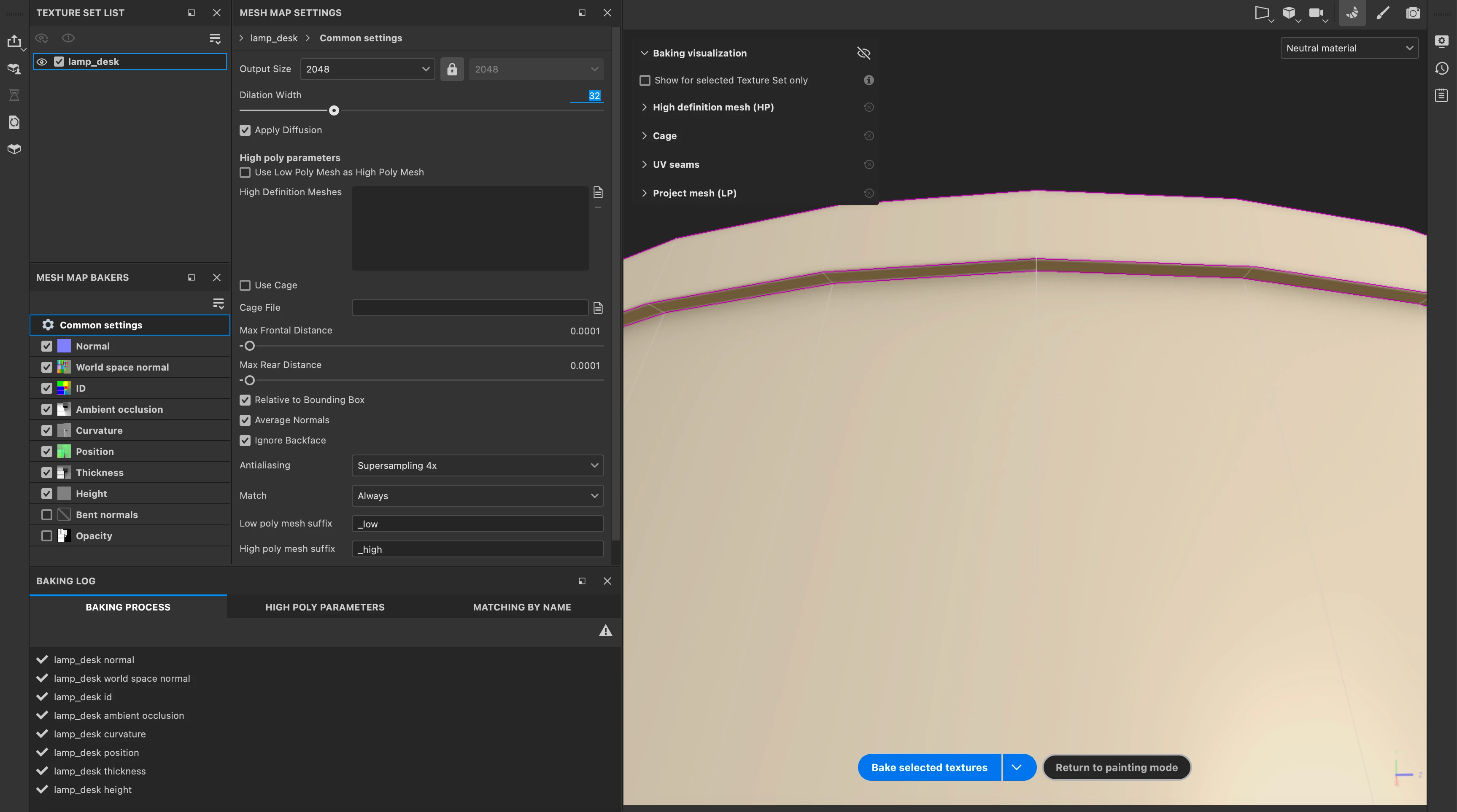
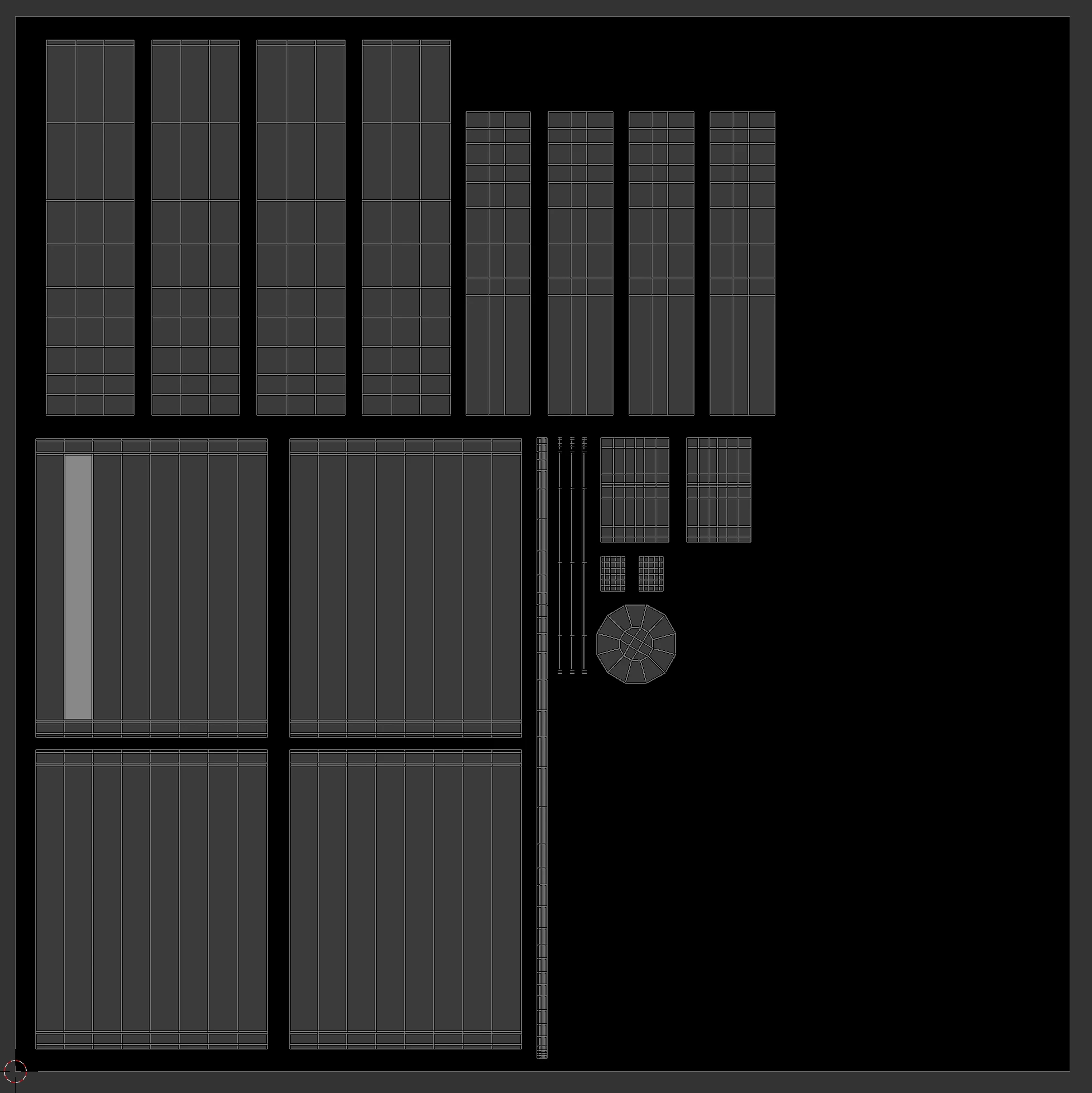
I modeled a low poly lamp in Blender and applied vertex fills to assist me in Substance. Whenever I bake my textures in Substance Painter, an edge on the lip of the lamp shade does not get textured, instead it remains white like the default mesh. My UVs in Blender do not overlap and they have been straightened with plenty of space between islands. I've tried various methods of smoothing, unsmoothing, marking/unmarking sharp edges, marking/unmarking seems on the edge where the artifact is appearing and nothing is working. I've also messed around with baking at 4k in Substance and upping the supersampling to 16x. The only thing that changes is the position of the artifact when applying some of the changes listed above, but they never get rid of it completely as far as I can tell. Below are images of the artifact and my UV layout in Blender.
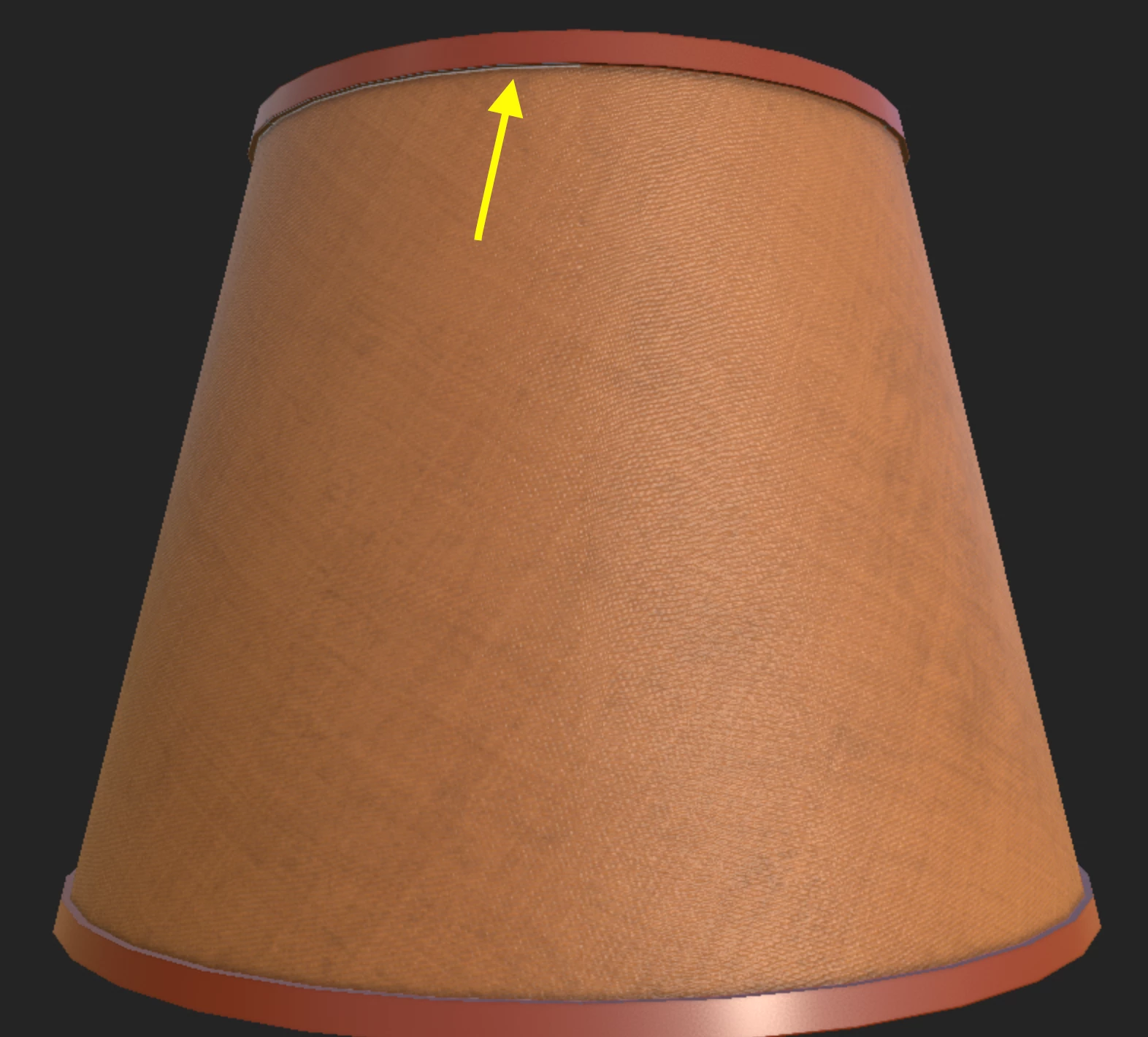
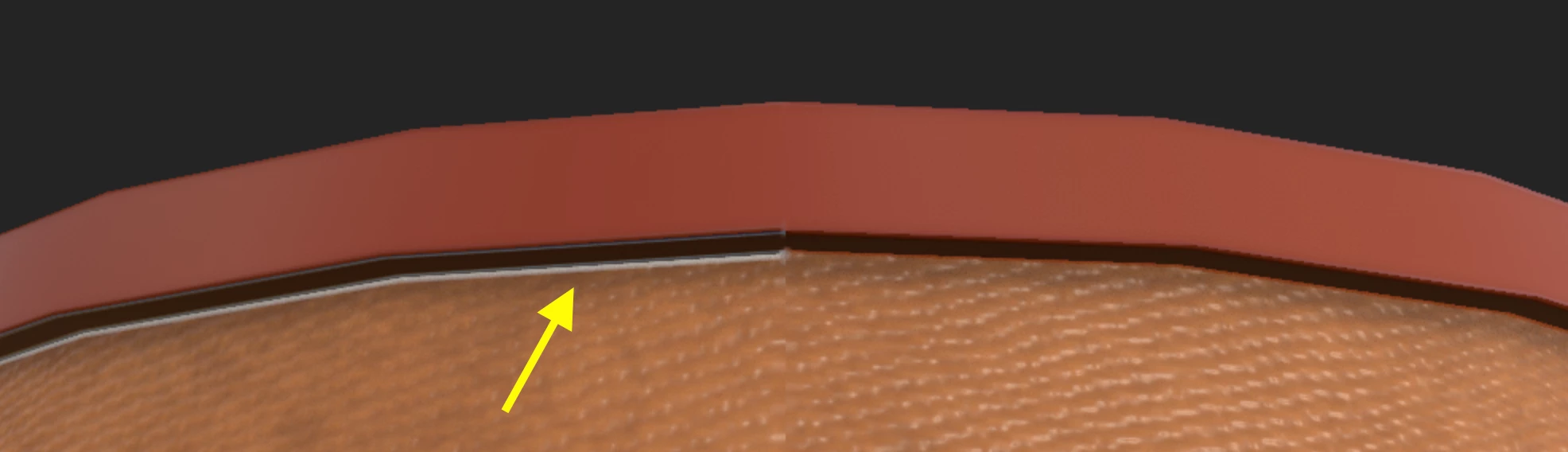
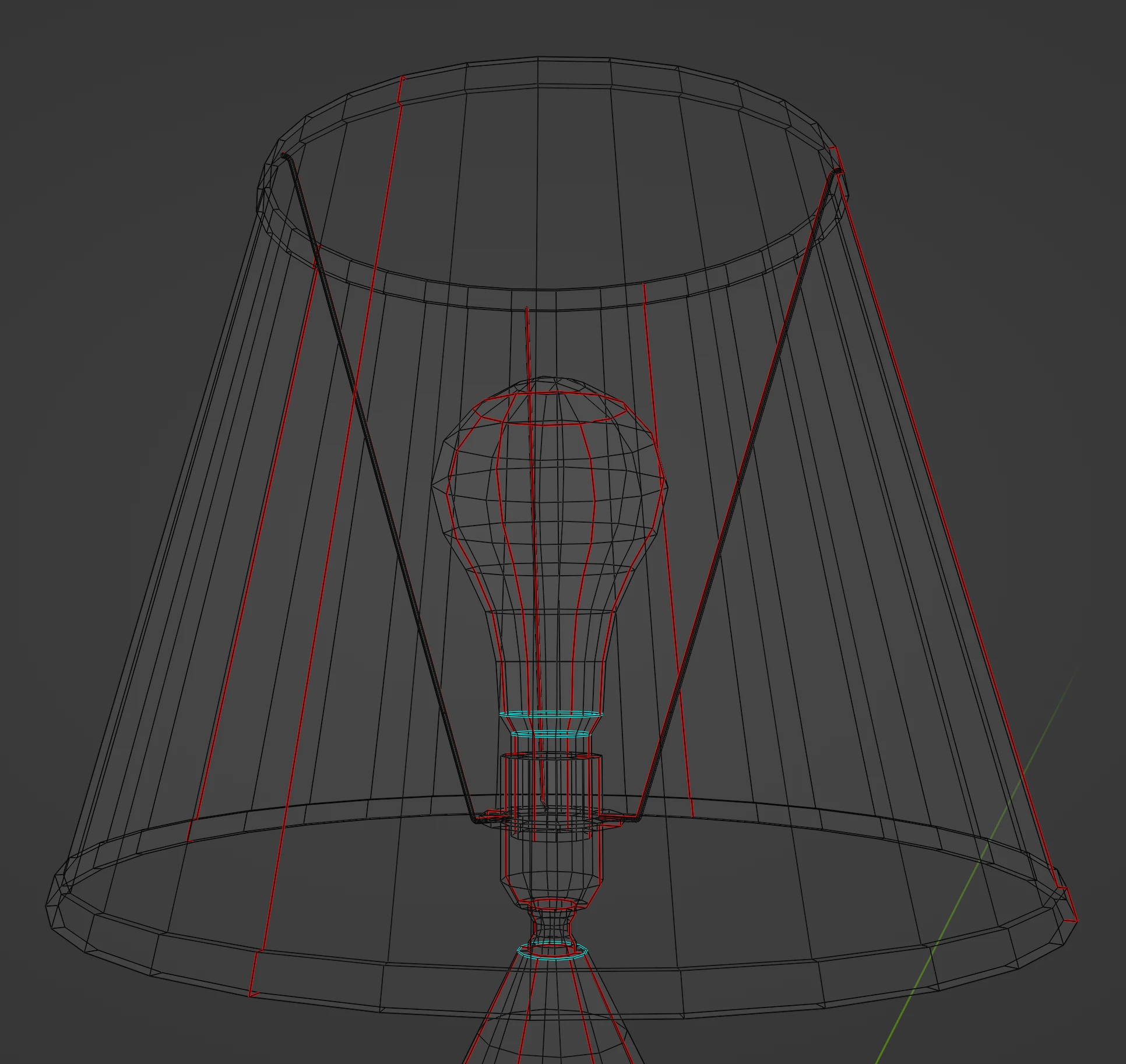
In the past, most of my work has required the assets to be far enough away from the camera for these artifacts not to be noticeable which includes this model, so I've always turned a blind eye to them. But now I really want to understand why this is happening because I want to make sure all assets moving forward will look good at any angle. What has me most perplexed is why it's only appearing on half of the mesh while the other half looks fine with no artifacting.
I've attached the FBX of the lamp itself in case that is helpful. If anyone could provide me with some guidance it would be greatly appreciated.

 AdChoices