khalleu
Participant
March 23, 2023
Answered

Why are my exported textures warped?

  • March 23, 2023
  • 1 reply
  • 8393 views

Hey! I've been eperiencing an issue when exporting textures from Substance Painter to programs like Maya and Blender. They look fine in Substance, but warped in other programs:
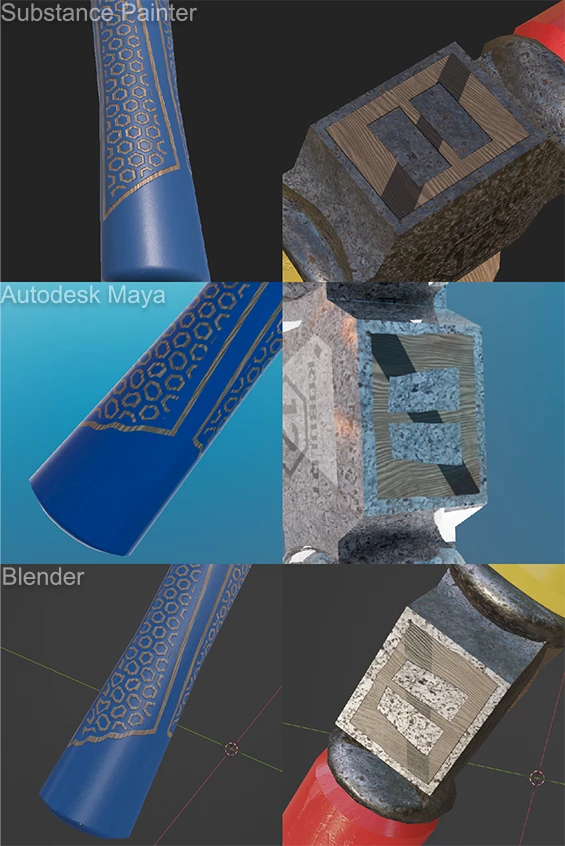
 

I've been having this problem since I picked up Substance Painter again in August 2022. The mesh hasn't been altered, and the UV map is clean:
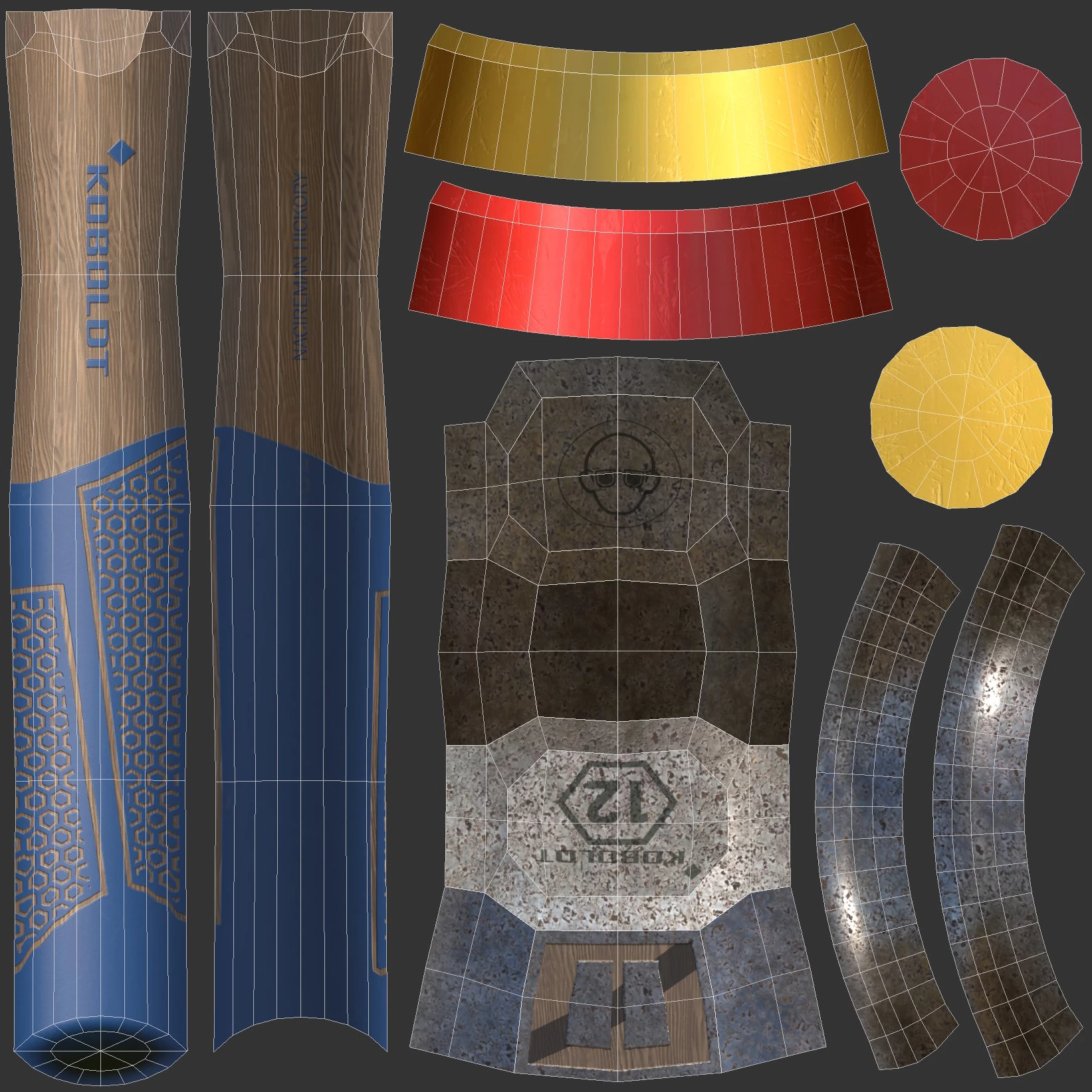


What's causing this distortion?

Correct answer Cyril Dellenbach

Hello @khalleu,


The issue is due to the mesh triangulation. When you import a mesh inside Substance 3D Painter, it automatically triangulates the mesh in the backroom. Therefore, some visual issues may happen when you apply your new textures on the non triangulate object. To make it simple, the UVs depends on the triangulation orientation.


If you want to make sure there is no differences between your rendering software and Substance Painter, you can export your Substance Painter mesh (File>Export mesh...), or triangulate your object directly inside Blender or Maya.


Best regards,


1 reply

Cyril Dellenbach
Community Manager
Cyril DellenbachCommunity ManagerCorrect answer
Community Manager
March 23, 2023

Hello @khalleu,


The issue is due to the mesh triangulation. When you import a mesh inside Substance 3D Painter, it automatically triangulates the mesh in the backroom. Therefore, some visual issues may happen when you apply your new textures on the non triangulate object. To make it simple, the UVs depends on the triangulation orientation.


If you want to make sure there is no differences between your rendering software and Substance Painter, you can export your Substance Painter mesh (File>Export mesh...), or triangulate your object directly inside Blender or Maya.


Best regards,


Cyril Dellenbach (Micro) | QA Support Artist | Adobe
khalleu
khalleuAuthor
Participant
March 23, 2023

So that's why Substance Painter has an export mesh option, thank you!