BenSCR
Inspiring
April 21, 2021
Answered

3D Text with Aluminous Colours

  • April 21, 2021
  • 1 reply
  • 601 views

Is it possible to create 3D text with Aluminous colours like this photo?


This topic has been closed for replies.
Correct answer Ares Hovhannesyan

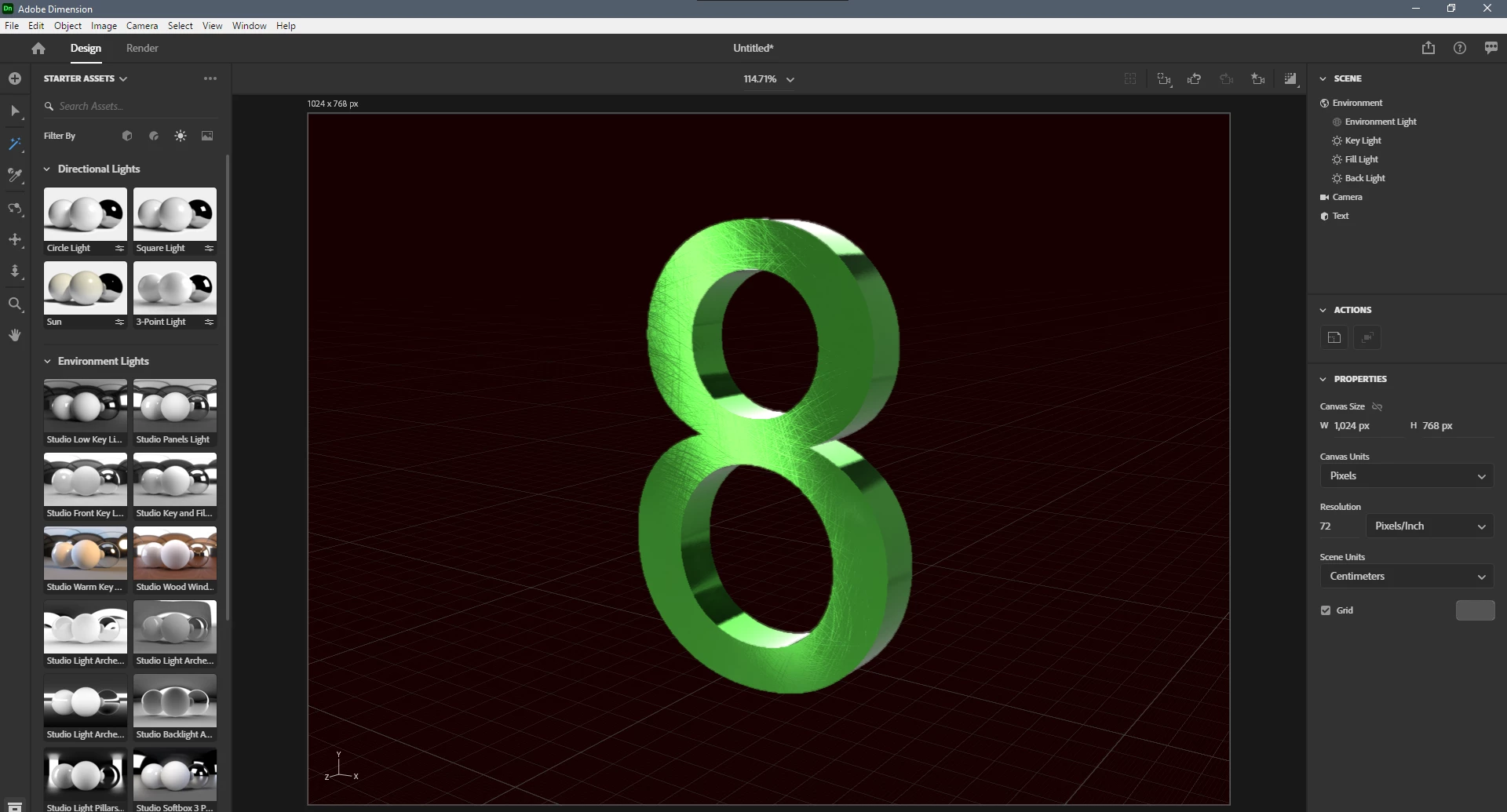
Yes you can. this is composition of material properties and lights. Here a screen shot what I have created.  What you need is:

1. Use Aluminum or other Substance Materials (play with material properties)

2. Add "8" character after placing Text on canvas. For hint see this video; https://youtu.be/rcuKLra1we0 

3. Use 3 Point Lights and play with them to achieve highlight position.
 

1 reply

Ares Hovhannesyan
Community Expert
Ares HovhannesyanCommunity ExpertCorrect answer
Community Expert
April 21, 2021

Yes you can. this is composition of material properties and lights. Here a screen shot what I have created.  What you need is:

1. Use Aluminum or other Substance Materials (play with material properties)

2. Add "8" character after placing Text on canvas. For hint see this video; https://youtu.be/rcuKLra1we0 

3. Use 3 Point Lights and play with them to achieve highlight position.

 

BenSCR
BenSCRAuthor
Inspiring
April 21, 2021

Thanks for this. But how can I also get the different colours and shades on the side of the text.

Ares Hovhannesyan
Community Expert
Community Expert
April 22, 2021

At first when you load text on scene it consist of for separate layers untill you not convert them to standard model that have one layer. You can customize them (adding materials or customize properties) Use different lights set up their rotatation and height to move them on right side also



