Participant
February 15, 2022
Answered

Adobe Dimension - Placed Graphic not visible. Please help :)

  • February 15, 2022
  • 1 reply
  • 4468 views

Hello everyone!


I have just recently started using Adobe Dimension so if anyone could help me with this issue it will be very much appreciated since I am new at this and struggling to solve the problem.


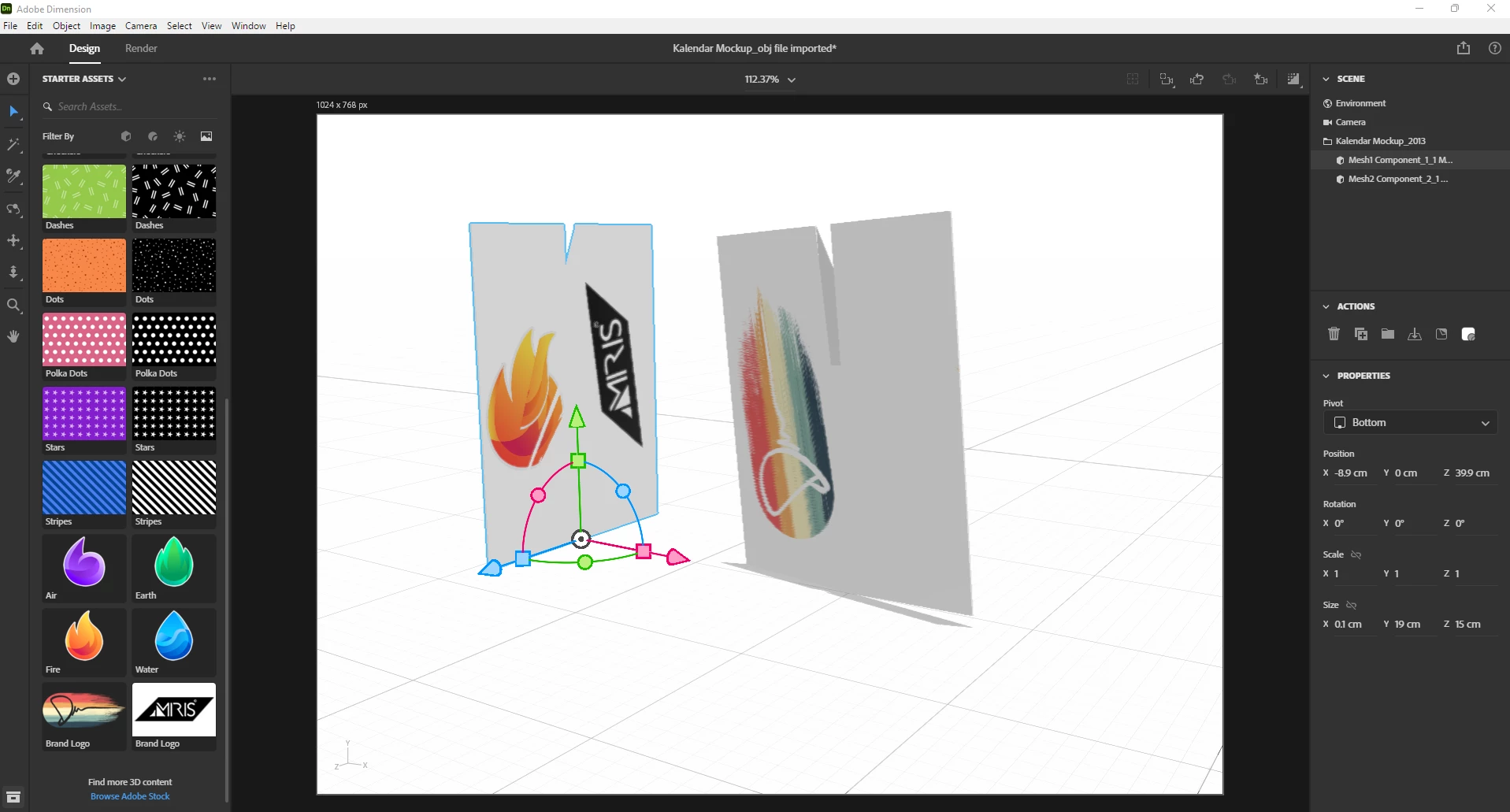
I wanted to create a Calendar mockup, but when I place any graphic it's just not visible.

Here is a link to the file

https://we.tl/t-2I6dX6Q64q


Hope someone will open my eyes 😄

Thank you!

Correct answer Ares Hovhannesyan

When I import obj file in Dn, it doesn't load well, the object is not the same.

It only loads well for me when I import Sketchup file.

I attached the file on this link, as well as Sketchup file saved as older version (it works while importing to my Dn)


https://we.tl/t-YOpxYRiNqO


I able to place decal on your object sides in "Kalendar Mockup_obj file imported.dn" after Generating new UV maps in Dimension. But as you can see on some plane sides decal as some artifacts. In depend on how mesh are organize

  1.  Open file in Dn
  2. Select all object
  3. Go to Object Menu and select "Generate UVs"
  4. Select object and place decal.

Also try to use Export UV's for correct positioning image.   See video https://youtu.be/jFFqWHD3Q_4

1 reply

Ares Hovhannesyan
Community Expert
Community Expert
February 15, 2022

It depends on how your object has been created. This object looks a little bit strange. Can you share link from where you dowloaded this model?

Participant
February 15, 2022

It is created in Sketchup.

I will attach a file.

There are 2 components that intersect.


Ares Hovhannesyan
Community Expert
Community Expert
February 15, 2022

Please try to export obj format from Sketchup and import it in Dn, I can't opem your skp file in latest version of Dn.