Participant
January 9, 2024
Answered

Apply beveled 3D object to a curved surface

  • January 9, 2024
  • 1 reply
  • 287 views

Hi,


I have a 3D mug shape (created in illustrator, exported as .obj and put into dimension) and I want to add a beveled image to the front of the mug. Same idea as a decal but I want it to be modeled into the curved surface of the mug, not flat like the decal material option. Is this possible? 


Thanks!

This topic has been closed for replies.
Correct answer Ares Hovhannesyan

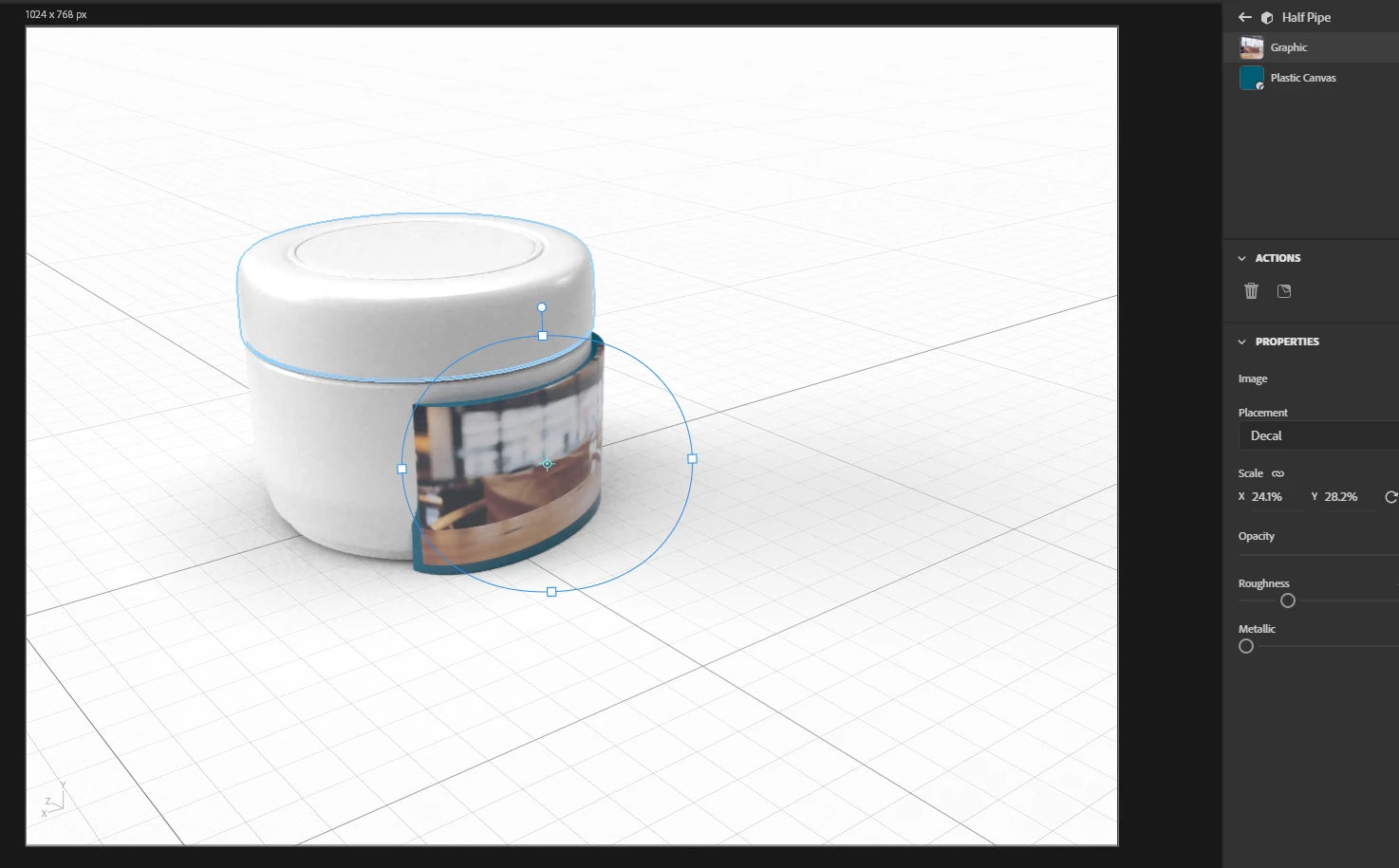
I think you need to add another curved object between mug and image. Than place image on that object. Something like this

1 reply

Ares Hovhannesyan
Community Expert
Ares HovhannesyanCommunity ExpertCorrect answer
Community Expert
January 11, 2024

I think you need to add another curved object between mug and image. Than place image on that object. Something like this

Participant
January 16, 2024

Yes, something like that would work. Thanks!