Inspiring
May 25, 2020
Answered

Applying graphics to basic shapes

  • May 25, 2020
  • 2 replies
  • 1275 views

Hi there, i'm trying to design a takeaway coffee cup, i tried using the template but ended up making my own coffee cup using the cone from basic shapes, but it seems that i can't apply my own graphics onto these basic shapes, is it at all possible? Image below is my custom made coffee cup shape


This topic has been closed for replies.
Correct answer Alexandre Becquet

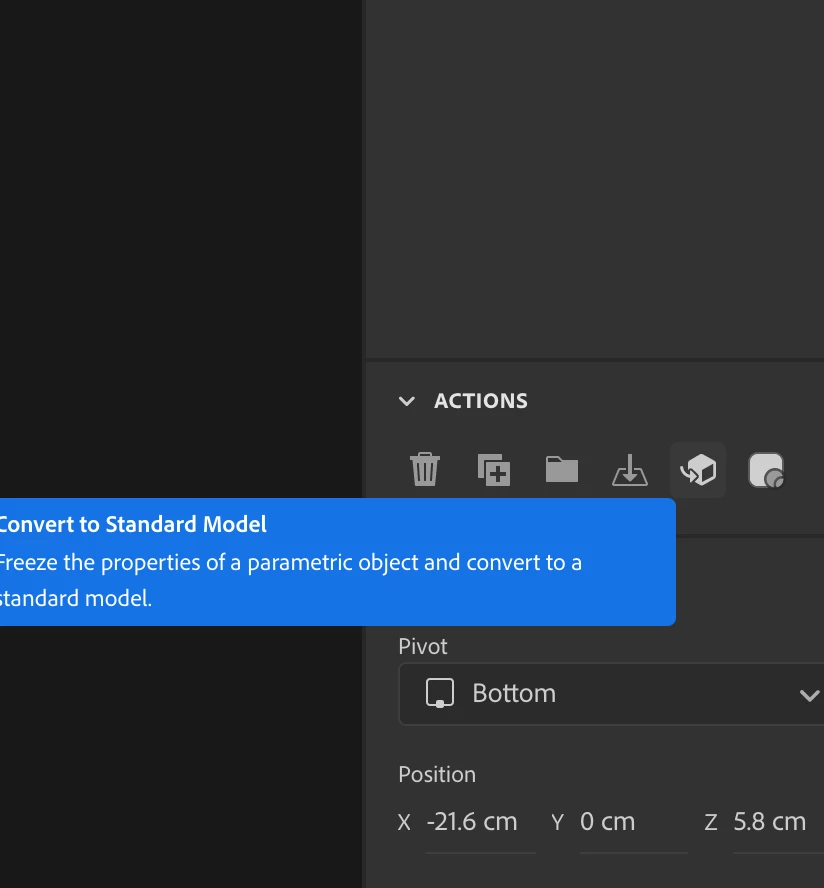
Hi, you must convert to to a standard model to apply the graphics 😉 in the right pannel or by the menu Object / convert to standard model


https://helpx.adobe.com/dimension/using/work-with-basic-shapes.html#Convertingparametricmodelstostandardmodels


2 replies

Ussnorway7605025
Legend
June 4, 2020

So do you have the latest version of Dimension?

In any event I would use the magic wand tool and create a new material (with graphics)

Inspiring
June 4, 2020
I do have the latest version, i'm not sure if that would work in my case as i also have a pre designed label, with curvature taken into consideration, which is what i'm trying to apply to the cup.

Alexandre Becquet
Community Expert
Alexandre BecquetCommunity ExpertCorrect answer
Community Expert
May 25, 2020

Hi, you must convert to to a standard model to apply the graphics 😉 in the right pannel or by the menu Object / convert to standard model


https://helpx.adobe.com/dimension/using/work-with-basic-shapes.html#Convertingparametricmodelstostandardmodels


Inspiring
June 4, 2020

Hi, thank you for the reply, but the option is grayed out in the objects window and doesn't appear at all in the right panel