artdept22
Known Participant
January 15, 2020
Question

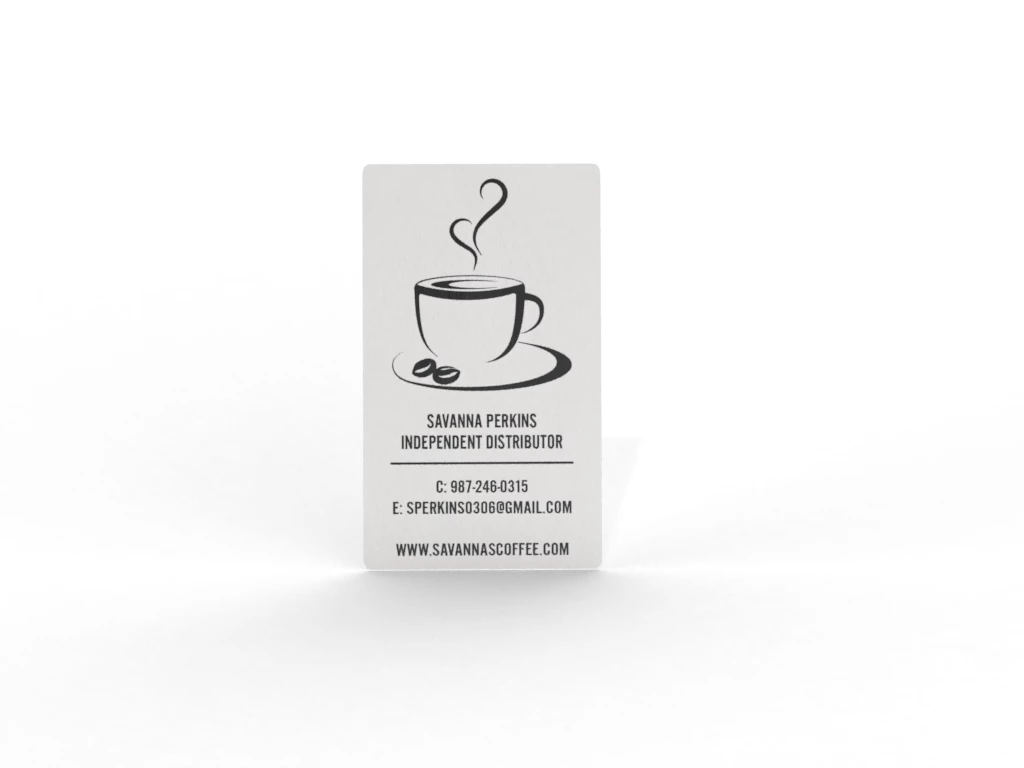
Brushed metal look, once rendered goes away

  • January 15, 2020
  • 2 replies
  • 647 views

Hi all,

I am very new to Adobe Dimension and need some help. 

I am trying to create a rendering of a brshed metal business card. 

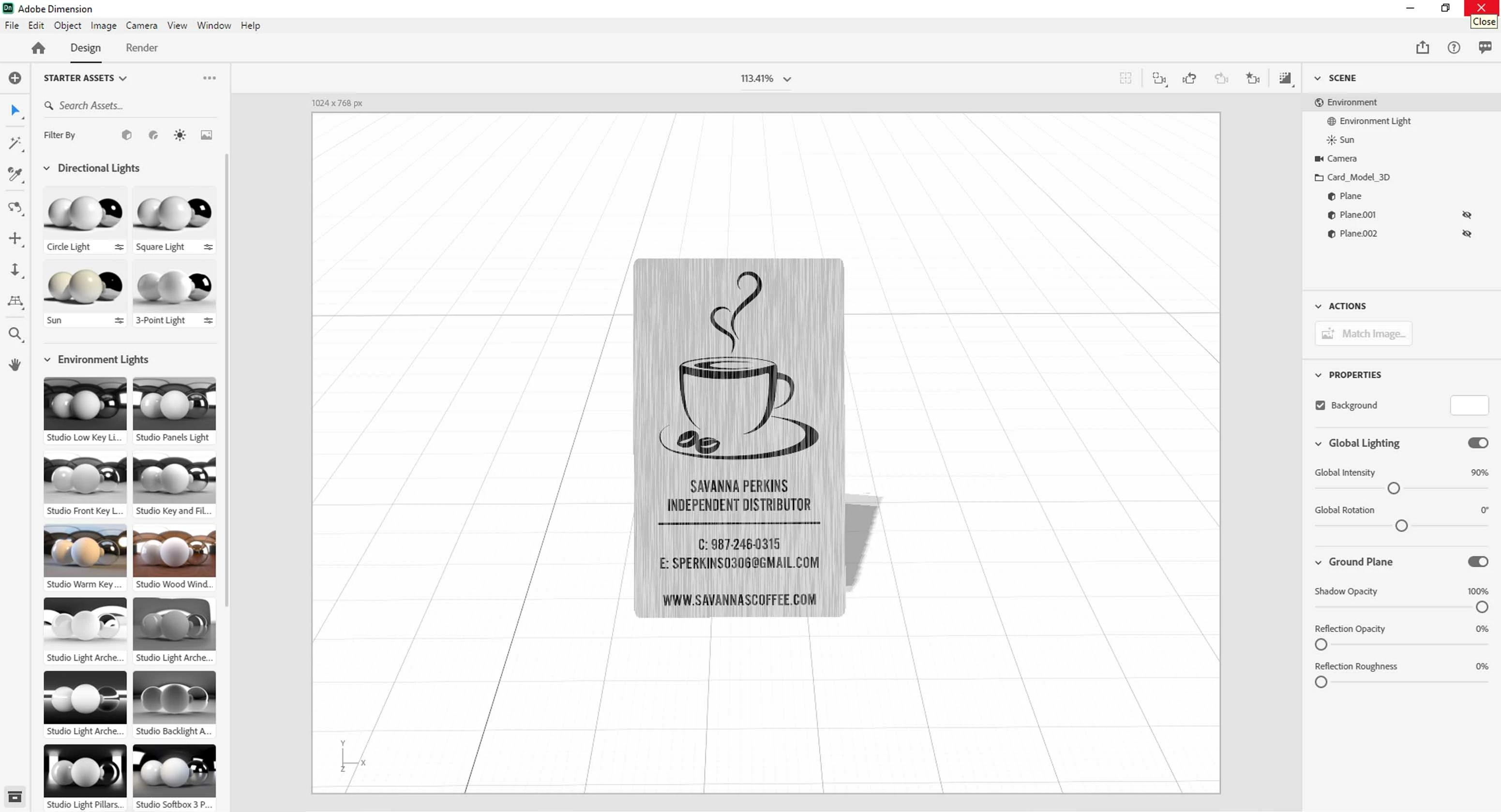
I apply the brushed metal affect to the object and it looks present in the design window. Once I render the card the brushed affect goes away and it looks washed out. 

Is this an issue with lighting settings? Any insight or help would be greatly appreciated. 
 

This topic has been closed for replies.

2 replies

Ussnorway7605025
Legend
January 27, 2020

no problem mate... it really doesn't help that Adobe has bugger all info posted to help people know how the software works but thanks for letting us know how you got on

Ussnorway7605025
Legend
January 15, 2020

well your screenshot shows two hidden objects so they are covering the effect to some part... try another rendor after you remove those

or share the Dn file in a dropbox and I'll take a better look

artdept22
artdept22Author
Known Participant
January 27, 2020

Yes thank you that did help. I am just starting to use this program and wasn't sure what I had done wrong.