Participant
December 3, 2024
Answered

Can't place a label on model

  • December 3, 2024
  • 1 reply
  • 572 views

Hi, please help me.


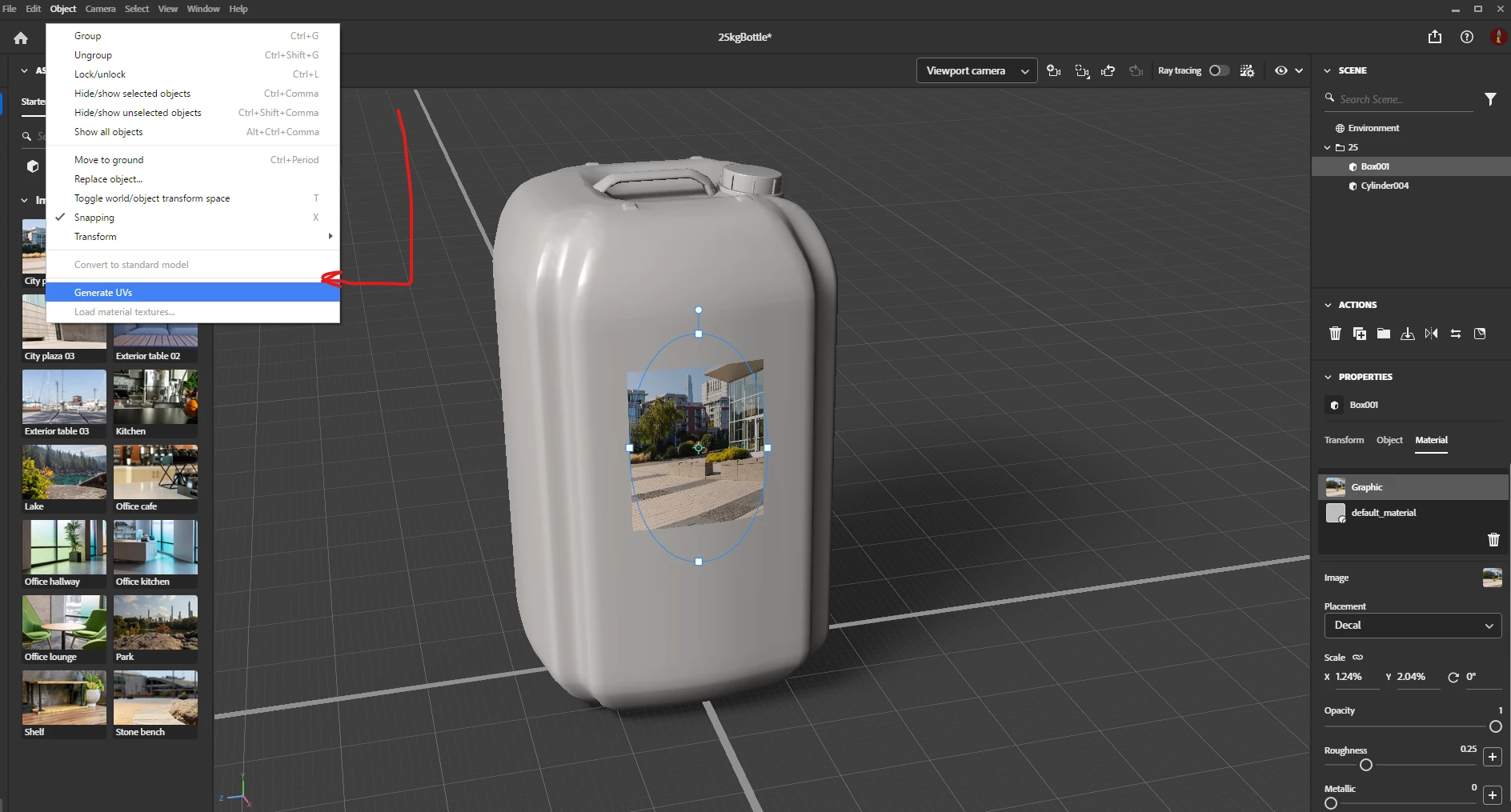
I am trying to place a label on a model, like I've done 1000 times before, but on this specific model, it wants to repeat the label, over the surface and not just place the label once. All settings look correct, but I am still struggling. It keeps repeating the label.


Thank you

Darius

This topic has been closed for replies.
Correct answer Ares Hovhannesyan

That's obvious, sorry... 🙂


Here it is:

https://cloud.super.org.za/s/3dmodel


Thank you

Darius


Thanks for sharing file. You need to use "Generate UVs" command. That will seperate you whole mesh into parts and will allow to place decal on seperate part of your object. 

1 reply

Ares Hovhannesyan
Community Expert
Community Expert
December 3, 2024

Can you share the 3D Model for testing? That can be a mesh structure specefication for that model. 

Participant
December 4, 2024

Thank you for the reply. Here is the model. I got the model made for me, because I am not so familiar with 3D modes.It doesn't want to upload the model. This is the error it gives me: The attachment's 5lbottle.dn content type (application/octet-stream) does not match its file extension and has been removed.

Ares Hovhannesyan
Community Expert
Community Expert
December 4, 2024

You have to share file via any cloud system.( Dropbox, Creative cloud. One Drive, Google Drive etc)