


Known Participant
May 3, 2021
Answered

Cannot Move Decal

  • May 3, 2021
  • 2 replies
  • 2766 views

Hello Community, I am having an issue with Decals. Specifically, I am trying to add a screen image to the default Tablet model. But after adding the decal to the screen, I can scale it, but I cannot reposition it. Any idea what I am missing here?

This topic has been closed for replies.
Correct answer Ares Hovhannesyan

Thanks Ares! I'll start there. Let me know if you figure out why the screen layer prevents mobing the decal.


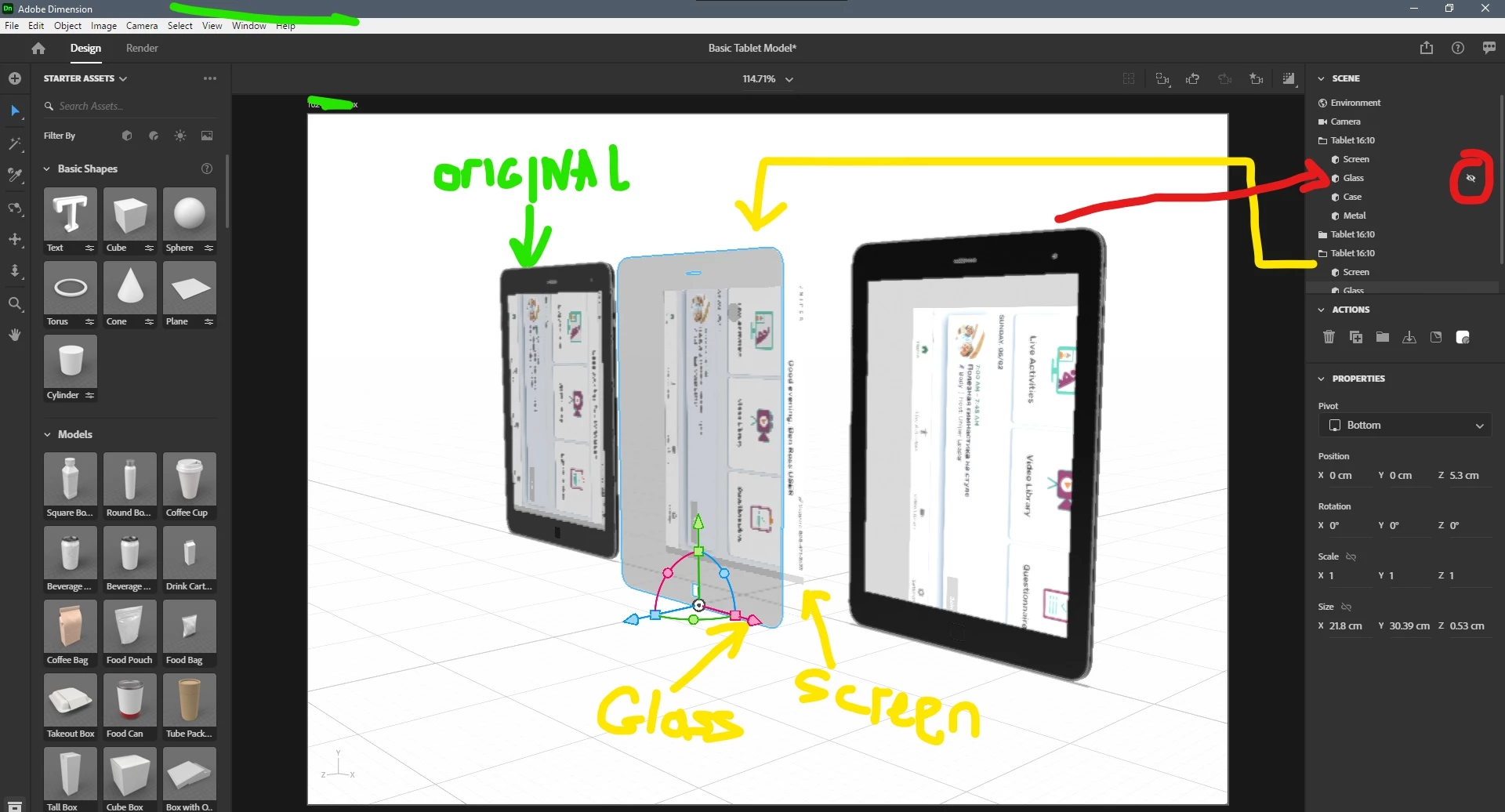
Here is the reason and workaround. Glass Object is located in front of Screen and blocked access to screen pixels  for selecting decal, but we are able to use rotate and scale handles.

Workaround

1. Hide Glass object before moving image


Also if we have only Glass and Screen objects we can add distances between them. Then after changing angel for camera (see middle tablet object) we can access to image and move it.

2 replies

Ussnorway7605025
Legend
May 6, 2021

did you generate a Uv for the entire model or just the part you need to add decals to... 'screen'?


also Adobe does not allow Dn files to be uploaded because they don't trust them... yes we know how dum that is but the bubble in charge of forums and libraries doesn't talk to the bubble in charge of Dimension


if you right click the Dn file and zip it then Adobe cloud will allow it for shares or you can use one of the 3rd party options around like drop box... the file would be very helpful and save a lot of time guessing

rossbbAuthor
Known Participant
May 7, 2021

I generated UVs for the entire model.


Thanks for the suggestion to share the files via dropbox, here is the link: https://www.dropbox.com/s/a2sil2z9s5c856r/Basic%20Tablet%20Model.zip?dl=0


Thank you for all your help!

Ares Hovhannesyan
Community Expert
Community Expert
May 7, 2021

If you place image on Glass (layer) you will be able to move it. Not possible to move it on Screen (layer) (can't catch a reason) but I am able to resize only, Need investigation

rossbbAuthor
Known Participant
May 3, 2021

Ares Hovhannesyan
Community Expert
Community Expert
May 5, 2021

Can you try to create simple project to trest.


  1. Open new doc
  2. place sphere
  3. Add image from assest panel on sphere


Does it works?


rossbbAuthor
Known Participant
May 5, 2021

If I convert the sphere to a basic model and then place a decal I am able to move it around as I would expect.