

Participant
August 13, 2021
Question

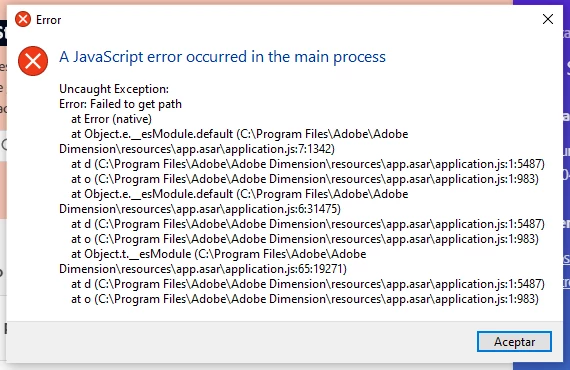
Cannot open Dimension

  • August 13, 2021
  • 3 replies
  • 236 views

Since some days ago I started seeing an error message when I try to open Dimension. I already tried reintalling it a couple of times with no luck.

This topic has been closed for replies.

3 replies

Ussnorway7605025
Legend
August 13, 2021

yes when you swap out a drive the paths get mucked up because the old D drive will now be the O or whatever... the old drive prob have your temp folder and it takes a system reboot to reset the files because Adobe stores a copy


anyway mystery sloved but a fresh install of Windows may be needed down the line if other software mucks up

David 09Author
Participant
August 13, 2021

Updating on my issue...


Something weird happened, I just tried to open again Dimension and it started normally. I didn´t change anything, didn´t even restarted the computer. Not sure why it has been failing to open for many days ago, but now it seems to be working.

Ussnorway7605025
Legend
August 13, 2021

the error say Adobe Dimension files was not found in the C drive path there they should be... in could be because the files got corupted but its more likely because some software is blocking permission to read them


did you change something like adding a update or swapping out a hdd? 

David 09Author
Participant
August 13, 2021

Indeed I removed a hard drive, though not the one where Dimension was installed on. Dimension was installed on the OS drive (C), I removed a secondary one.

I think also the reinstallation would have solved this, wouldn´t it?