


Inspiring
May 23, 2020
Answered

Customising templates in dimension

  • May 23, 2020
  • 1 reply
  • 675 views

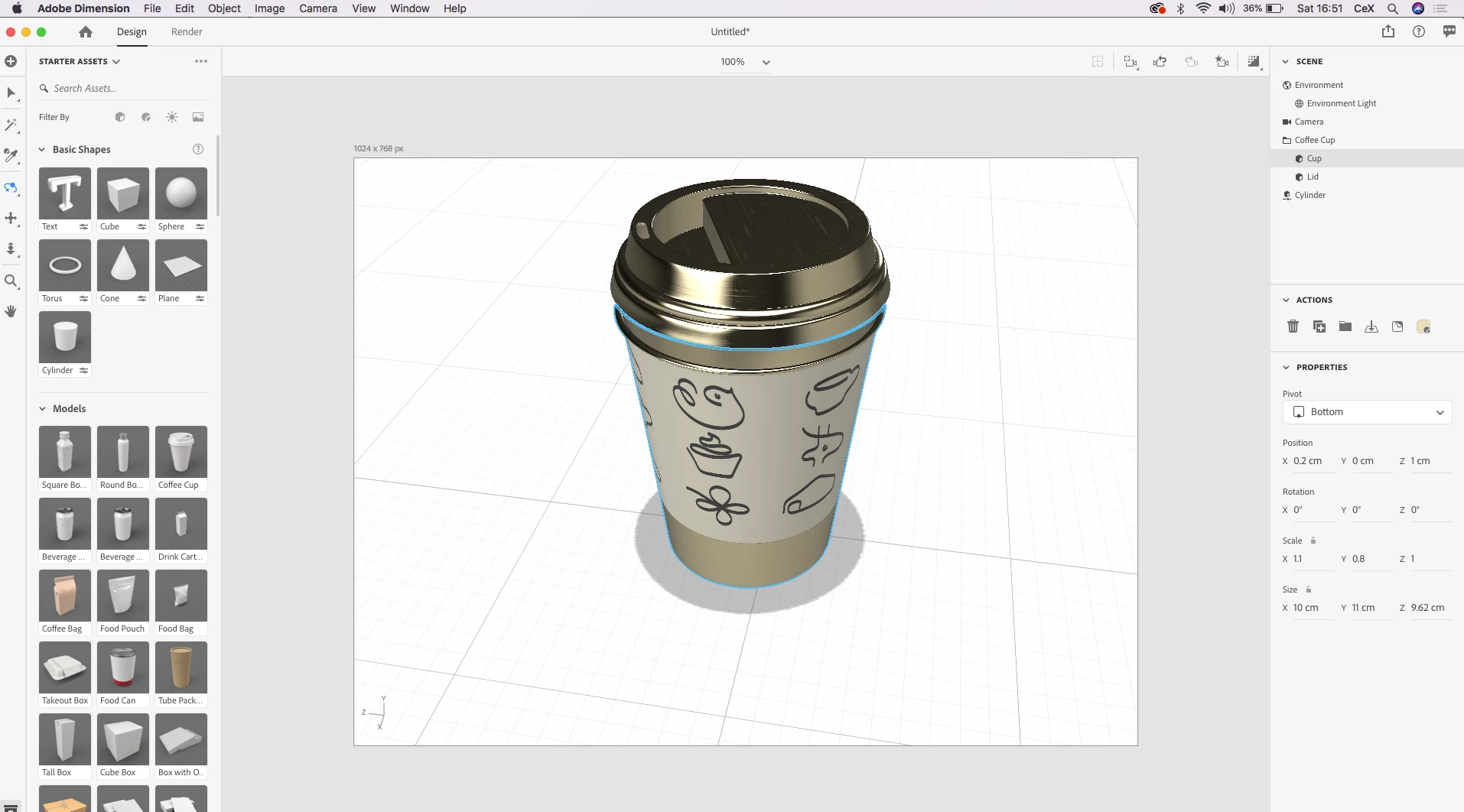
Hi there, i'm using the coffee cup template in dimension to create a mockup for a takeaway coffee cup i'm designing. Is it possible to customise the cup to the exact dimensions i want? I was using the size and scale tools in the bottom corner, but they seem to do the same thing, i just want to edit the size of the radii. Any help much appreciated.



This topic has been closed for replies.
Correct answer Ussnorway7605025

yes its possible to adjust the cup and yes size is almost the same thing as scale but I would still adjust size for what you want

1. select the group first so that you adjust the entire model i.e, cup + lid is generally best

2. radius is X + Z is the size columes and they should match i.e, in your screengrab the X = 10 but the Z only = 9.6...untick the padlock and change Z to = 10 then relock and adjust X or Z to the size you need the model to be

1 reply

Ussnorway7605025
Ussnorway7605025Correct answer
Legend
May 24, 2020

yes its possible to adjust the cup and yes size is almost the same thing as scale but I would still adjust size for what you want

1. select the group first so that you adjust the entire model i.e, cup + lid is generally best

2. radius is X + Z is the size columes and they should match i.e, in your screengrab the X = 10 but the Z only = 9.6...untick the padlock and change Z to = 10 then relock and adjust X or Z to the size you need the model to be