marcusFCM
Known Participant
February 14, 2019
Answered

Decal resolution...

  • February 14, 2019
  • 2 replies
  • 974 views

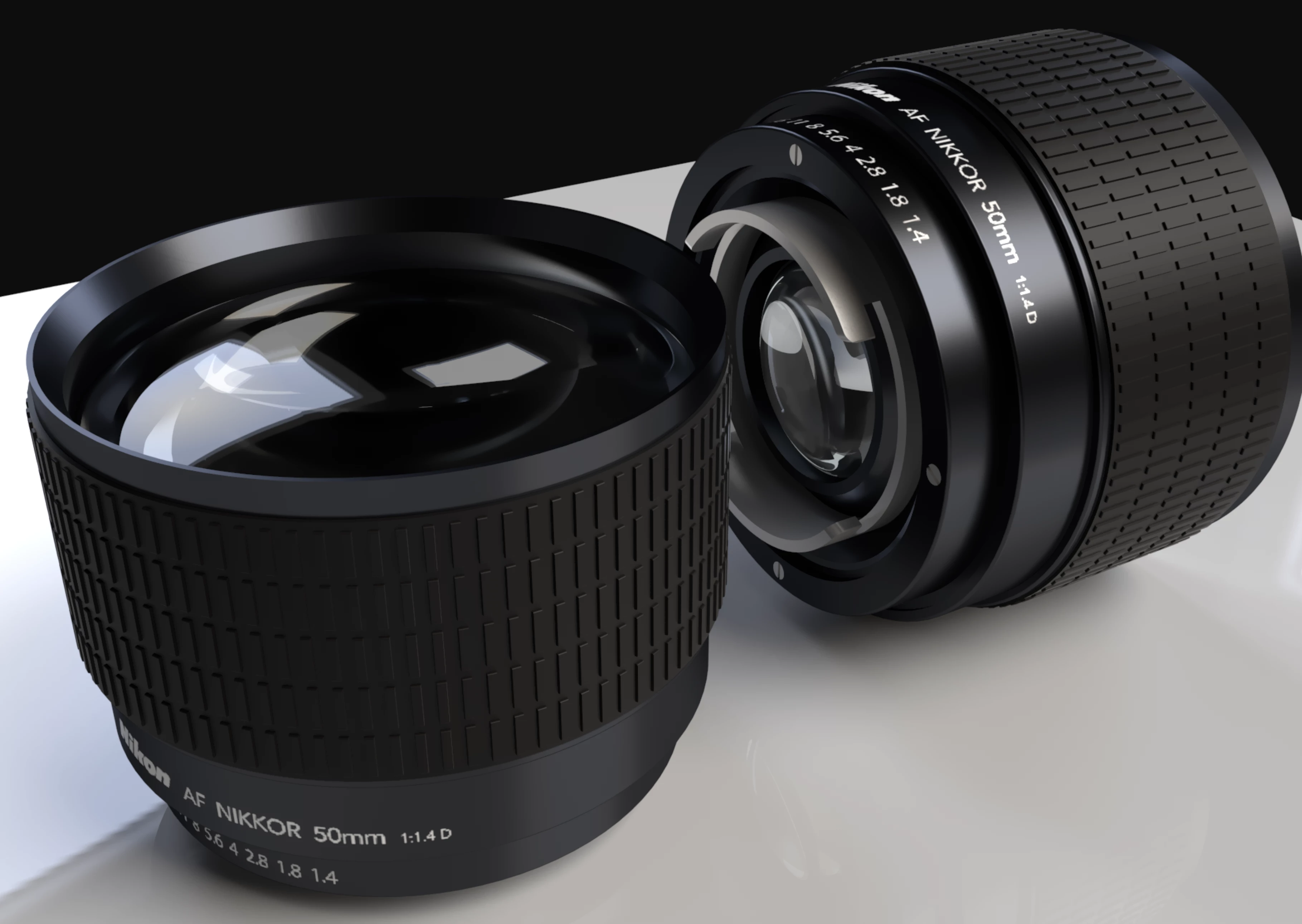
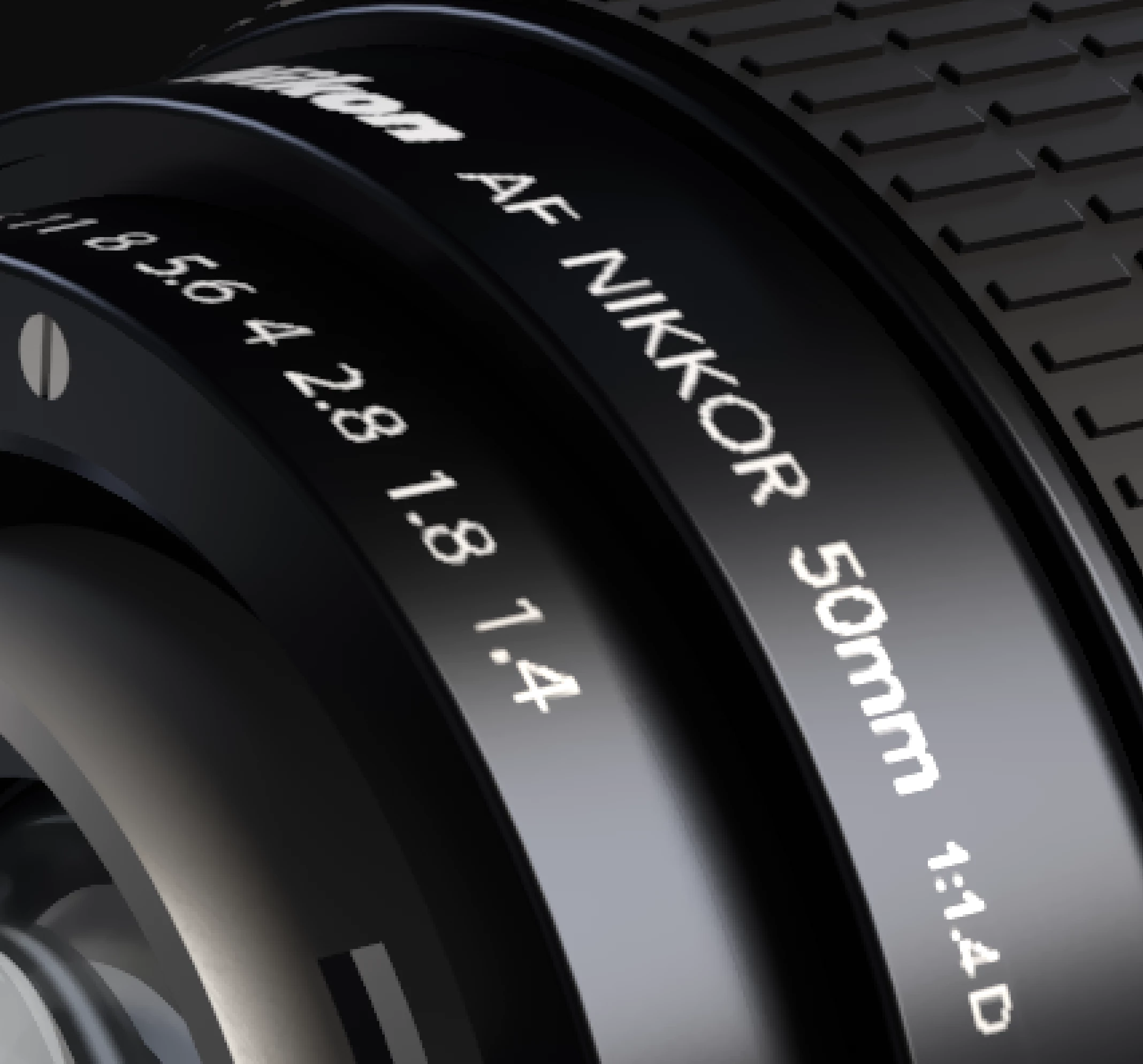
I realise this is a common topic, but does anyone know when the resolution for decal import will be increased??

I'm happy with this render with the exception of the bloody decal...It's so pixelated...
    This topic has been closed for replies.
    Correct answer Ussnorway7605025

    Dropbox - New camera.dn


    I think the issue is not caused by size, I cut the font at 1.1. and made 4D a different decal for a cleaner rendor

    two small points;

    • be aware of system fonts... very important if working for a client

    as a Windows user I can't run Avenir font so had to replace it with Myriad

    • don't stretch a text box, just click and type then use the numbers to adjust

    p.s, your file back https://adobe.ly/2SVRYf3

    nice job on the camera mate... this was a joy to work on

    2 replies

    Ussnorway7605025
    Legend
    February 14, 2019

    the feedback portal  Higher decal resolution – Adobe Dimension CC Feedback Portal

    p.s, are you sure that is size related distortion i.e, (above 2048x2048) because the O in Nikon looks ok

    looks more like the decal is not lining up straight... the O in Nikkor and 0 from 50mm are pulled down & the 4 is actually touching the [dot] in front

    also have you tried cutting it up or making it a material rendor... can you share this file?

    marcusFCM
    marcusFCMAuthor
    Known Participant
    February 15, 2019

    I'm happy with the positioning. It's just the pixelation that is the problem

    I have sent the DM and decal files to you (Dropbox)

    Thanks

    M

    marcusFCM
    marcusFCMAuthor
    Known Participant
    February 15, 2019
    Ares Hovhannesyan
    Community Expert
    Community Expert
    February 14, 2019

    I hope in upcoming versions. You can try Rey tracing method from preferences.