


Austin1
Participant
November 24, 2017
Answered

Decal when added applies to all sides of the 3d model

  • November 24, 2017
  • 2 replies
  • 901 views

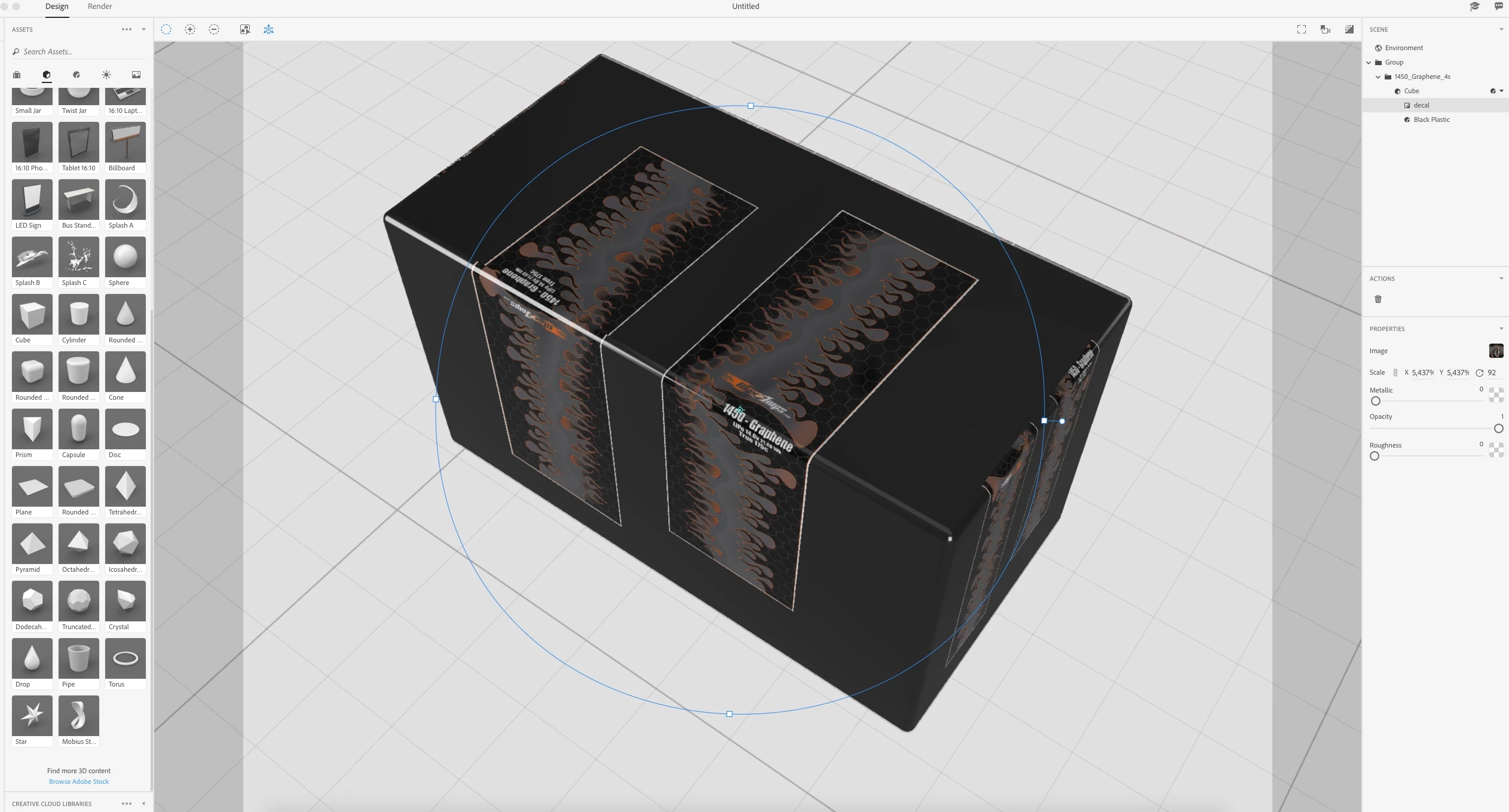
i have a rectangle 3d model with rounded edges and i have applied the texture i want for the rectangle, then when i proceed to add a 2d image as a decal to the 3d model it doesnt just apply once instance of the decal it applies the decal to all sides of the rectangle. i only need one instance of the label to wrap around the top and the side of the 3d object. what am i doing wrong?

    This topic has been closed for replies.
    Correct answer JeanetteMathews

    This can happen when the object has 'shared UVs'.  UVs are the coordinate system that tells the software what part of the 2D image goes onto what part of the 3D model.  Essentially the 3D model is unwrapped and laid flat in image space.  If, during that unwrapping process, the UVs overlap, then any image placed onto one part of the model will show on the overlapping parts.  If this is a custom 3D model you can adjust by editing your UVs.

    2 replies

    JeanetteMathews
    Adobe Employee
    JeanetteMathewsCorrect answer
    Adobe Employee
    November 27, 2017

    This can happen when the object has 'shared UVs'.  UVs are the coordinate system that tells the software what part of the 2D image goes onto what part of the 3D model.  Essentially the 3D model is unwrapped and laid flat in image space.  If, during that unwrapping process, the UVs overlap, then any image placed onto one part of the model will show on the overlapping parts.  If this is a custom 3D model you can adjust by editing your UVs.

    Ussnorway7605025
    Legend
    November 25, 2017

    option 1 = try a better model

    option 2 = rendor | save as psd - open the psd in Photoshop and edit out the extra decal

    Austin1
    Austin1Author
    Participant
    November 27, 2017

    tryed a different model, even some from the Dimensions app does this, i even exported a simple square and still does the same thing