


Participant
November 8, 2019
Question

Dimension 2020 not using GPU to render (nVidia GTX 1080 TI )

  • November 8, 2019
  • 2 replies
  • 2832 views

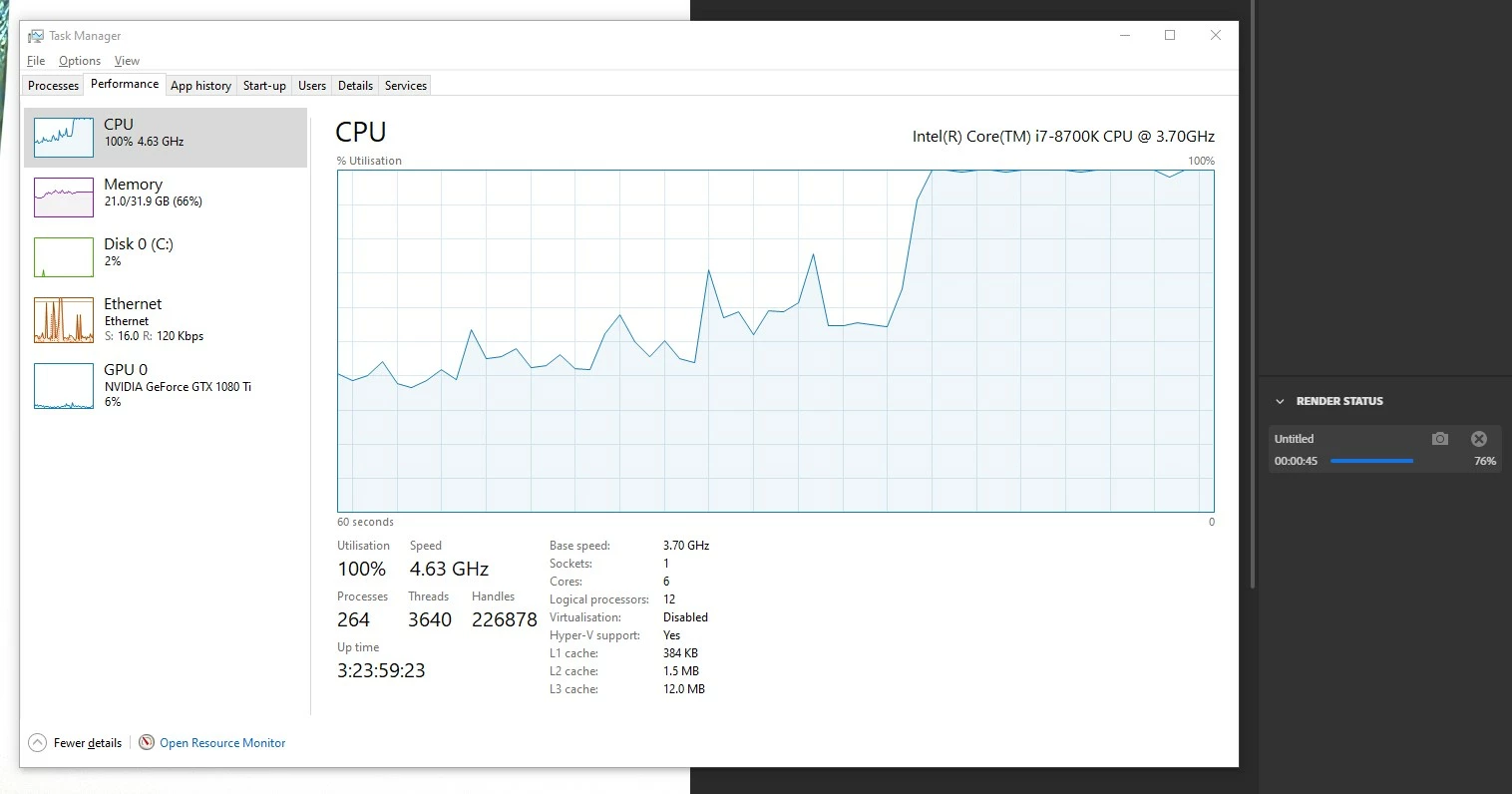
Ive updated to this latest 2020 release and was excited to test the GPU render which was announced while ago. But every render no matter what uses CPU only.


Ive checked if GPU rendering was turned on in settings. It was and I was using the required drivers as shown in requirements for the new GPU rendering feature (beta).


nVidia GTX 1080 TI with my latest driver (436.30 DCH).

https://www.asus.com/Graphics-Cards/ROG-STRIX-GTX1080TI-11G-GAMING/HelpDesk_Download/


Weird thing as well is that the CPU starts to be at 100% at around 50% only and not earlier.
 

This topic has been closed for replies.

2 replies

Ussnorway7605025
Legend
March 9, 2020

the current public build of Dimension is 3.1.1

there is also a prerelease beta build you can try ( i recommend that instead)

however its early days, and these two builds do not play together well on the same Windows system i.e, install prerelease = uninstall public first

perryp257822
Participant
March 28, 2020

Not sure if it helps but I found even with the pre-release I had to open 'graphics settings' on Windows 10, add dimension and select high performance for default. That seemed to activate gpu rendering properly on my machines.

Ares Hovhannesyan
Community Expert
Community Expert
March 9, 2020

Can you check with new latest version of Dn? Are you able to use GPU?

Participant
March 9, 2020

Me too, I always got an error when trying to render with GPU.

Hsnm7
Participant
May 11, 2020

I dont even have the option that can allow to switch to gpu render in version 3.1.1. My gpu is a sitting duck.

i tried playing with my gpu settings for dimension but nothing worked.