


Participant
June 16, 2022
Question

Dimension does not open the canvas for a 538 MB file, but smaller ones do

  • June 16, 2022
  • 4 replies
  • 599 views

Hi!
Yesterday I worked all day on a project that I saved in my laptop.
Today I wanted to continue and I have been trying to solve the problem for a few hours, looking for tutorials on YouTube and I can't.
I recorded the screen to see exactly what is happening. You can download the video here from the WeTransfer link or I have attached it below.


https://we.tl/t-OcItRaJD98


Basically, I open the file, the program interface opens, but my canvas doesn't appear and I can't edit anything. Another thing that happens is that I can't close the application, I have to close it from the Task Manager.
After I stop it, if I open another file that is much smaller in size, for example 20MB, it works.

Computer specifications
Processor Intel(R) Core(TM) i7-9750H CPU @ 2.60GHz 2.59 GHz
Installed RAM 16.0 GB (15.8 GB usable)
System type 64-bit operating system, x64-based processor
Edition Windows 10 Pro
Version 21H2
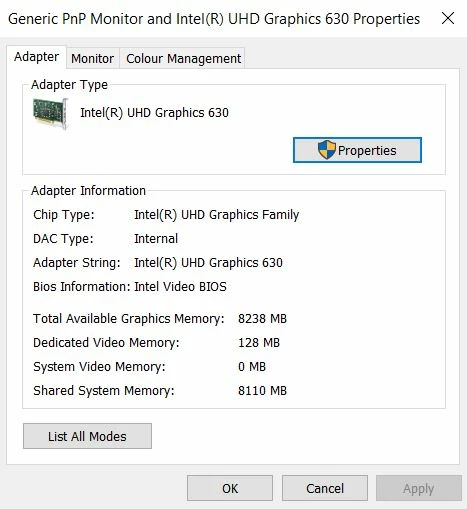


I hope to receive a clarifying answer very, very soon from you. Thanks!

This topic has been closed for replies.

4 replies

Ussnorway7605025
Legend
June 18, 2022

the only 'fix' is to use a system with more Ram... the big\ complex files take more ram to load than smaller files

Participant
June 20, 2022

I think I will use another rendering program in the future. For the things that this program knows how to do, it seems to me that it requires too many resources. There are other 3D rendering programs that do more things, are more complex and probably require the same or fewer resources.

Inspiring
June 17, 2022

I have exactly the same problem with any heavy file that I try to open in Dimension. Never found any workaround, I end up reducing my file quality/size to be able to import it.

Ares Hovhannesyan
Community Expert
Community Expert
June 17, 2022

Did you try to clean up your disk and defragment it?

Participant
June 20, 2022

I did not do this. Anyway, I found another solution.

Participant
June 17, 2022

Hey, nobody?