


Dimension Error Message when rendering models with substance materials applied
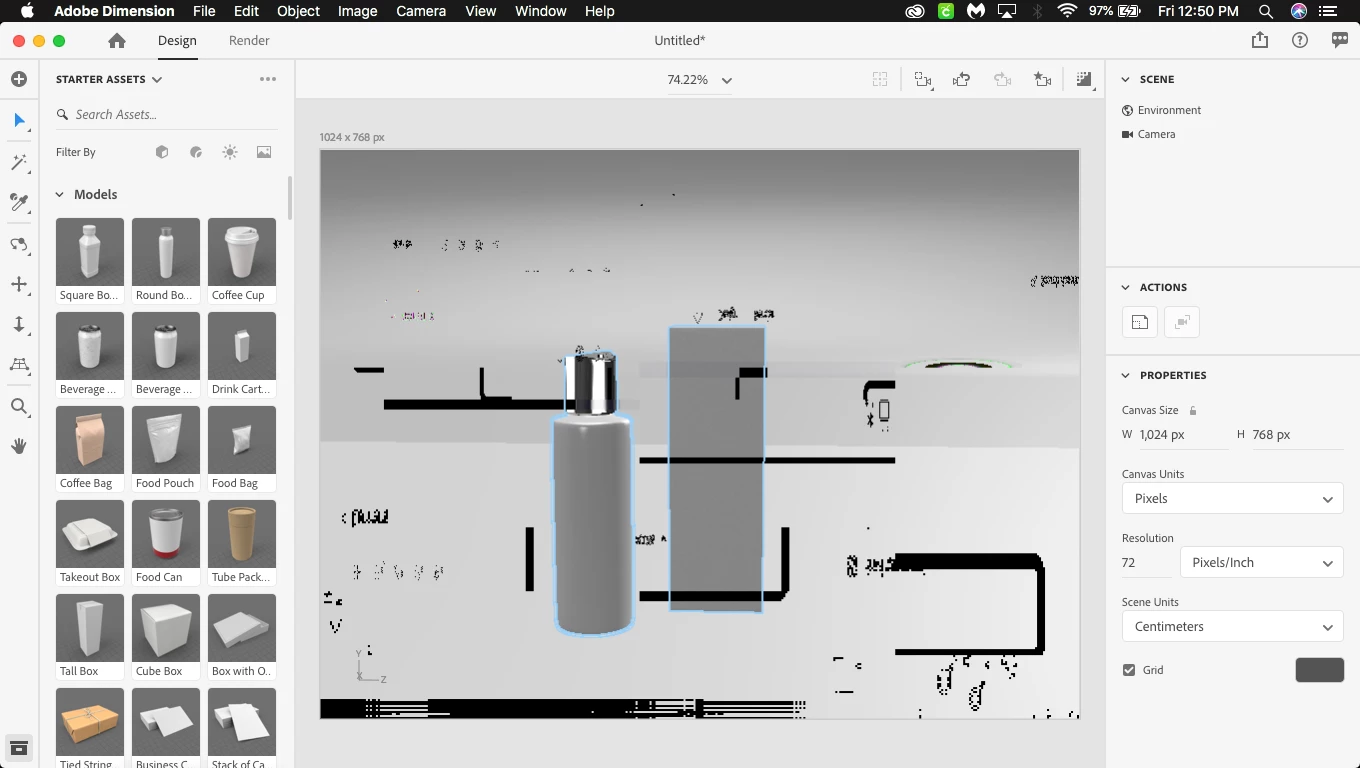
First time error/bug reporter here so please understand my lack of software lingo. When using Adobe Dimension I am running into two seperate bugs/errors. The first being black, pixelated areas appear in the design window area please see attached photo (randomly placed everytime application is started). Second issue being an error message (photo included) mentioning that dimension needs to restart due to an error. This message only displays when I attempt to render models with substance materials applied. Maybe I am using the substance materials incorrectly, I assumed they could be applied to models just like any other material in dimension. Also I aquired these substance materials from adobe stock. Also I attached my Dimensions log per the error message, I am assuming this is needed for diagnogstic purposes.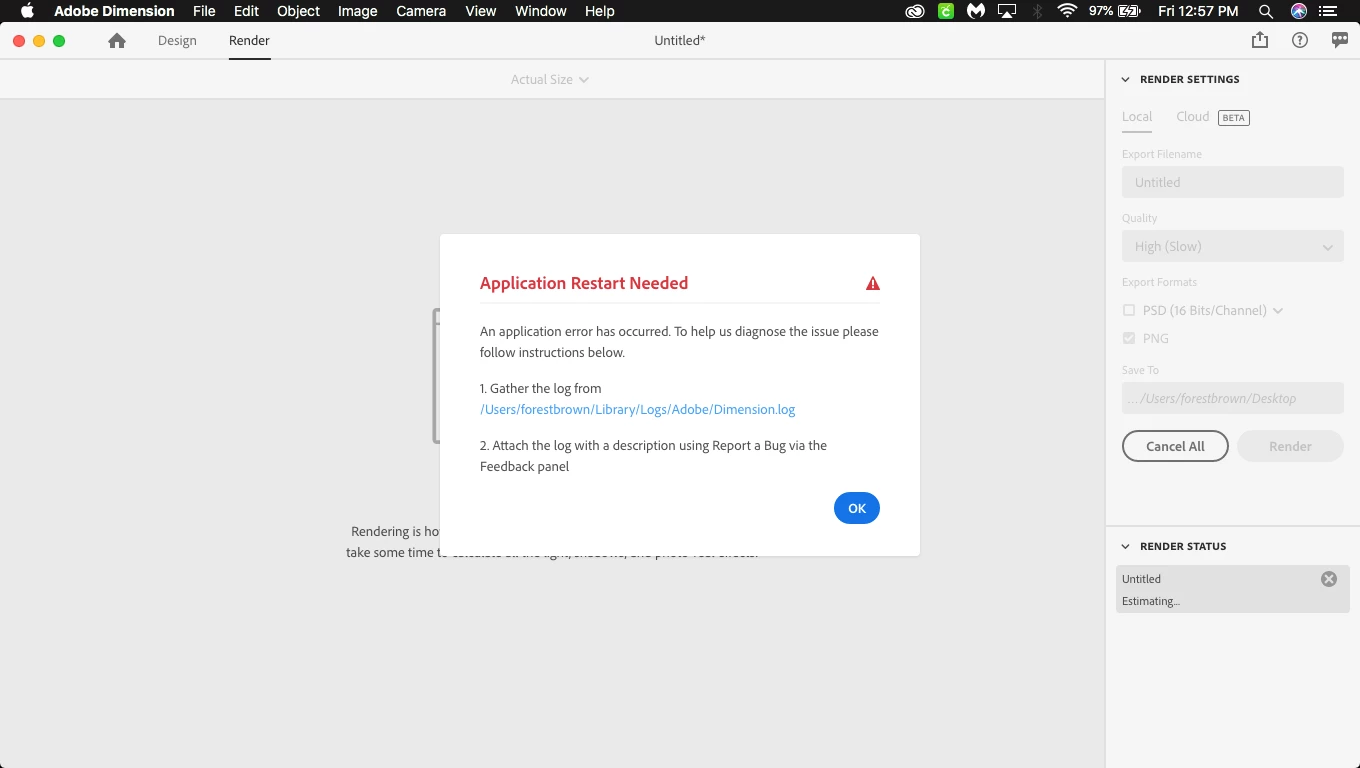

 AdChoices