


Participant
August 24, 2021
Answered

Dimension exported asset - Cloud doesn't allow me to share by embeding

  • August 24, 2021
  • 3 replies
  • 293 views

Hi,

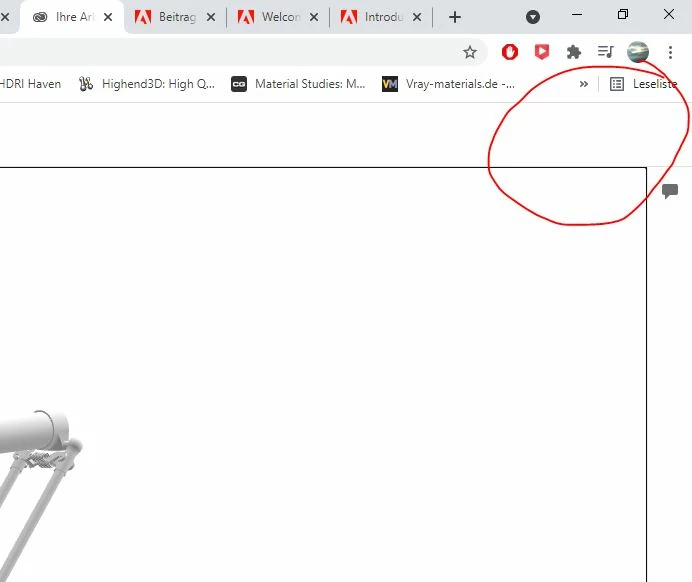
I'm currently trying to create an embedable 3D object with Dimension. The object is in my published objects list, but when I click on it the share options are missing. Why? Every tutorial shows 2 buttons there, one share and one menu/config button.


Is it something with my license? Or do I have to enable something?
 

This topic has been closed for replies.
Correct answer Ussnorway7605025

Enterprise accounts have options turned off by default because you need the boss permission

3 replies

Participant
September 3, 2021

Have you found a solution for this? I'm also struggling with the same thing


Participant
September 3, 2021

Unfortunately it really was due to me working on an Enterprise account that disabled this feature. So, asking your IT department is my only solution.

Ussnorway7605025
Ussnorway7605025Correct answer
Legend
August 26, 2021

Enterprise accounts have options turned off by default because you need the boss permission

Ussnorway7605025
Legend
August 25, 2021

your screenshot shows a web browser not an Adobe UI


also what type of account have you actually got i.e, school, enterprise or personal?

Participant
August 25, 2021

I am aware. The browser shows the interface of the Adobe Cloud site where the 3D model is hosted on. 2 buttons are missing from the interface.


I work on an Enterprise license.