


Known Participant
December 30, 2020
Question

Dimension not loading after welcome screen

  • December 30, 2020
  • 4 replies
  • 1687 views

I would like to try the community before I am doing drastic measures like full CC clean up


The situation is like this:

One day I started Dimension and couldn't pass this screen
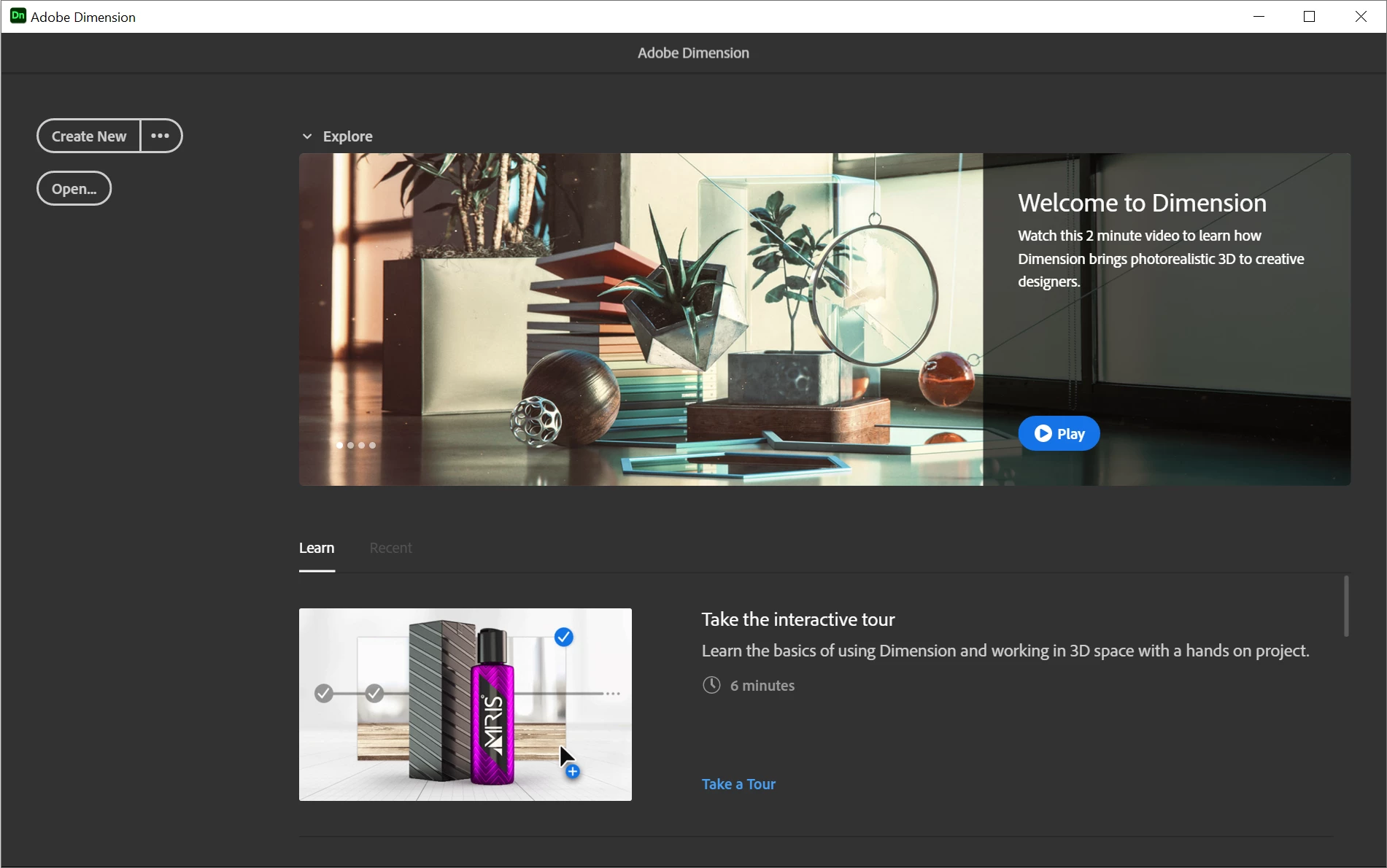
"Create New" "Open" and "Close window" buttons make the window stuck and force the end-task to close. One thing that grabs my attention is that it never gets to the situation where the top menu appears so I guess that's where the loading stuck and can get through.


OS: Win10

GPU: Quadro P600

Memory: 32G DDR3


What I tried:

  • Uninstall / Reinstall several times, different langs different locations
  • Uninstal / reinstall / log-out / log-in CC app
  • Update windows
  • Uninstall NVIDIA reinstall clean with updated driver
  • Install two older version same issue


What made it work:

  • Create a new local user install it under the new user - Dimension loads and looks like it is working, didn't have time to work on it to confirm real-life working but it seems fine.
  • Installing a really old version worked fine on the original user, but once updated got stuck again.


I don't want to move to the new user. it's too much work I think and can break other things.

if it's a user issue then there's must be a REGISTRY or a FILE/PATH that can be cleaned or delete to solve it,


Any ideas? maybe one of you had the same issue and found how to fix it

This topic has been closed for replies.

4 replies

Known Participant
January 7, 2021

So I clean my system with Adobe CC cleaner and reinstall it and install Dimension and still something is wrong I cant move past the welcome screen


I seriously need help I don't mind tweaking the OS the REG etc I am a kind of pro user but I have no idea how to approach this problem and I don't want to reinstall windows

Ussnorway7605025
Legend
January 4, 2021
  1. I didn't mark the answer as correct but I do agree its the most likely cause
  2. I simply answered you honestly... you asked me how I work around it and thats how I do it
I'll reinstall all adobe from scratch

ok good luck


Ussnorway7605025
Legend
January 2, 2021

i had to hack the script to say it already played once and therefor didn't need to play agian... it may not even be your issue but thats what I would test 1st


you could post your Dimension log file to the uservoice forum and see if they have any ideas... be aware of user data like email and whatnot so don't just post it as text if you don't want people to know

Known Participant
January 2, 2021

Not sure I understand can you elaborate more?

what those it mean hack the script?

Ussnorway7605025
Legend
January 4, 2021

hack a script basiclly means replace a zero with a one but the tricky part is knowing where to edit and for that you need to read the code so its not a good option for most people and I don't recommend non-coders try mucking about


when I joined the Acp program I agreed not to post any "how to hack Adobe" and even now that she has retired and I quit... it still feels wrong sorry

Ussnorway7605025
Legend
December 31, 2020

Adobe added a force play video to the first time open script in order to advertise how great Dimension is... This fails for a few different reasons like codex missing or just force play being blocked


Adobe is well aware of this problem but some marketing guy approved it and we are stuck with it until he or she gets overruled

Known Participant
December 31, 2020

Well, it is great when it is working,


Anyway if this is the problem what is the solution and why it works on a new user