



Question
Dimension not opening after fixing "min openGL" issue
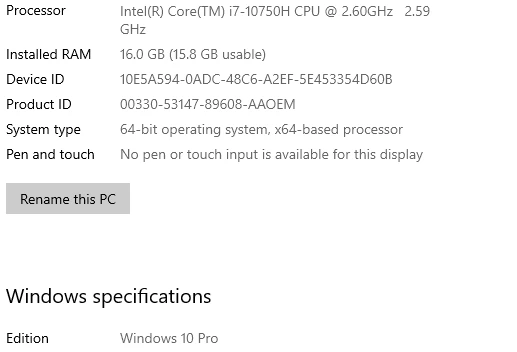
new laptop with specs as below.
Dimensions (3.4) firstly wouldnt open due to the openGL error which i fixed with a GL extensions viewer download. However, now theres no error popping up but Dimensions still will not open or even show in my task manager. The weird bit is when I try and unistall to reinstall it pops up with the error message "conflict uninstalling dimension - save your work and close following program before continuing".
I havnt had any previous versions installed or used on this PC.
All other adobe apps are working as per usual.
Any help would be greatly appriecated!!!
 AdChoices