


Dimension stops rendering at 50%, and GPU support crashes
Hi.
This is seemingly a common issue, and all fixes seen before such as rebooting and reinstalling haven't solved my issue, or have only solved it for one or two renders.
I'm currently trying to do a high quality render, with a canvas size of 4050x3750, at a resolution of 150 pixels per centimeter. The file was going to be attached, until the support form decided it didn't like the fact that I was uploading a Dimension file. The workspace consists of stock spheres, stock textures, stock backplate, stock lights, and an .obj file produced in autodesk fusion 360 that has been scaled down to fit within the workspace. The materials on the .obj have been placed on faces instead of individual bodies, due to the workflow I have used in fusion 360 to produce the model.
In previous renders, I have had to solely export the render as a .png as a solution to this issue. However, this time I am required to produce a .psd as well. I have encountered issues doing so over the last year of use, and previously had access to other software such as Keyshot to do so; but not anymore. When rendering to produce a .psd at any quality it fails at 50%. When rendering a .png at medium or low, theres a hiccup in dimension that causes the estimated time to only estimate to 50%, with a stall then revision of the estimate. The first 50% also takes longer than the last 50%- though I am seeing that very rarely as Dimension fails to render any more than twice on a single boot of my PC regardless of file type. And when rendering at high it stops at 50%.
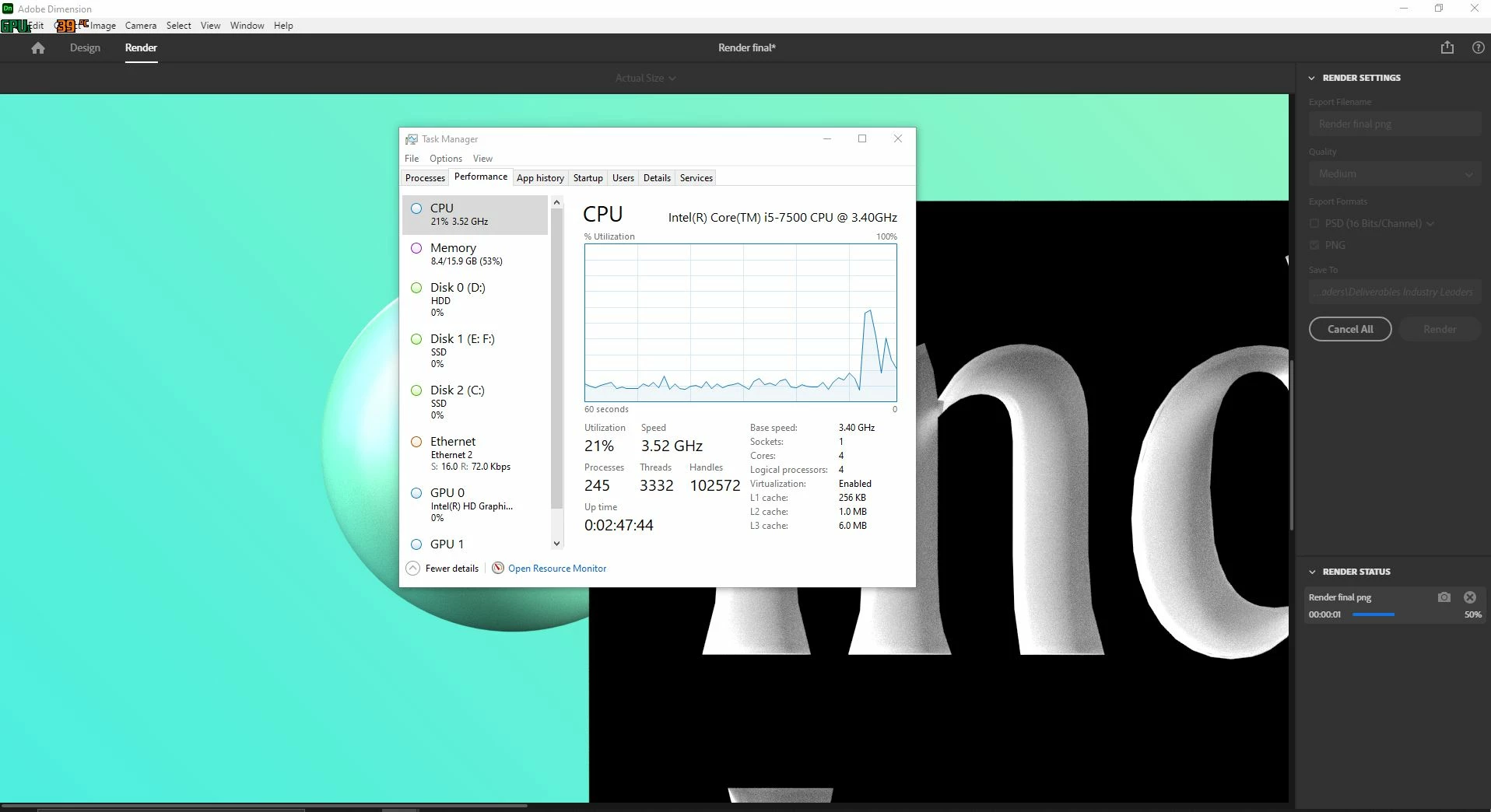
I am running an i5 7500, with a 1660 super 6GB, and 16GB ram. In regards to hardware, I have also tried turning my monitors off to reduce CPU load, shutting down all other programs via task manager, and using task manager to reduce the amount of load on the CPU as much as I feel able to without disrupting my PC's processes. When any render hits 50%, the CPU load stops, and it appears to only restart if I've rebooted my PC beforehand (see screenshot below).
I have also tried multiple cooling solutions, and multiple fan arrangements. However, this really couldn't be thermal throttling of the CPU as I use an open case build with a lot of airflow, and when the GPU rendering was working, I had the same issue. Using other CC programs on this hardware doesn't cause me issues- I have used pretty much everything on this hardware and the only program I run into issues with is Dimension.
That was very long winded I know, but update after update fails to resolve the issue, despite being known about for years.
 AdChoices