


Known Participant
May 6, 2020
Question

Dimensions Decal Distorting

  • May 6, 2020
  • 4 replies
  • 2007 views

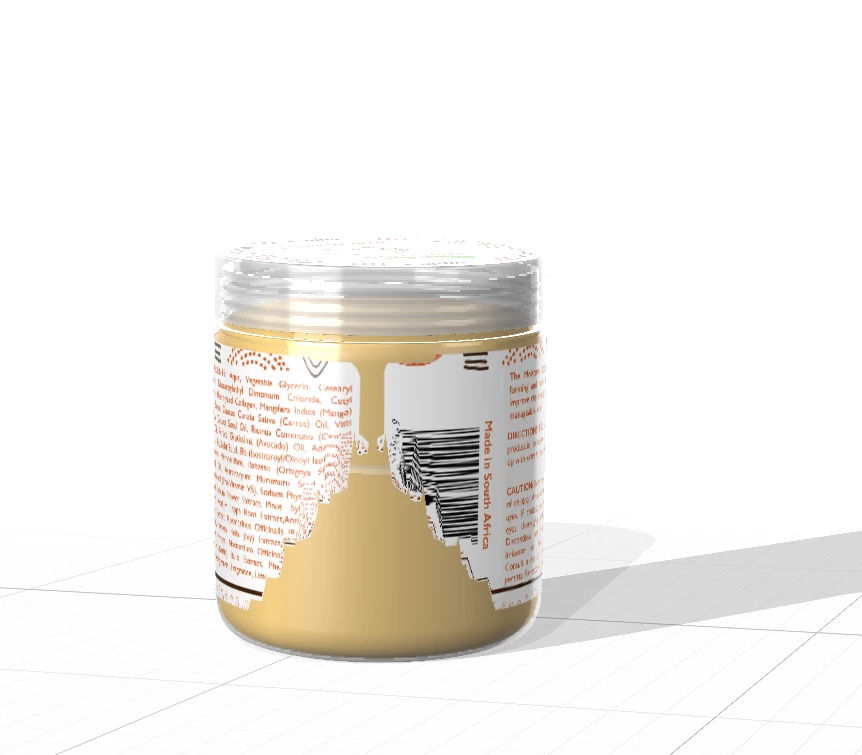
When placing the decal around this object it gets distorted at the back. The object is the from the starter assets. I've tried 'Generate UV' and that doesnt help. How can I fix this? I've attached an image below for ease of reference.
This topic has been closed for replies.

4 replies

Ussnorway7605025
Legend
May 8, 2020

while true imo most of the issue [in this case] is because of the model and 95% can be repaired which may get him out of trouble in the mean while

the files with working out


Known Participant
May 8, 2020

Thank you @Ussnorway. I appreciate all the work you put in to find a work around. I'll use this in the meantime until Adobe finds a fix.

Ussnorway7605025
Legend
May 8, 2020

np but shop around as well... a quick look on Adobe Stock could save you a lot of time


UssNorway8471547
Participant
May 7, 2020

it is supported if you use the file sync system, not the library

open the local storage to add your zip file [1]

then once it uploads open the web storage [2] to share the zip

Known Participant
May 7, 2020
Ares Hovhannesyan
Community Expert
Community Expert
May 7, 2020

Thank you for sending file. I think this is a very bad bug that do not allows to place image on sphere object. I try on cube and it work fine but small gap still happens between edges.If you will change your jar form to square it will work fine.

Here is a capture of my simple model with decal that I have created for testing. 

I will report this to Dimension Team, today and will inform you about their feedback.


Ussnorway7605025
Legend
May 7, 2020

to share a Dn file in Adobe cloud you must zip it first... this is because Adobe uses the buddle system and library team doesn't talk to Dimension or bother to test things actually work in the real world before kicking them out the door in time for Max

note only zip is allowed not any of the other standard files types like 7z


decal can not ever go all the way around an object... that needs a fill instead

Known Participant
May 7, 2020

I get error "The file type (.zip) is not supported." 

Ares Hovhannesyan
Community Expert
Community Expert
May 6, 2020

What are you steps? Can you describe how you placing decal and what are your decal properties. Also sharing file can help to understand problem

Known Participant
May 6, 2020

Hi Ares,


I selected the jar and placed the graphic using "Place the graphic Model". Where should I send the file? Tried attaching the dimensions file and I get an error saying the content type does not match its file extension.