


LUNARC13
Participating Frequently
January 10, 2018
Answered

Dimensions not running on Surface Pro i7 2017

  • January 10, 2018
  • 5 replies
  • 1776 views

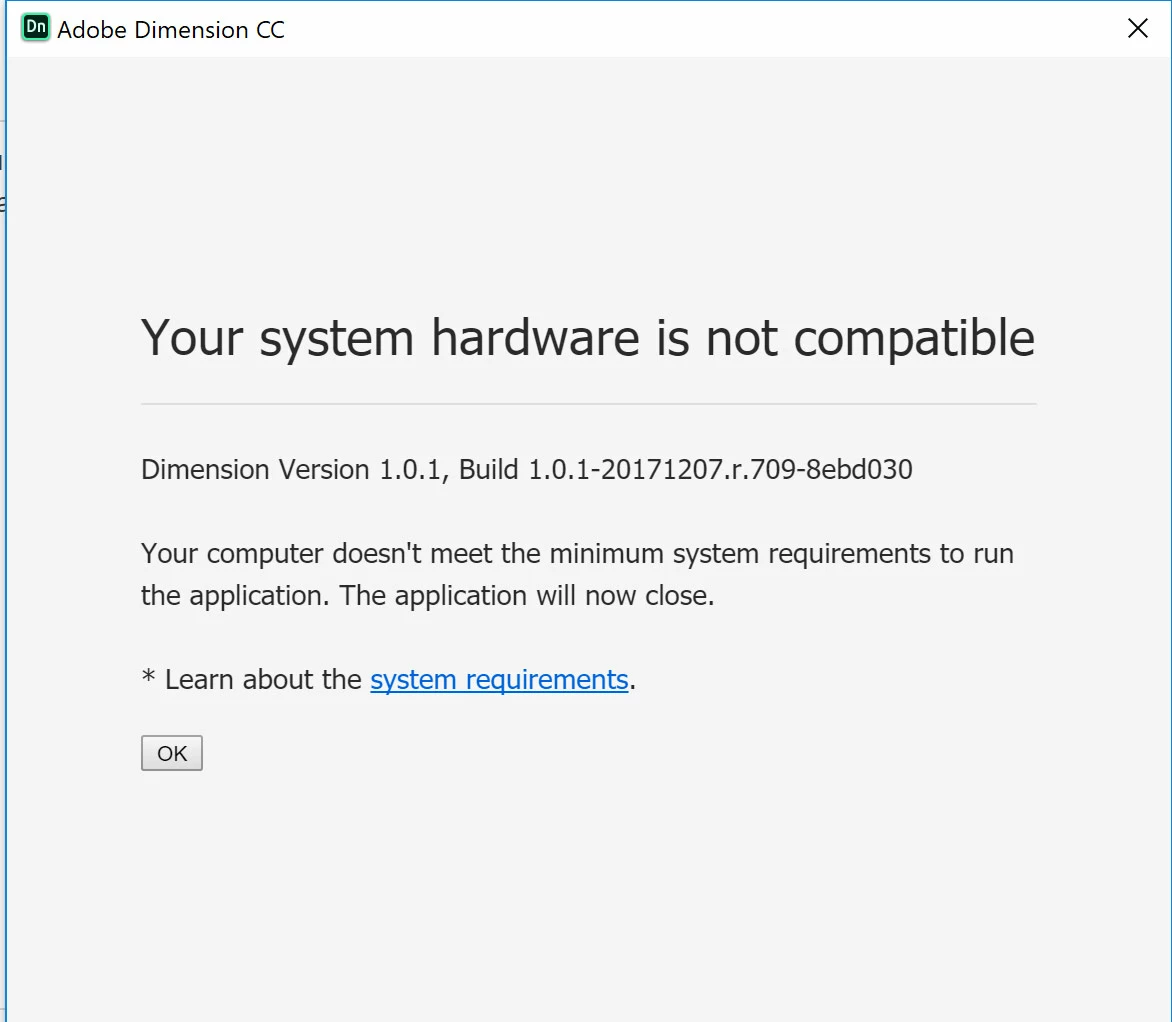
I have the latest version of the Surface Pro series and I see the i7 has Intel Iris Plus Graphics 640 (which is a more updated version of the requirements for Dimensions), yet every time I try and open up Dimension the system says I do not have the proper system requirements. Anything you can do to help would be awesome. I have searched the forums, and I did not see the proper fix for the SP 2017. Thanks!

This topic has been closed for replies.
Correct answer JeanetteMathews

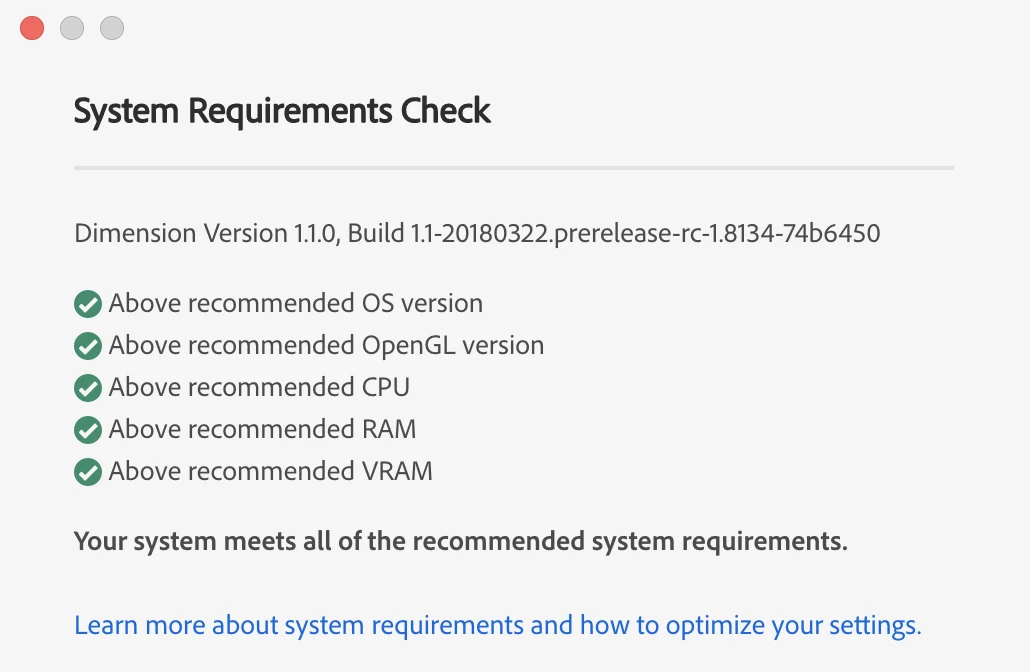
Today (4/3/2018) we released Dimension 1.1 update which includes removing the blocking factors of system requirements.  Dimension will now display a system requirements check dialog at startup that tells you if you are below minimum, below recommended, or above recommended for each specification.  You can also access this in the Help menu at any time.

We're happy to reduce the barriers to people trying Dimension but want to be clear this does not guarantee Dimension will be performant on lower specced machines as 3D is still generally a more intensive media type.  Interacting and rendering will be significantly faster on a more powerful machine.

5 replies

JeanetteMathews
Adobe Employee
JeanetteMathewsCorrect answer
Adobe Employee
April 3, 2018

Today (4/3/2018) we released Dimension 1.1 update which includes removing the blocking factors of system requirements.  Dimension will now display a system requirements check dialog at startup that tells you if you are below minimum, below recommended, or above recommended for each specification.  You can also access this in the Help menu at any time.

We're happy to reduce the barriers to people trying Dimension but want to be clear this does not guarantee Dimension will be performant on lower specced machines as 3D is still generally a more intensive media type.  Interacting and rendering will be significantly faster on a more powerful machine.

JeanetteMathews
Adobe Employee
Adobe Employee
March 24, 2018

In our next planned update we are removing system requirements as a blocking factor.  We are testing that version now and you're welcome to join the Dimension CC Prerelease to get early access to that build and try it out.

LUNARC13
LUNARC13Author
Participating Frequently
March 28, 2018

Awesome, downloaded it and it works great! Thank you for this!

JeanetteMathews
Adobe Employee
Adobe Employee
January 31, 2018

The Surface Pro has 8GB of RAM which is the minimum system requirement for Dimension.  When you open Dimension we actually check for 7GB of available RAM.  What's happening for many users with 8GB of RAM is that more than 1GB is being used by the system OS and other applications, making Dimension fail the available memory check.

1.  You can try restarting your machine and closing other applications to free up resources.  If you don't have other things running Dimension may have the 7GB it needs to launch.

2.  We are looking into messaging this much clearer and removing the blocking restriction with a warning.  Low memory may cause performance issues.

If your device does have more RAM / meets the available RAM the other likely cause is the VRAM.  The Surface Pro does not have a dedicated graphics card so VRAM is subtracted from the RAM and is an abstract number reported by the OS.  The only way to edit this is to edit the registry of the OS, which is not recommended by Adobe.

austinh76640369
Participant
January 31, 2018

My system has 16gb of ram, and has 9.62gb of physical ram available when I opened up Dimension and I still get the same error.

JeanetteMathews
Adobe Employee
Adobe Employee
January 31, 2018

If your device does have more RAM / meets the available RAM the other likely cause is the VRAM.  The Surface Pro does not have a dedicated graphics card so VRAM is subtracted from the RAM and is an abstract number reported by the OS.  The only way to edit this is to edit the registry of the OS, which is not recommended by Adobe.

Added this to my answer above for others as well.

Participant
January 11, 2018

Hopefully this helps someone. I got dimensions working flawlessly on my Surface Pro 2017 i7 8GB. I just followed this guide making sure to select D_WORD 32bit and restarting the surface after. This also has the potential to work on other intel machines.

Ussnorway7605025
Legend
January 10, 2018

matts3292890  wrote

Intel Iris Plus Graphics 640 (which is a more updated version of the requirements for Dimensions),

the 580 wipes the floor with 640 mate... there is no way a 640 can be called an "update" to a 580

LUNARC13
LUNARC13Author
Participating Frequently
January 10, 2018

Super helpful!

Ussnorway7605025
Legend
January 11, 2018

you asked "why does your latest version of the Surface Pro not run Dimension" and thats why

don't want to take my word for it is fine, do a google search for "Intel Iris Plus Graphics 580 vs 640" and read the results yourself