


APgraphics
Participant
November 4, 2017
Answered

Dimenssion CC Boken Icon in Windows10 Taskbar

  • November 4, 2017
  • 1 reply
  • 654 views

Hello everyone, sorry if it isn't the right place for this particular issue.

I recently have a new clean Windows installation and something weird is happening (had the same problem in the old installation) with Dimenssion CC icon in the taskbar. I tried to reset the Explorer process to refresh the taskbar but the icon does not change.
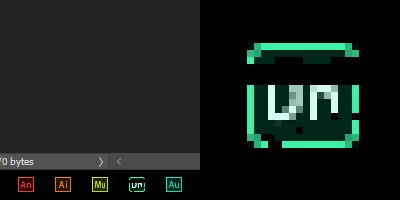
Any ideas? someone here has the same problem?
this is the ONLY icon that is broken (small or big in the taskbar)

Thanks!

This topic has been closed for replies.
Correct answer JeanetteMathews

Hi Alexis!  This seems to be a Windows 10 only issue that we've seen only when users are installing new versions of Dimension on machines that had it already.  You said you did a fresh OS install, though, correct?  Very odd!

Here are instructions on how to rebuild your icon cache which should clear the issue:  How to Rebuild a Broken Icon Cache in Windows 10

1 reply

JeanetteMathews
Adobe Employee
JeanetteMathewsCorrect answer
Adobe Employee
November 6, 2017

Hi Alexis!  This seems to be a Windows 10 only issue that we've seen only when users are installing new versions of Dimension on machines that had it already.  You said you did a fresh OS install, though, correct?  Very odd!

Here are instructions on how to rebuild your icon cache which should clear the issue:  How to Rebuild a Broken Icon Cache in Windows 10