I've attached a pic of the flat art I've got, top view of the object, now I need to create it in 3D but not sure how to achieve an emboss effect with Dimension?
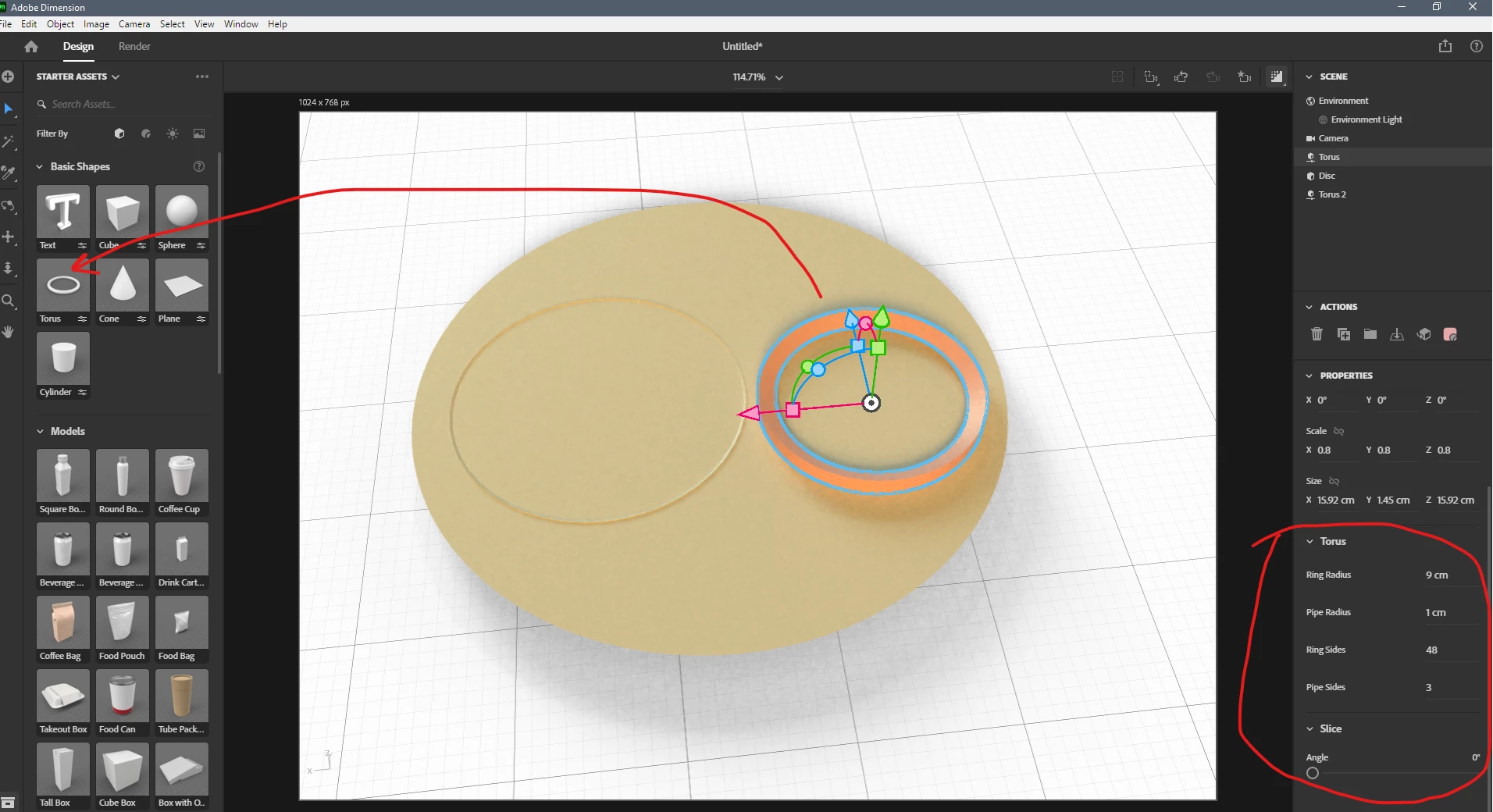
I use Torus and disc to make your emboss effect. Anyway it must be a component object. Right torus is placed on the surface of the disk. Place it deeper into disc. Also you can use cube instead of the disc as disc hasn't dept property
I use Torus and disc to make your emboss effect. Anyway it must be a component object. Right torus is placed on the surface of the disk. Place it deeper into disc. Also you can use cube instead of the disc as disc hasn't dept property
Dimension has limited extrusion capabilities. What might work is to create this in Photoshop, extrude your layers to appear like this (maybe this is what you used already?) and then export that as an .oj file which can be brought into Dimension as a model.





 AdChoices