


Known Participant
August 5, 2024
Answered

Glass Material stays clear, won't accept color

  • August 5, 2024
  • 1 reply
  • 1101 views

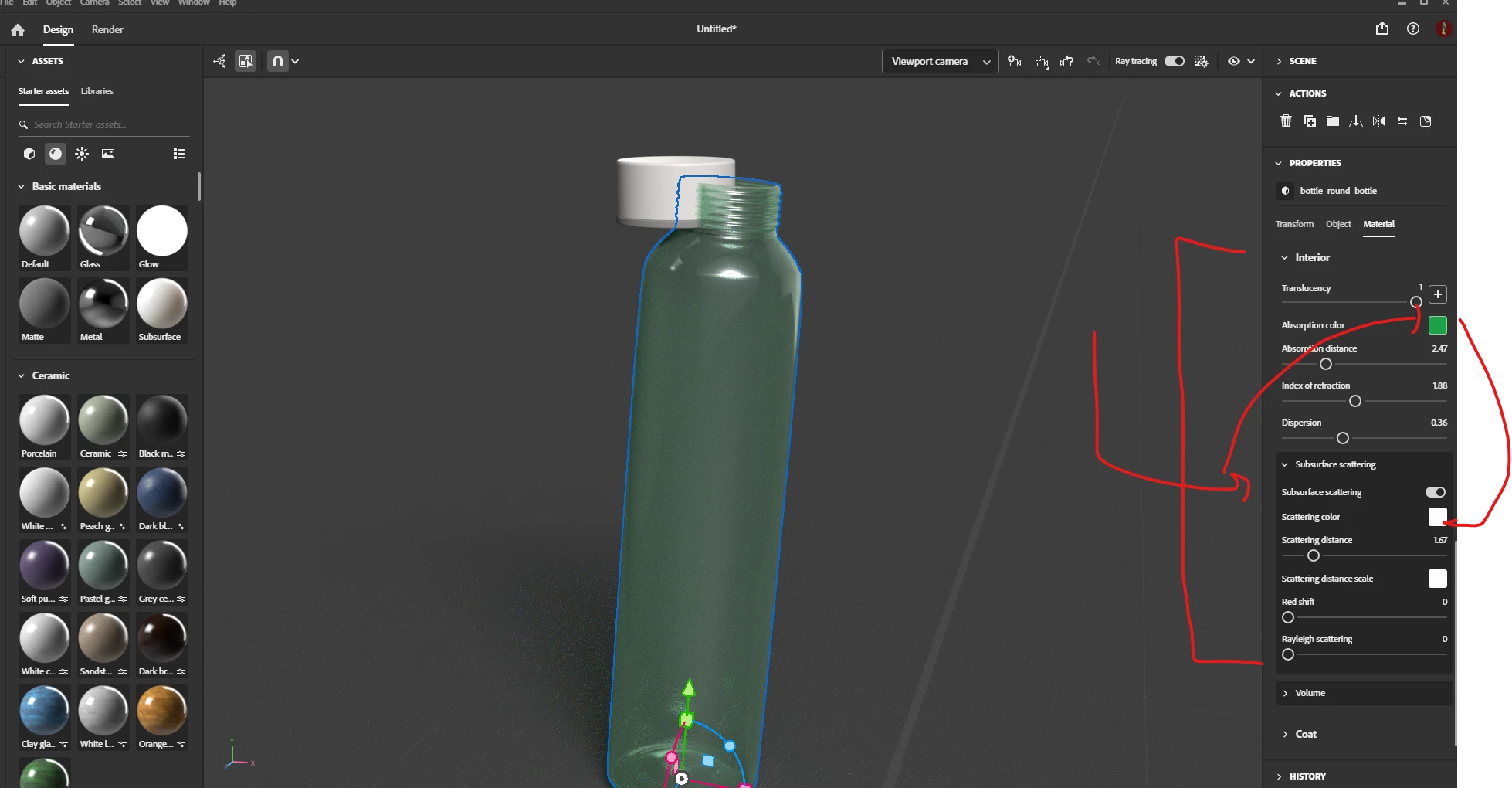
Using the new Dimension, but not a newbie with this app - giving the outer wine bottle glass a color green, but it stays clear. It's already called 'glass material', but when I click on the new glass material and select green, nothing happens to change it - in the old version, it would take whatever color you selected. Screenshot attached showing green selection that doesn't work. Thanks for any solution/suggestion.

This topic has been closed for replies.
Correct answer Ares Hovhannesyan

You need to change Interior properties  and use Scattering properties for customizing glass color. There is help reference about these properties of materials for SBSAR materials. Adobe Standard Material | Substance 3D Sampler


1 reply

Ares Hovhannesyan
Community Expert
Ares HovhannesyanCommunity ExpertCorrect answer
Community Expert
August 6, 2024

You need to change Interior properties  and use Scattering properties for customizing glass color. There is help reference about these properties of materials for SBSAR materials. Adobe Standard Material | Substance 3D Sampler


PearldogAuthor
Known Participant
August 6, 2024

Ares, thank you so much!! I found the scattering option - and that worked. I'll need to experiment with the shades of green. Are there any video tutorials for Dimension on these new options? I have not found any. Thanks again. ;-D


Ares Hovhannesyan
Community Expert
Community Expert
August 7, 2024

Te most effective training resources for now is Learn | Adobe (for Stager)  and Learn | Adobe (PBR guide 1&2). Why Stager? because new Dn is updated his engine and now using Stager render engine. PBR guide is a full guide about physics of PBR materials. That is the core document about Substance materials. Please sign to Substance youtube where you will be able to find many interesting videos.

https://youtu.be/EXQtPZ8iblI?si=wFFcZp2aKPgSjXCY