sorry Jive isn't working so I didn't know you asked a new question until today;
Adobe material settings come in 3 options;
active,
.png)
inactive,
.png)
or texture
.png)
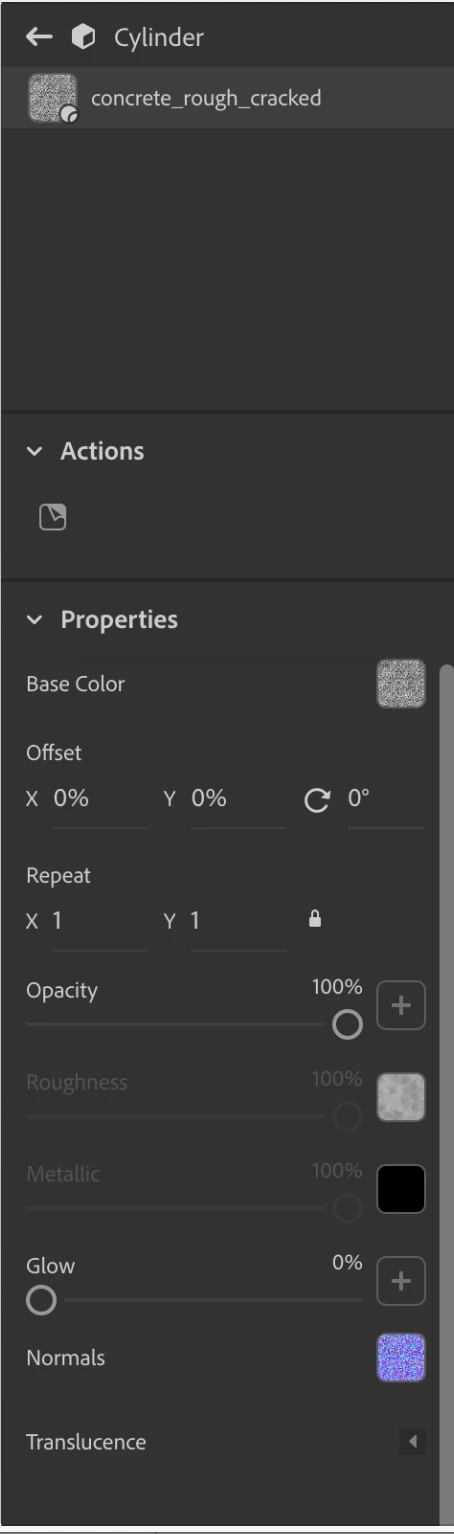
in your first example of concrete the material isn't one of the Adobe defaults so you got it from stock or some other place and the setting is prob turned off i.e, if the opacity is 100% (as concrete should be) then there is little point to having 'interior colour' because you will never see it but the slider will still be in with 'interior' above 'shape' and below 'surface' because that is how the ui was designed
.png)
you do have the same Dimension I have and Adobe tries to make the ui work for everyone but the ui allows you to open | close the little arrows which can make it look like options are not there... go back to my first post, the last two screen grabs are the same ui but in one I have scrolled the word 'surface' under the ui so it looks like 'base color' sits under 'properites' in one when in fact its 'surface'
so to be clear, if you import a mdl from outside then one option or another may be disabled by whom ever made it but the setting itself will still be there and if you do want concrete to have an internal colour for some effect then you can edit the mdl to turn that setting back on




 AdChoices