This topic has been closed for replies.
Correct answer Ussnorway7605025

ok to use Adobe Stock you need an Adobe ID and since you posted on this forum we know you have one

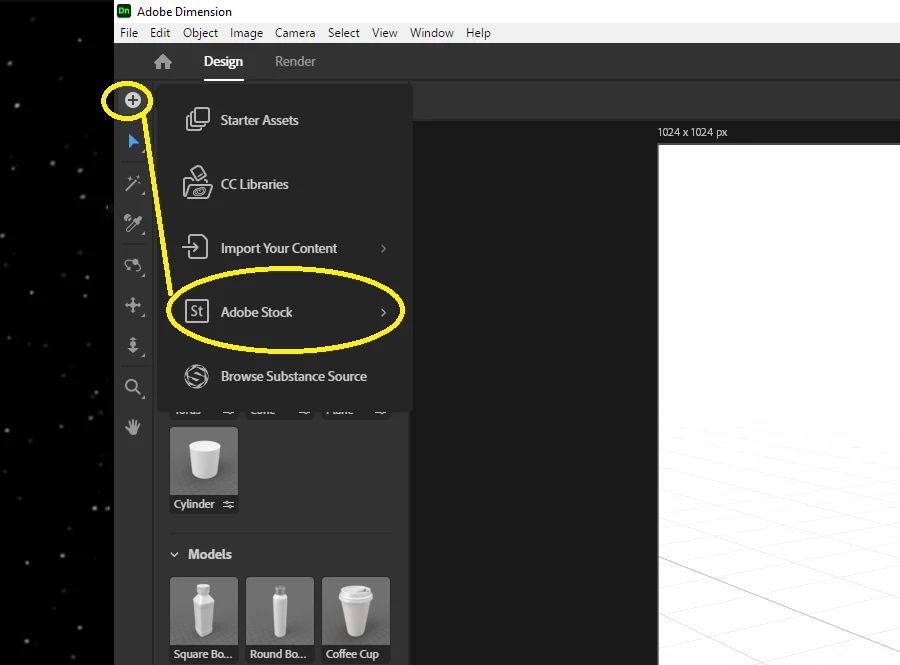
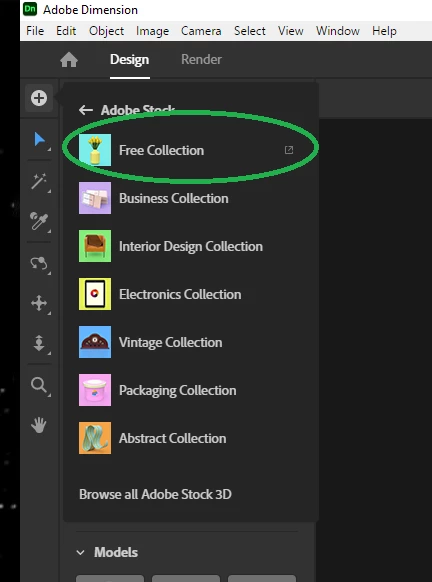
  1. open Dimension to a new blank project and select the Free Adobe Stock option to open your web browser to the page
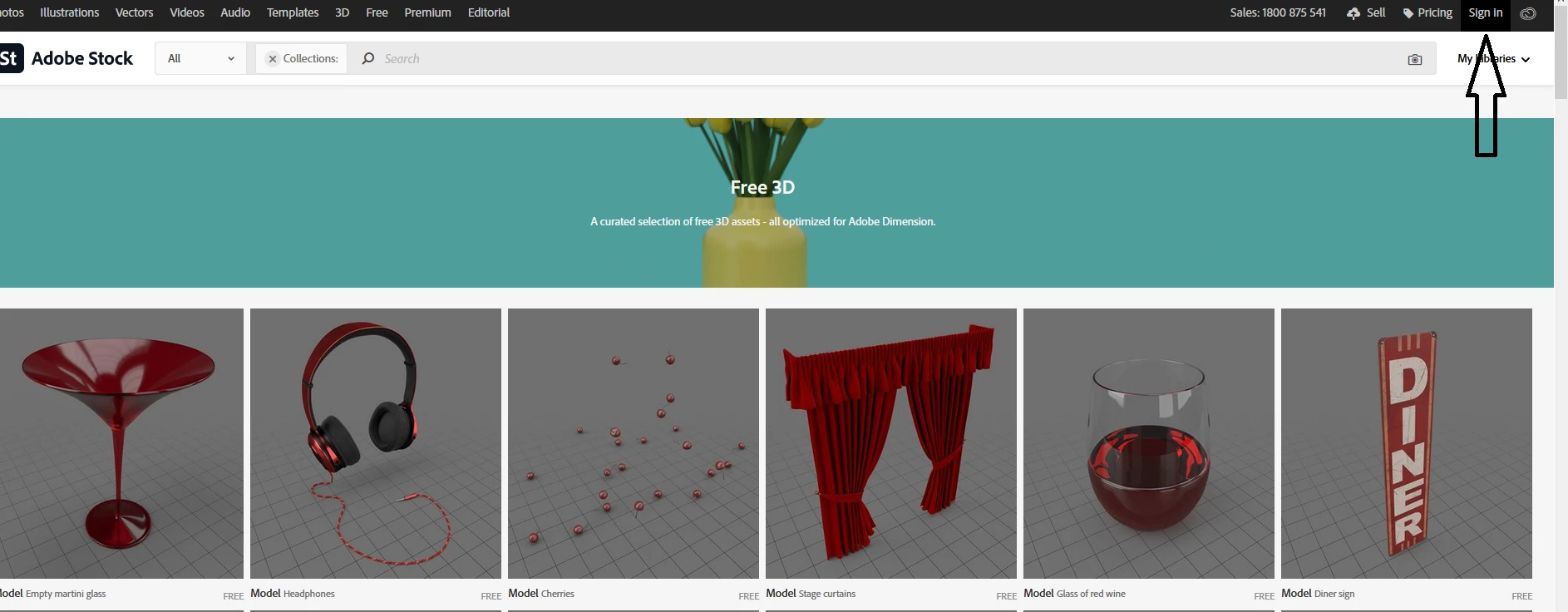
  2. Adobe may be asleep so just scrol up to confirm you are in fact signed in... Enterprise users should pick their personal Adobe ID instead for most senarios
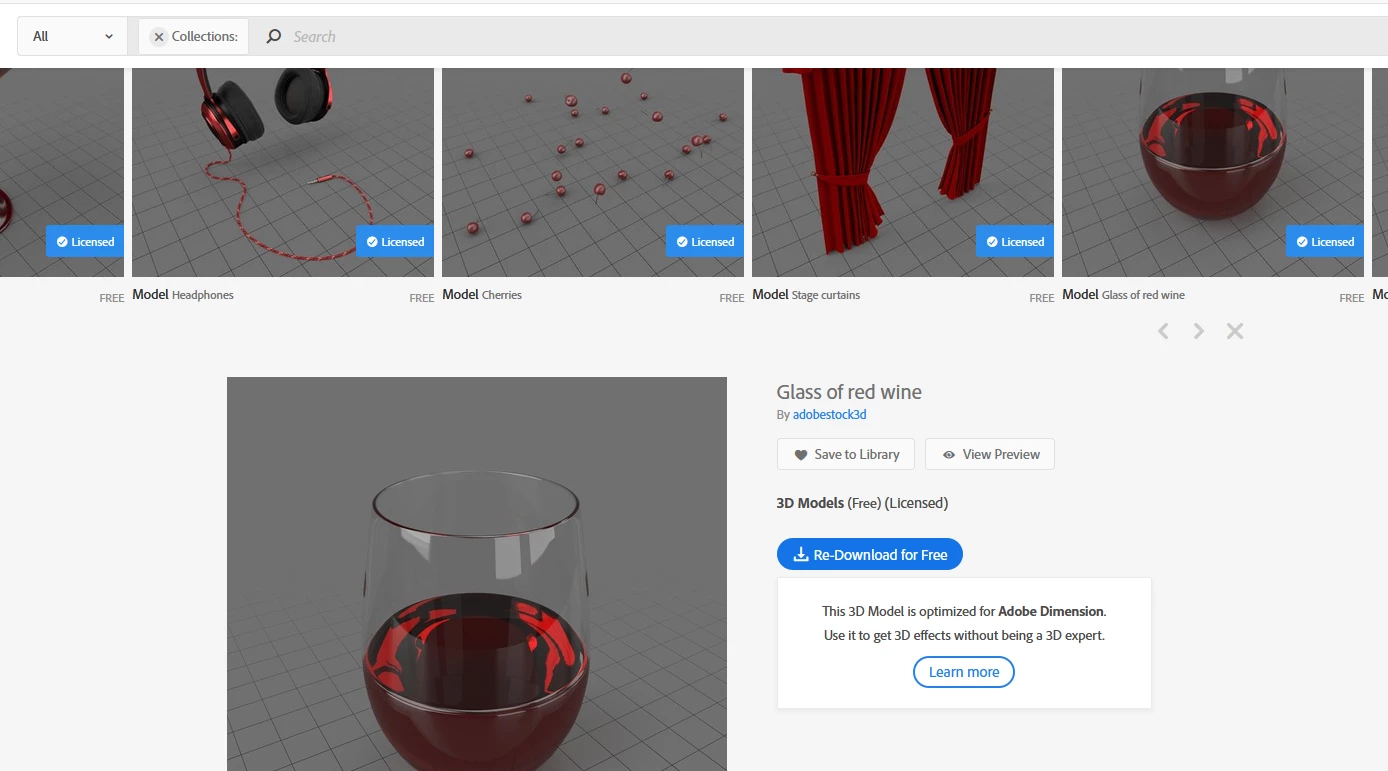
  3. once signed in you can click on any model that is clearly marked 'free' {and that should all of them in this window} which adds the blue 'licenced' tag to confirm you have it... from there you can add to your library or just download it and I recommend downloading because many of these models are large and downloading is the faster option


1 reply

Ussnorway7605025
Ussnorway7605025Correct answer
Legend
January 21, 2021

ok to use Adobe Stock you need an Adobe ID and since you posted on this forum we know you have one

  1. open Dimension to a new blank project and select the Free Adobe Stock option to open your web browser to the page
  2. Adobe may be asleep so just scrol up to confirm you are in fact signed in... Enterprise users should pick their personal Adobe ID instead for most senarios
  3. once signed in you can click on any model that is clearly marked 'free' {and that should all of them in this window} which adds the blue 'licenced' tag to confirm you have it... from there you can add to your library or just download it and I recommend downloading because many of these models are large and downloading is the faster option