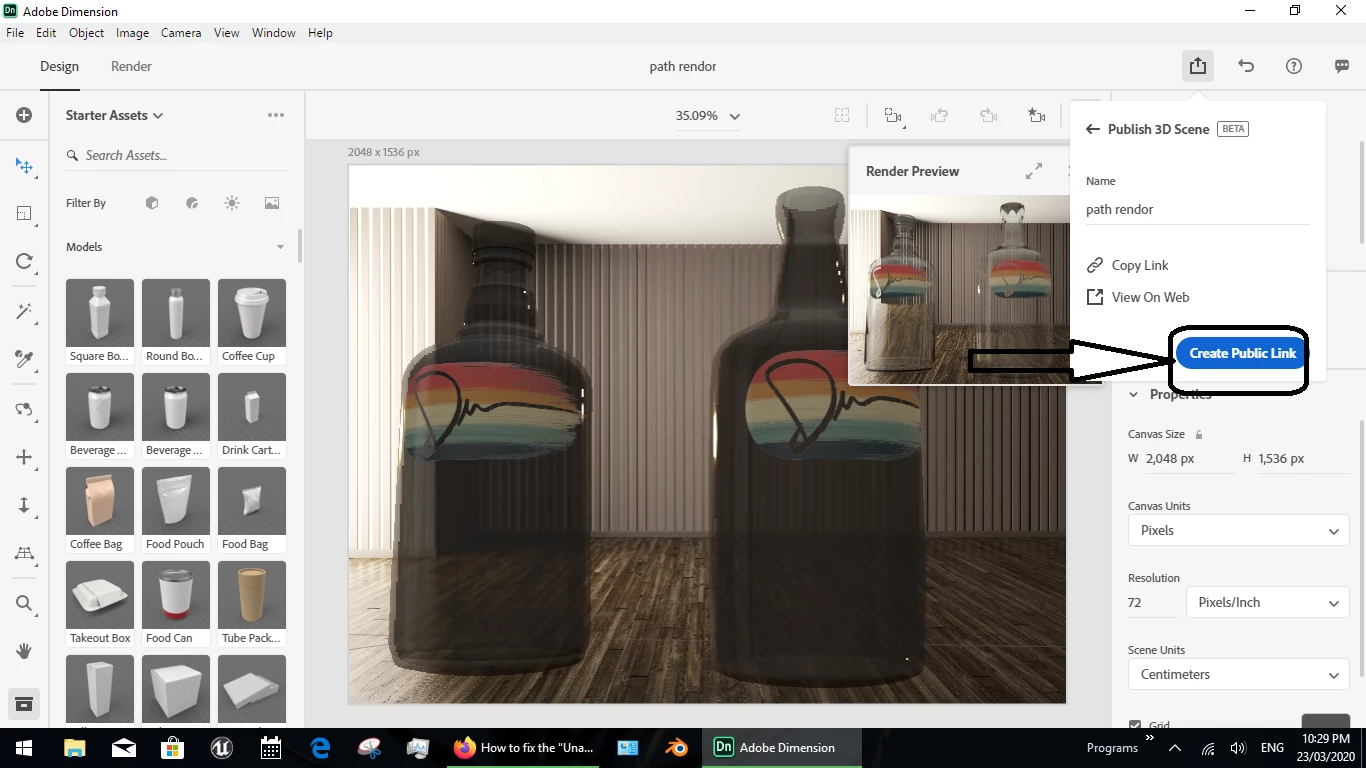
hi, I assume you are talking about the blue buttion marked "create public link" which was clearly not tested or even designed by someone that knows the software?
- pressing this buttion does NOT create a public link but it sends the Dn file to the cloud interface... pressing it again will just keep sending it over and over
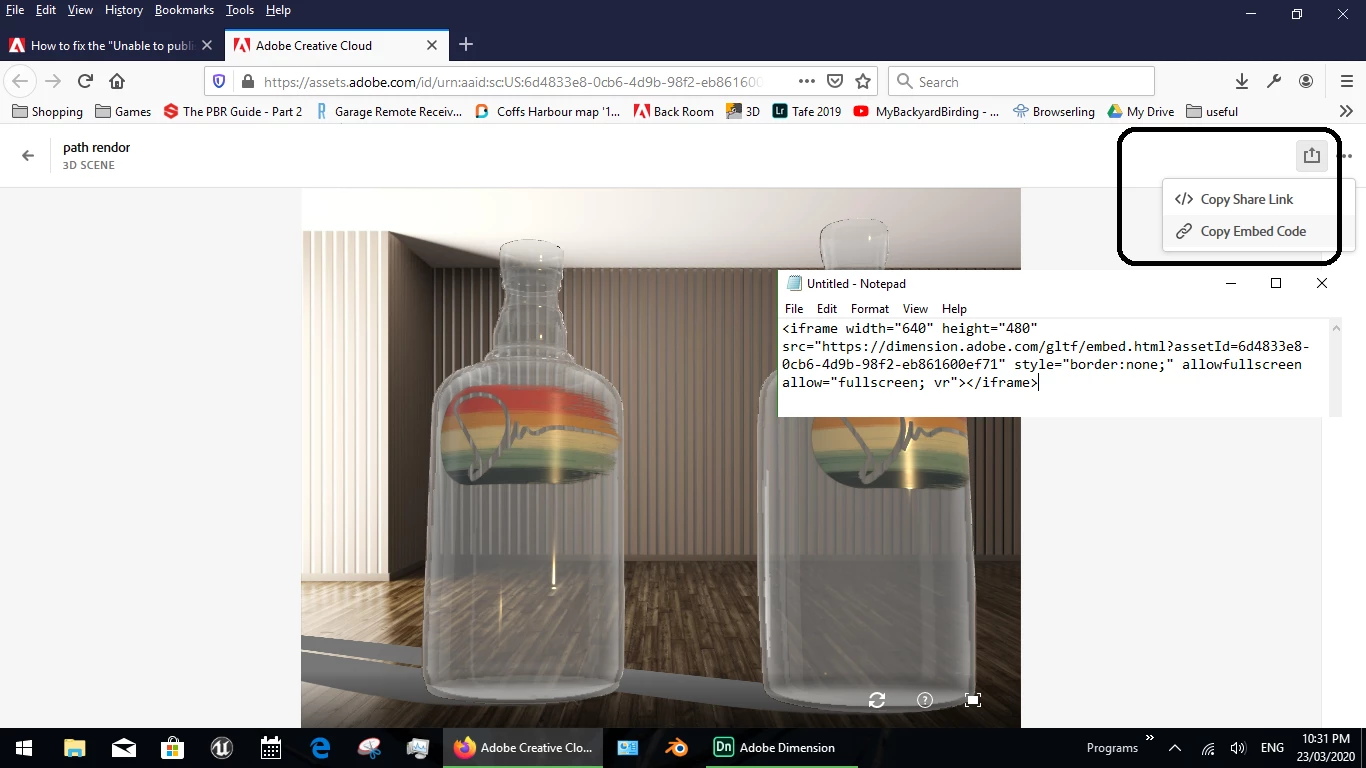
- now for adding the [poor rendor] image to a web page you have two basic options, which you are best to do from the browser UI not Dimension itself
1, create a public | private web link... this is like inviting a client to use your personal ID to view the rendor in their web browser and you can expect the client to tell you it didn't work because Adobe told them they needed to sign in
2, or you can create whats called an iframe... this is very old code for making web browser windows and about 75% of current browsers will block the code by default because its not safe to use but if your client likes to use old computers or just allow an iframe then its the best choice for making a web page link




 AdChoices