

Participant
January 5, 2022
Answered

How to place a hole in a solid shape

  • January 5, 2022
  • 2 replies
  • 5833 views

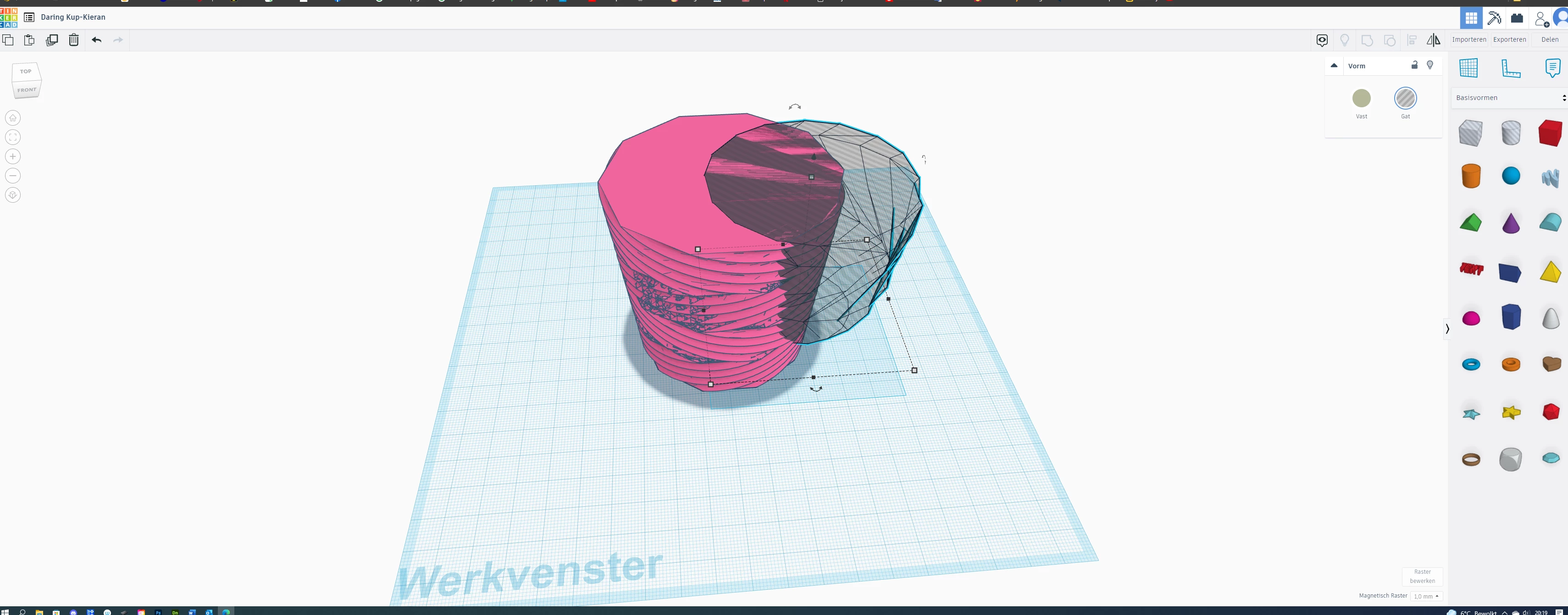
I am a beginner and therfore i used Thinkercad. There it was'nt a problem to make a hole in a other object. How do i do that in Dimension please? Thanks in advantage...

This topic has been closed for replies.
Correct answer Ussnorway7605025

its called a Boolean and no you can't do it in Dimension but old copies of Photohop [before Adobe dropped 3D] or Blender are what most people work around it with


here is another question about the same idea

https://community.adobe.com/t5/dimension-discussions/trouble-with-3d-object-imported-into-dimension/m-p/11725903#M4753


key word with Boolean is to generate UV maps BEFORE you export or your model will have the issues noticed in that other thread

2 replies

Alexandre Becquet
Community Expert
Community Expert
January 7, 2022

Like @Ussnorway7605025 you can't do that in Dimension and i don't think you'll could it a day in Dn.

But you can do it with the new 3D features of illustartor and export the file to Obj and place it in Dn.

https://helpx.adobe.com/illustrator/using/whats-new/2022.html#3d-panel

Ussnorway7605025
Ussnorway7605025Correct answer
Legend
January 5, 2022

its called a Boolean and no you can't do it in Dimension but old copies of Photohop [before Adobe dropped 3D] or Blender are what most people work around it with


here is another question about the same idea

https://community.adobe.com/t5/dimension-discussions/trouble-with-3d-object-imported-into-dimension/m-p/11725903#M4753


key word with Boolean is to generate UV maps BEFORE you export or your model will have the issues noticed in that other thread