


Participant
Feb 12, 2023 12:47 AM UTC
Answered

I have a problem saving a file in Adobe Dimension
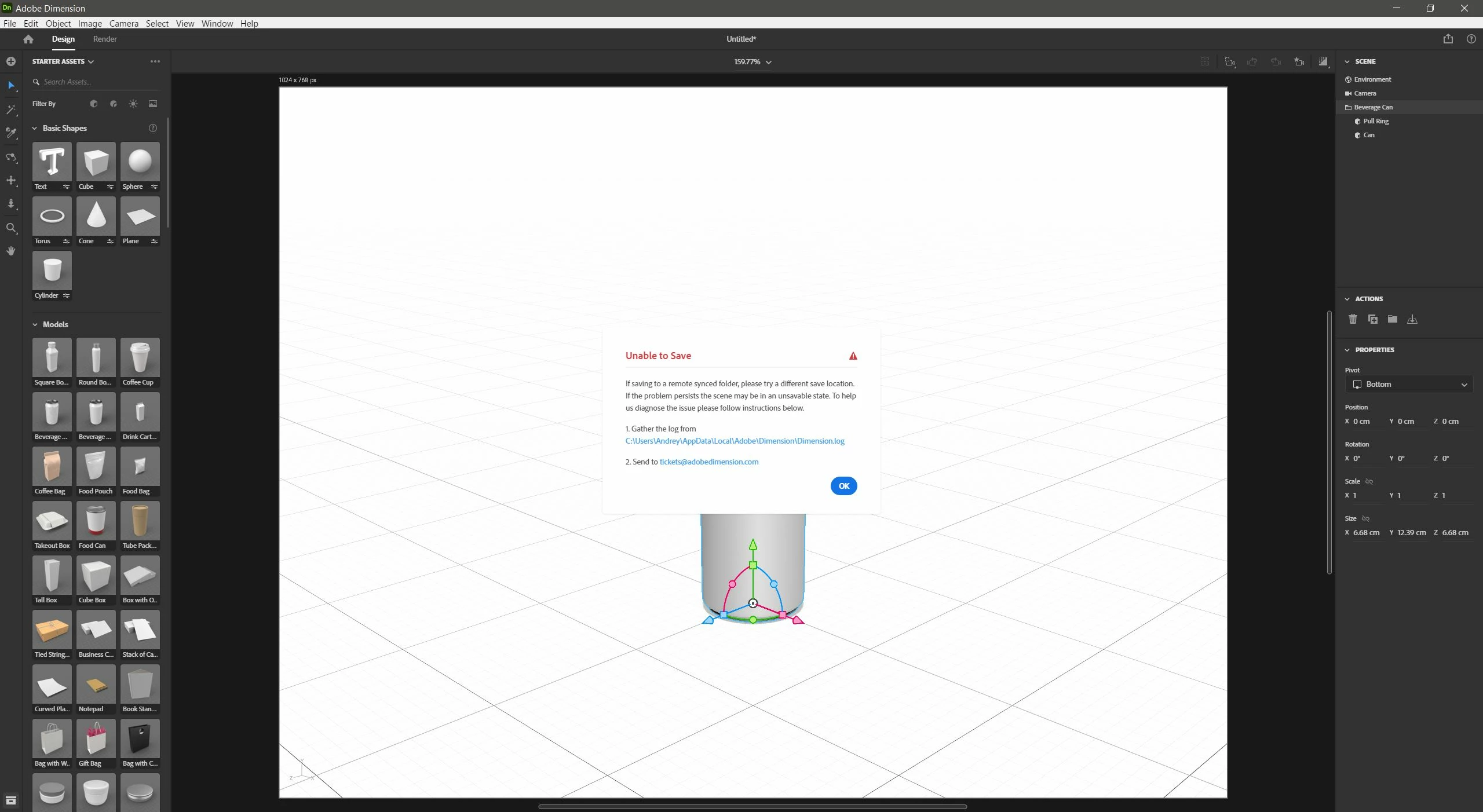
Good afternoon I have a problem saving a file in Adobe Dimension. According to my feelings, it cannot work with Windows 10 folders. I reinstalled the program with resetting all settings - this action did not help. I made the program to run as administrator - it also did not solve the problem. Changed different folders and drives - the file is still not saved. Those. the saving process is in percentage when the program makes a temporary file. But as soon as she tries to save the desired file, she gives an error. Import Export works. Rendering works - render results are saved.

https://docs.google.com/document/d/1K2EsN-F5jYg4GL-ZGNnReCb2qQyYC05uegVEuEEDhr8/edit?usp=sharing 


This topic is closed to new replies. Start a new post to keep the conversation going.
DialmenCorrect answer
Participant
Feb 13, 2023 1:05 AM UTC

I solved the problem by installing a new user in Windows 10. Everything works well in it. But what is the real reason, I can not understand ...

5 replies

DialmenAuthorCorrect answer
Participant
Feb 13, 2023 1:05 AM UTC

I solved the problem by installing a new user in Windows 10. Everything works well in it. But what is the real reason, I can not understand ...

Translate
Ussnorway7605025
Legend
Feb 13, 2023 1:19 AM UTC

I'll take a guess and assume it's because Microsoft moved all your documents into OneDrive


Translate
Imaginerie
Community Expert
Community Expert
Feb 12, 2023 11:05 AM UTC

I can't remember in Windows 10 (I'm on windows 11 now) but I have never had any issues saving to my local drives (even an external drive)

Saving to -say-dropbox synced folder (even if it's physically on a Hard Drive) was always a bit of a hit and miss. But you did test that. I know other people have had trouble with synced folders with other software (bridge being one mighty culprit)

Seeing the log, I can see that there are some errors not all of them saving errors. However I am not knowledgeable enough to understand where the errors come from.


I think it's one for an Adobe employee to chime in so hang in there...Good luck!

Translate
Ares Hovhannesyan
Community Expert
Community Expert
Feb 12, 2023 12:46 PM UTC

I haven't get such an error till now on Win 10 and 11. Are you able to save from another apps without any problem? 

Translate
DialmenAuthor
Participant
Feb 12, 2023 1:02 PM UTC

Yes! Other Adobe applications save without problems! This is only!


Translate