Participant
April 23, 2021
Answered

Image is not transparent

  • April 23, 2021
  • 1 reply
  • 278 views

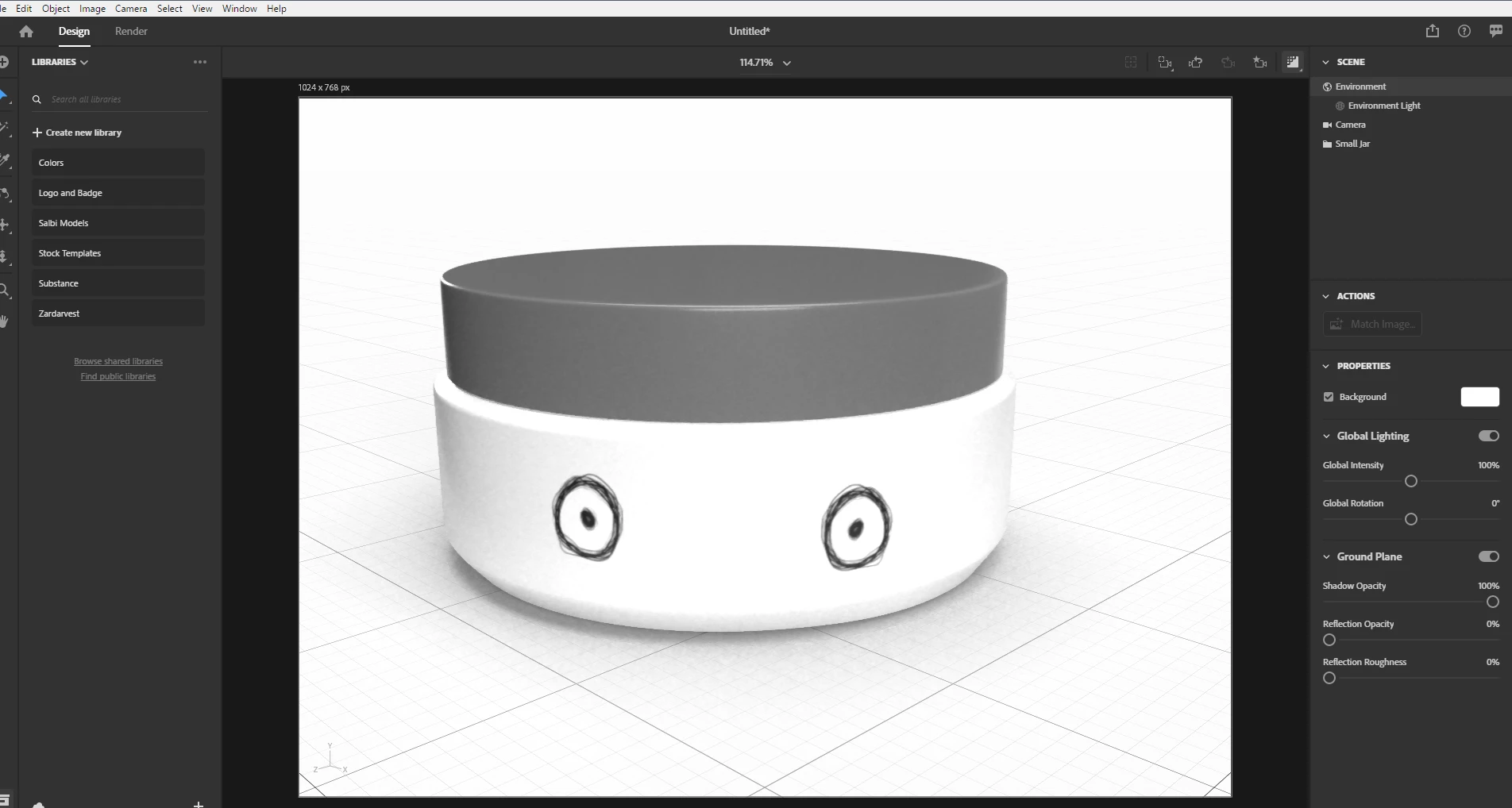
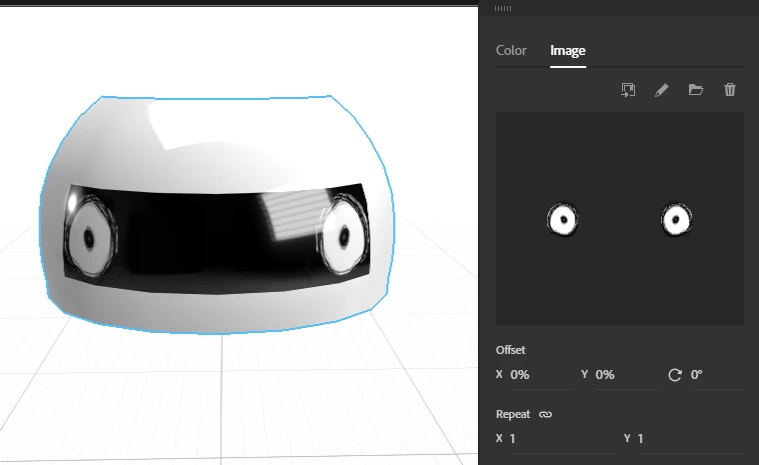
This image has no background in photoshop, yet when I apply it to a material in Dimension it comes in with a white background and a black bar through the middle. The image is a simple png, how do I remove the white background and black bar in Dimension?



This topic has been closed for replies.
Correct answer Ares Hovhannesyan

Opacity has been rendered as black for material. You can place it as Graphics and then change it mode to "Fill" for using it as pattern on your object.

1 reply

Ares Hovhannesyan
Community Expert
Community Expert
April 24, 2021

Can you share png?

Participant
April 29, 2021

Ares Hovhannesyan
Community Expert
Ares HovhannesyanCommunity ExpertCorrect answer
Community Expert
May 1, 2021

Opacity has been rendered as black for material. You can place it as Graphics and then change it mode to "Fill" for using it as pattern on your object.