This topic has been closed for replies.
Correct answer Ussnorway7605025

the issue is because Dimension can't read the file and thats because its a non-standard Obj


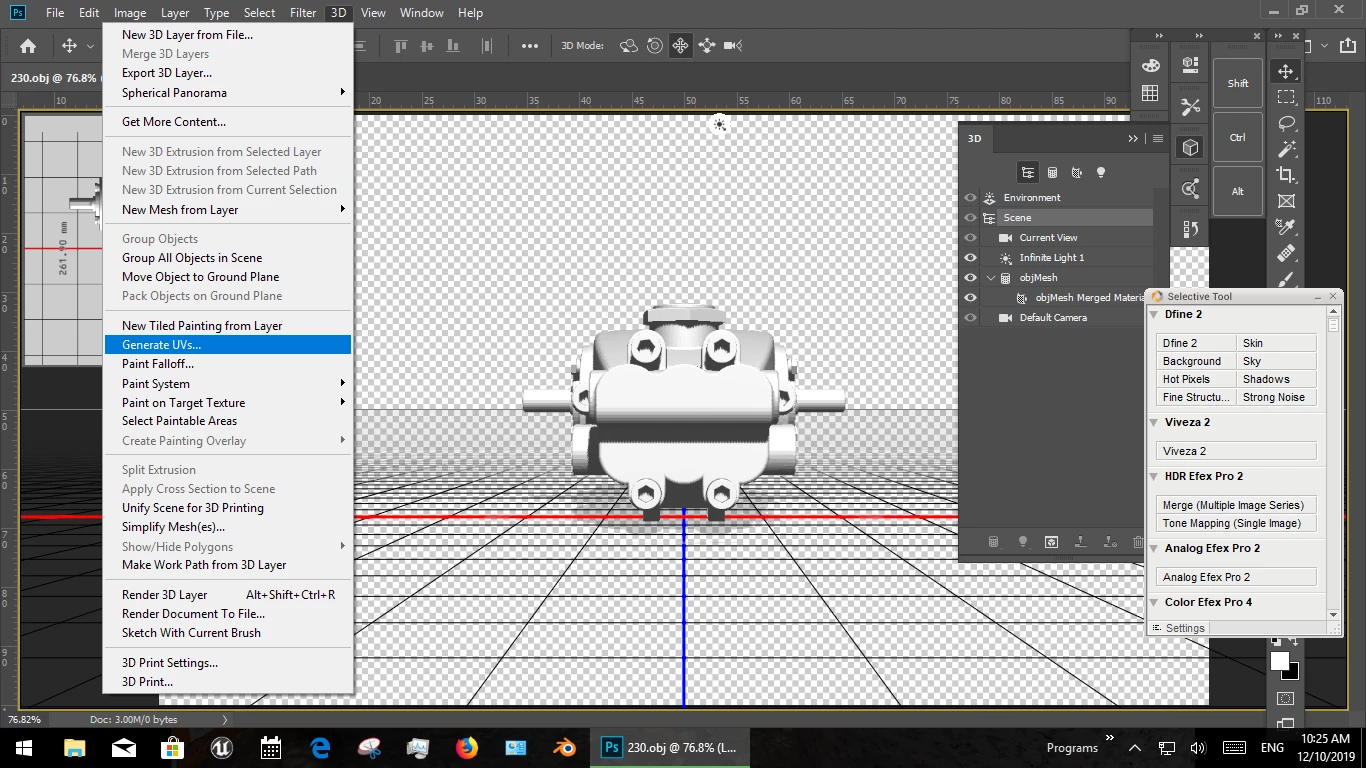
the fix is to reopen this model in your 3d editor of choice {i use Photoshop]

  • generate UV maps
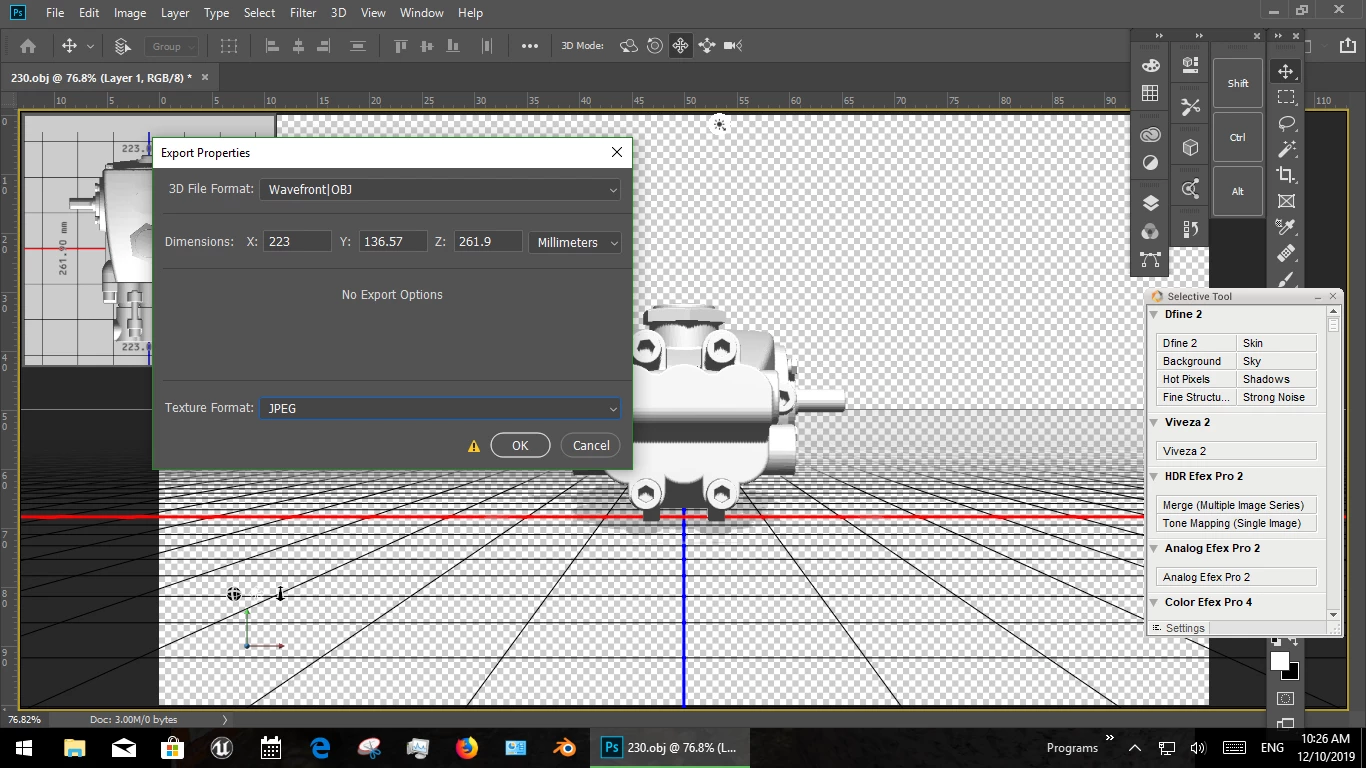
  • export as Wavefront OBJ with Jpeg textures... not bmp and if you use Photoshop then not Png... the actual textures are NOT needed
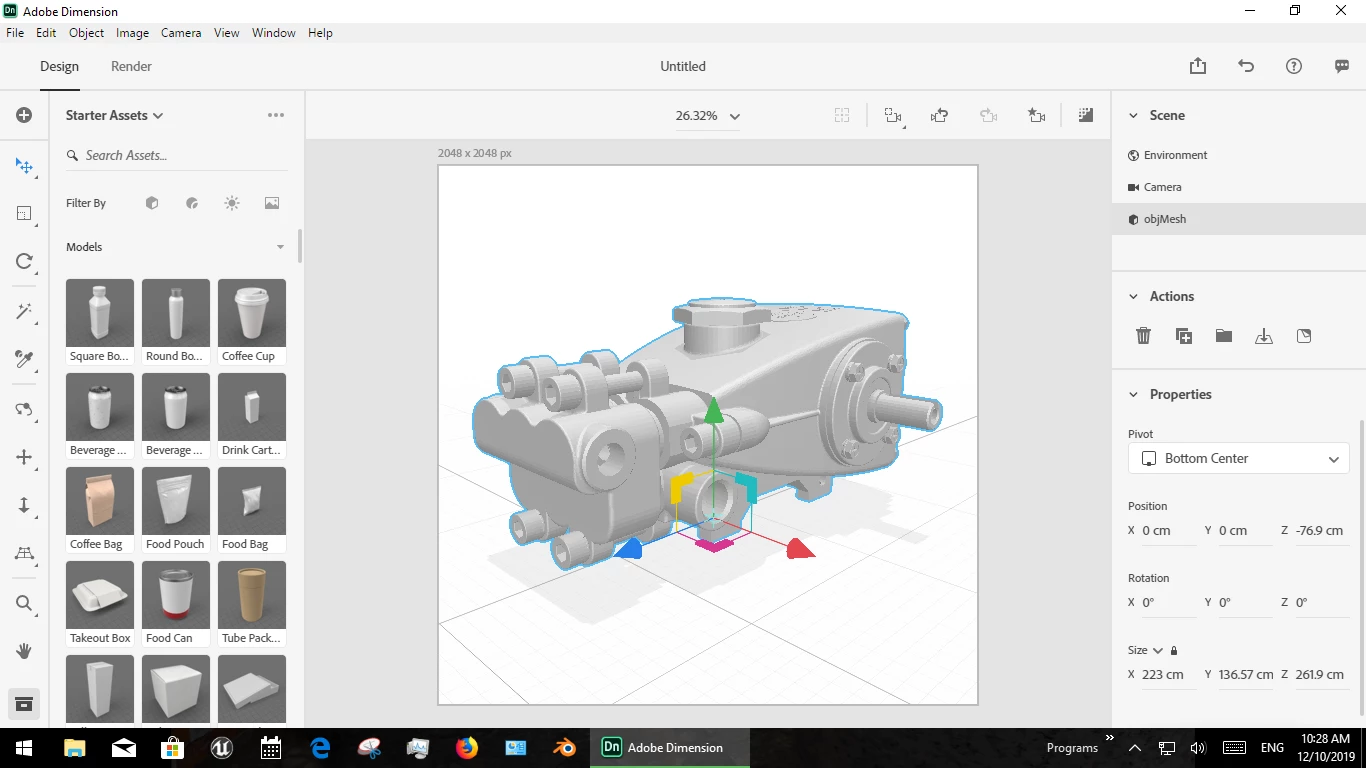
  • then it will open in Dimension and you can edit it from there


3 replies

Participant
April 13, 2021

i am finding this same issue with obj files downloaded from Adobe Stock. I would assume they would be made to use in Dimension but none of them seem to open for me in the latest Dimension 3.4.1
I can't even interrupt or cancel the "loading..." dialog box


Can anyone else confirm that adobe stock 3d models are not opening in the latest Dimension?


rod.

Ussnorway7605025
Legend
October 19, 2019

np mate... i had fun, your model is a nice job, well done!

Ussnorway7605025
Ussnorway7605025Correct answer
Legend
October 11, 2019

the issue is because Dimension can't read the file and thats because its a non-standard Obj


the fix is to reopen this model in your 3d editor of choice {i use Photoshop]

  • generate UV maps
  • export as Wavefront OBJ with Jpeg textures... not bmp and if you use Photoshop then not Png... the actual textures are NOT needed
  • then it will open in Dimension and you can edit it from there


JakobGedeAuthor
Participant
October 18, 2019
This is realy nice, many thanks for your support!