


darinc71724464
Participant
December 5, 2018
Question

Issues with Materials on imported Sketchup models

  • December 5, 2018
  • 1 reply
  • 708 views

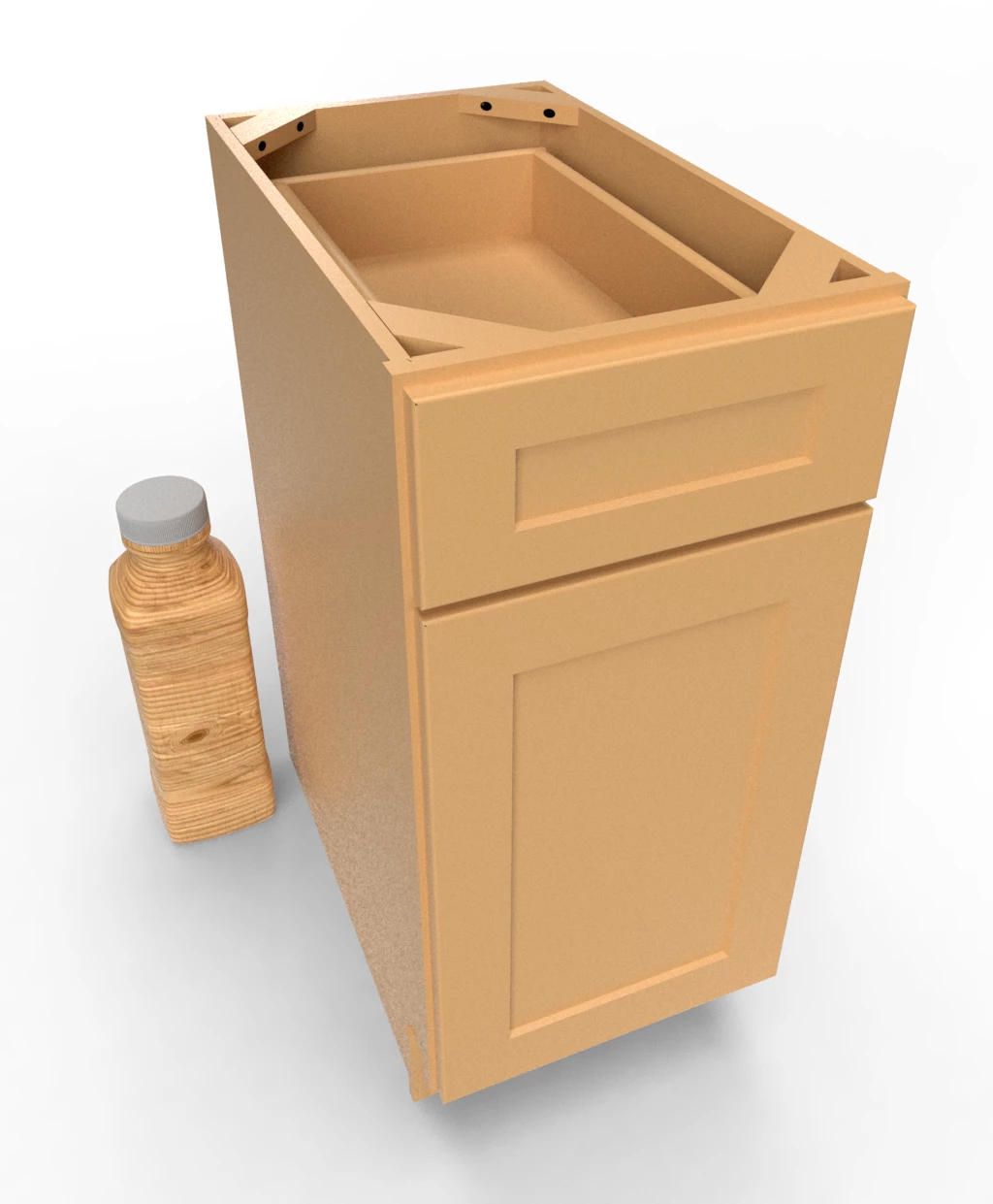
I designed a cabinet using Sketchup and downloaded a stock wood material texture from Adobe Stock.  I applied it to the cabinet and the color and tone comes in flat by comparison to a Square Bottle model.  I'm new to Dimension but like the features I see if I can get them to work.

Also, Is there a way to apply a color/material to one side of a rectangle panel?

I appreciate it
This topic has been closed for replies.

1 reply

Ussnorway7605025
Legend
December 13, 2018

darinc71724464  wrote

Also, Is there a way to apply a color/material to one side of a rectangle panel?

yes use the wand tool to pick just one face Make selections |

superc51632781
Participating Frequently
December 13, 2018

In the following section you

can view the Materials to Import in Adobe!

darinc71724464
Participant
December 13, 2018

I look at the section to Import materials and it didn't help.  As you can tell in my screen shot, two images, side by side with the same materials look completely different.  I'm not sure why.