


Known Participant
October 26, 2017
Answered

Lighting problem

  • October 26, 2017
  • 1 reply
  • 1790 views

I'm having a problem lighting this plant. Below is how it looks in model design mode
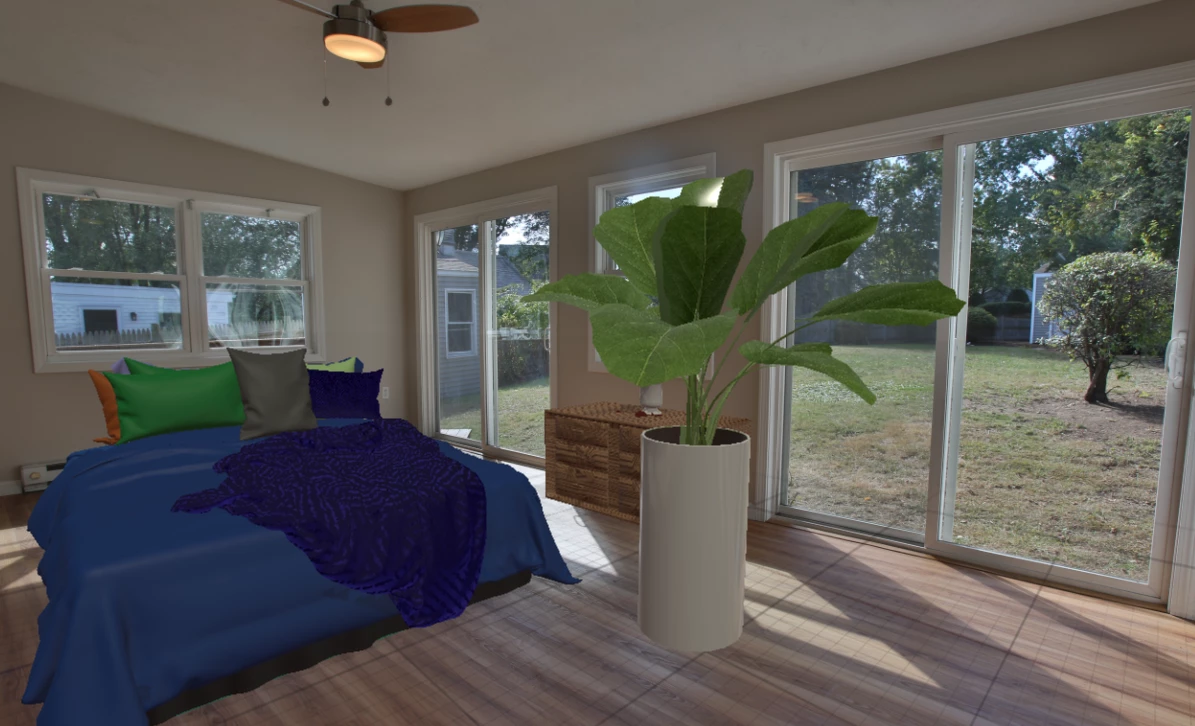
And then when I go to render preview it shows some of the leaves as black
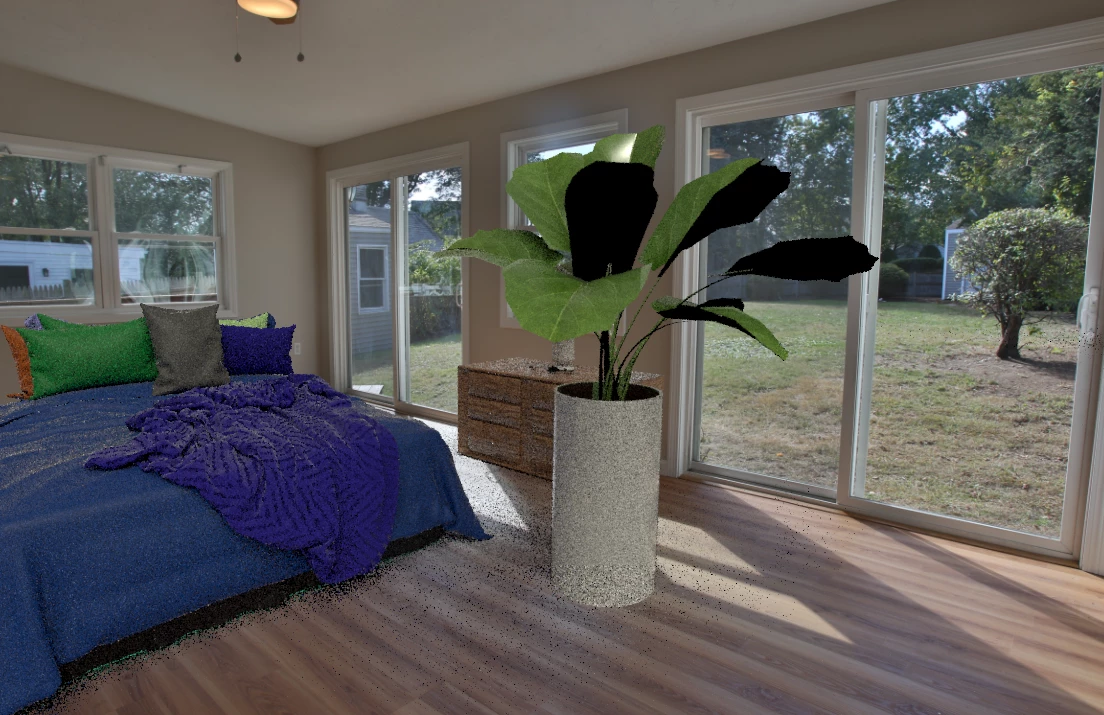
Even when I rotate the light 180 degrees the black stays the same.
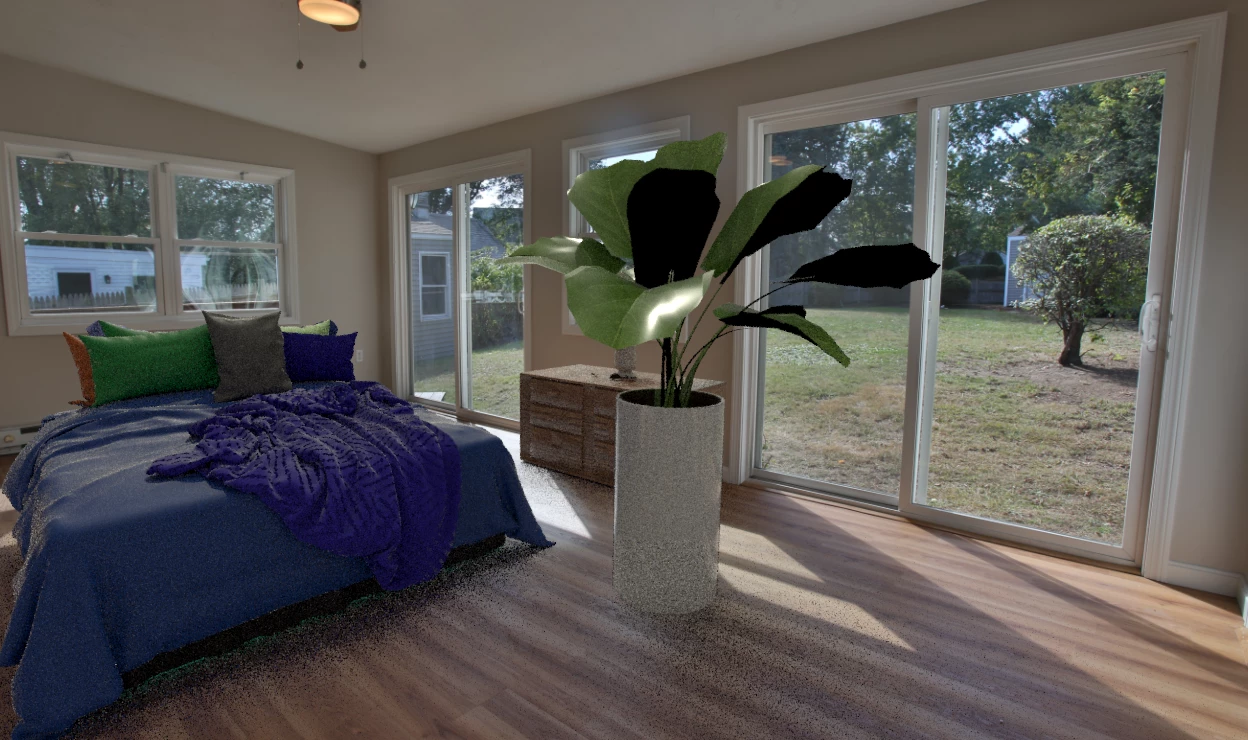
The leaves are all the same material. I put an all green decal on one leaf and it was also applied to all the other leaves. Even when I get rid of the sunlight and just use environmental light the black still shows up in the render even though I can see the green leaf texture fine in design mode. Any help would be appreciated thanks.

    This topic has been closed for replies.
    Correct answer JeanetteMathews

    Black objects usually mean there's a problem in the model normals or UVs.  I'd have to see the model itself to tell unfortunately.  You can use the Contact Support button on our Feedback portal to submit a 1-1 ticket with attachments.  Or you can attach here as a share d link to CC Files, Dropbox, Google Drive, etc.

    Adobe Dimension CC Feedback Portal for submiting private request.

    1 reply

    JeanetteMathews
    Adobe Employee
    JeanetteMathewsCorrect answer
    Adobe Employee
    October 26, 2017

    Black objects usually mean there's a problem in the model normals or UVs.  I'd have to see the model itself to tell unfortunately.  You can use the Contact Support button on our Feedback portal to submit a 1-1 ticket with attachments.  Or you can attach here as a share d link to CC Files, Dropbox, Google Drive, etc.

    Adobe Dimension CC Feedback Portal for submiting private request.

    Known Participant
    October 26, 2017

    test5.dn - Google Drive

    here is the link to the file, thanks

    JeanetteMathews
    Adobe Employee
    Adobe Employee
    October 26, 2017

    Oops, sorry.  I need the .obj file you imported, not the .dn scene.  We don't have an export option in Dimension yet, so can't extract the .obj.